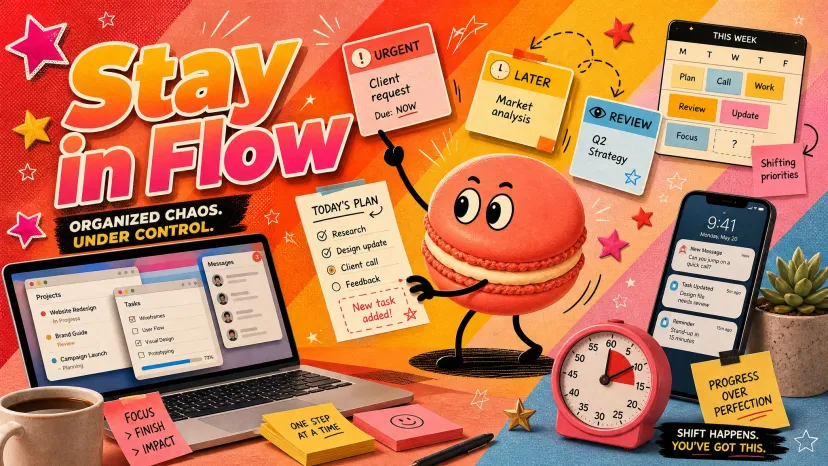
Track work without becoming your own project manager
FAQ
Recommended Reads
How to Stay Organized at Work When Tasks Keep Moving
How to Stay Organized at Work When Tasks Keep Moving
It's 11am. The to-do list you wrote at 9 is already wrong. Two things got bumped, a "quick" request ate your afternoon, and there's a Slack thread you're fairly sure you were supposed to do something about. I’m Mary — I write about trying to make workdays feel a little less like something that keeps slipping out of your hands.
This is the real problem with most advice on how to stay organized at work: it assumes the work holds still. It doesn't. The list was never the hard part — keeping it true while everything keeps moving is.
So this isn't another rigid setup. It's how to keep things loose enough to survive a normal, chaotic week and still know what you're actually supposed to be doing.
The quick version:
Use the lightest setup that survives change — heavy ones break first.
Separate three things you keep mixing: what you own, what you're waiting on, what to revisit later.
Build one tiny review habit so the list stays honest.
Track enough to stay sane, not so much that tracking becomes the job.
Moving work needs a lighter system
Every elaborate setup I've built has died the same way. It worked beautifully until a busy week, then I stopped feeding it, and within days it was lying to me.
That's the trap. The more detailed the setup, the more upkeep it needs — and upkeep is exactly what vanishes when work gets heavy. So the real question in how to stay organized at work isn't "what's the most complete system." It's "what's the least I can maintain and still trust?"
There's a reason the constant reshuffling drains you. Each time you drop one thing to handle another, your brain pays the cost of switching between tasks — tiny per switch, brutal across a day. A lighter setup means fewer forced switches just to remember where you were.
My rule now: if I'd abandon it during my worst week, it's too heavy.
Separate tasks, follow-ups, and waiting items
Here's the mix-up that quietly wrecks most lists — one big pile. "Email Sam," "wait for legal," and "renew the domain next month" are three completely different kinds of thing, and a single list pretends they're the same.
When you organize your workload, split it three ways.
What you own
These are yours to do — the only things that belong on today's actual list. Writing them down beats holding them in your head, especially when the load is high; a head full of open tasks can't focus on the one in front of it.
Keep this list short and honest. If it has 30 items, it's not a today list — it's a someday list in a costume.
What depends on someone else
The stuff you're blocked on: a reply, a sign-off, a file. This is the single most-dropped category at work, because the moment you hand something off, it leaves your mind completely. Then a week later — "wait, did that ever happen?"
Give waiting items their own spot. The best way to keep track of work tasks you don't control is to note what you're waiting for and who has it, so you can nudge instead of forget.
What needs a reminder later
Not now, not blocked — just future. The renewal next month, the follow-up after the launch. These don't belong on today's list at all; they belong in the future, pinned to a time. Handing a delayed intention to an external reminder is one of the most reliable moves there is, and it clears the clutter out of today.
Build a small review habit
A list nobody checks stops being a list. It becomes a museum.
The honest answer to how to keep organized at work over time is a habit, not a tool — and the trick is smallness. A two-minute scan, once or twice a day (morning, and before you log off) to ask one thing: what's actually true now? What got bumped, what's no longer waiting, what's newly on fire.
This matters because work doesn't pause for you to re-orient. Every interruption already costs you — refocusing after an interruption takes time, and a moving workload is basically interruptions all day. One deliberate review buys you a single calm re-orientation instead of twenty frantic ones.
Common mistake: turning the review into a ritual. If it needs fifteen minutes and a template, you'll skip it on exactly the days you need it most. Keep it to two minutes, or it won't survive a real week.
Track work without becoming your own project manager
There's a line where staying organized flips into a second job. You start managing the tracking instead of doing the work — color codes, status fields, a work productivity tracker with more setup than the tasks deserve.
Past a point, that's not organization. It's procrastination with good posture. And it has a real cost: job stress climbs when demands outpace your resources, and appointing yourself full-time project manager just piles on more demand.
So keep the bar low. Enough structure to know what you own, what you're waiting on, and what's coming — and not one notch more. That's the whole of how to stay organized at work when the work won't sit still.
This is honestly where having Macaron in the mix helped me more than any app. I'll mention that I'm waiting on someone, or that something needs picking back up next week, and it just remembers — the context, who owed me what, the thread I'd otherwise lose. Then it nudges me gently when it's time, instead of making me build and babysit a tracker.
That's the part that actually kept me organized: not a heavier setup, just something holding the loose ends with me so I could get on with the work.
FAQ
What work tasks are easiest to lose track of?
The ones you handed off. Anything you're waiting on someone else for tends to disappear the second it leaves your hands — no reply, no nudge, no memory of it. That's exactly why waiting items need their own list, apart from what you're actively doing.
How do people restart when task lists go stale?
They don't resurrect the old one — they start fresh in five minutes. Dump everything currently on your plate, sort it into own / waiting / later, and let the dead list go. A stale list is usually faster to replace than to repair.
When is a project tool too heavy for daily work?
When you spend more time updating it than acting on it. Big project tools are built for teams and timelines; for personal daily work that keeps shifting, they pile on overhead you'll quietly abandon. If maintaining the tool feels like its own task, it's too heavy.
What review habits help when priorities keep shifting?
A short, regular scan beats a long, rare overhaul. Once in the morning, once before you stop — just enough to catch what changed. The goal of these organization tips for work isn't a perfect list; it's one that's still true by mid-afternoon.
You're not going to keep a perfectly organized week. I don't — mine still goes sideways by Wednesday more often than I'd like. But I've stopped chasing the setup that never breaks, because it isn't out there. Maybe the real question of how to stay organized at work is smaller than we make it: not "what's the perfect system," just — does this still tell me the truth when the day falls apart? That's the one I keep asking.
Three years in creative consulting, which mostly means I've tried every productivity system out there and abandoned most of them within a week.
I'm not undisciplined. I just figured out early that most tools aren't really built for the way my brain works — and once I accepted that, things got a lot quieter.
I write about what actually helps. Not for everyone. Just maybe for you.