Why Doing Both Together Saves More Than Doing Each Separately
What to Look for in a Combined Tool
Best Tools for Meal Plan + Grocery List
A 15-Minute Setup Walkthrough
Limitations Before You Rely on These Tools
FAQ
Meal Plan With Grocery List: Let AI Do Both
Meal Plan With Grocery List: Let AI Do Both
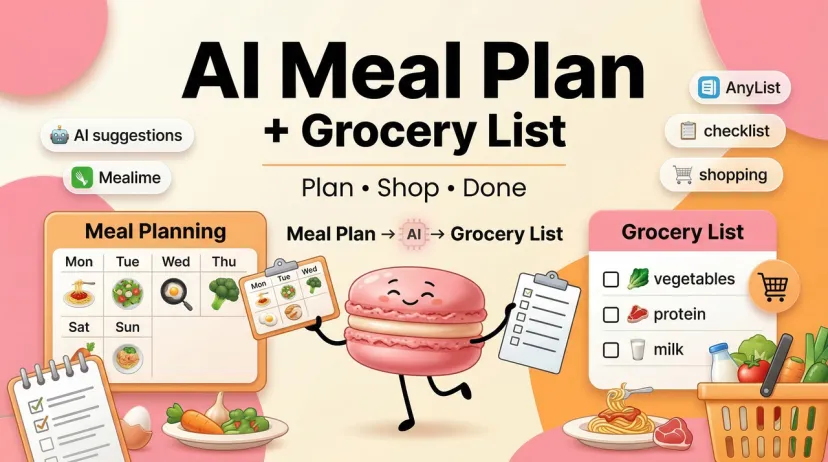
Hey fellow "I planned the meals but forgot to check what I actually have" people — if your weekly cooking routine involves planning dinner in your head and then realizing at 5pm that two recipes share an ingredient you don't have, this is for you.
I've been running these tools through real weekly cooking cycles long enough to stop treating them as tests. The ones that made it into rotation earned their place not through feature lists but by actually compressing the Sunday planning-and-shopping block into something shorter than an episode of TV.
Why Doing Both Together Saves More Than Doing Each Separately
The time math
Planning meals and building a grocery list separately sounds logical until you add up what it actually costs. You plan five dinners. Then you open each recipe, scan ingredient lists, cross-reference what's already in your kitchen, deduplicate "olive oil" that appeared in three recipes, and build a shopping list from scratch — organized however your brain works that day, which may or may not match how your grocery store is laid out.
That process, done carefully, runs 25–40 minutes on the planning side alone. Done quickly, you end up with duplicate items or a list that sends you back and forth across the store twice.
When a single tool handles both, that second step collapses. The plan generates. The list follows automatically — ingredients consolidated across the full week, quantities scaled to your household, items grouped by store section. The part that used to take 20–30 minutes is now a tap.
Who this combo approach is actually for
It's most useful for people who cook most of their meals at home and do a weekly shop. If you eat out most nights or shop daily on the way home, the time math doesn't work in your favor — the upfront setup costs more than it saves.
It's also more useful for households with dietary constraints or multiple people with different preferences. The tools covered here handle dietary filters, per-person preferences, and ingredient overlap across recipes automatically. Doing that manually is where most of the time goes.
What to Look for in a Combined Tool
Meal customization depth
There's a wide range here. Some tools auto-generate a full week with no input other than your calorie goal and diet type — fast, but low control. Others let you specify ingredients you want to use up, dietary restrictions per person, cuisine preferences, recipes from your own saved collection, and time constraints per meal. More input control means more useful output, but also more friction before you get your plan.
The question to ask before choosing: do you want a tool that does the work for you, or one that gives you precise control? These two priorities usually point to different tools.
Grocery list accuracy and category grouping
Not all auto-generated lists are equal. A weak integration adds up ingredient lists from each recipe without deduplicating — you get "2 tbsp olive oil" appearing four separate times. A strong integration consolidates across all seven days, scales quantities to your serving size, and groups items by store section so you move through the store in one pass.
The category grouping sounds like a small thing. In practice, a list organized as produce → dairy → pantry → meat saves 10–15 minutes per shop compared to a list organized by recipe.
Export and sharing options
If you cook solo: in-app shopping mode is usually enough. If you shop with a partner or split shopping duties: shared list access and edit permissions matter. If you prefer ordering online: direct integration with grocery delivery services means you can push the list to a cart without retyping anything.
Best Tools for Meal Plan + Grocery List
Comparison table
Tool
Meal plan auto-gen
List accuracy
Export / delivery
Free tier
Samsung Food
Calendar + drag-and-drop + AI plans (paid)
High — aisle-grouped, one-tap from plan
23 grocery retailers
Calendar + list fully free; AI plans behind Food+
Mealime
Filter-based recipe selection, auto-list
High — aisle-organized, ingredient-consolidated
Select delivery partners
Most recipes + full list free; Pro $2.99/mo
Eat This Much
Macro-first auto-generation
Functional — Instacart / AmazonFresh
Instacart, AmazonFresh
Daily plans only; weekly + list requires Premium
FoodiePrep
Conversational + AI-generated
High — aisle-organized, allergen-aware
In-app; no direct retailer push
Recipe saving + basic planning + lists free
Strongest all-in-one option: Samsung Food
Samsung Food's meal planning service is free for all users, and the plan-to-list conversion is genuinely one of the cleanest in the category. You create your meal plan, tap "Add plan to shopping list," select the ingredients you'd like to include, and they're added automatically — sorted by aisle or recipe, with custom notes and rearrangeable items.
The free tier includes over 240,000 recipes searchable by ingredient, cook time, cuisine, or 14 different diets, a weekly meal planner that converts to a smart shopping list, shared grocery lists for households, and grocery delivery from 23 integrated retailers across 4 regions. That's the kind of free tier that makes the paid tier feel genuinely optional unless you need the specific AI personalization features it unlocks.
Food+, at $6.99/month or $59.99/year with a 7-day free trial, adds AI-personalized weekly meal plans, Smart Cooking Mode, automated pantry suggestions, and the ability to reuse and reapply saved meal plans.
The real-world trade-off: many Samsung Food recipes pull from third-party sites rather than native recipes, which means occasional ad-laden pages when you open the full recipe. The list and planning workflow is excellent; the recipe reading experience is uneven.
Best for: Anyone who wants the strongest free plan-to-list pipeline, shops at one of the 23 integrated retailers, or uses Samsung appliances.
Best free option: Mealime
Where Samsung Food is strongest on the delivery integration side, Mealime is cleaner for people who just want fast weeknight meals without configuration overhead. You set your dietary preferences and dislikes once, pick meals from a filtered library, and the app auto-generates a grocery list organized by store section. The free tier includes most recipes and full grocery list functionality — Pro at $2.99/month adds exclusive recipes, macro tracking, and priority support.
The limitation everyone eventually hits: no pantry tracking on any tier. You manually uncheck items you already have. And Mealime's recipe library skews toward quick 30-minute weeknight cooking — it's not the right tool for people who want broader cuisine variety or complex recipes.
Best for: Busy individuals or couples who want a fast, frictionless weeknight meal plan with a clean grocery list and don't need delivery integration.
A 15-Minute Setup Walkthrough
From zero to a full week + list
This walkthrough uses Samsung Food — the strongest free path. Mealime follows a similar structure.
Minutes 1–3: Set your preferences Create a free account. Set your dietary style (14 diet filters available), any ingredients you dislike, and your household size. This is a one-time setup.
Minutes 3–8: Build your meal plan Search for recipes by ingredient, cuisine, or diet filter. Drag them onto your weekly calendar — or browse community recommendations if you want inspiration. Aim for 5–7 dinners; lunch and breakfast slots are optional.
Minutes 8–9: Convert to grocery list Tap Planner → Add plan to shopping list → Add items. The app pulls every ingredient across your full week, consolidates duplicates, and organizes by store section.
Minutes 9–13: Review and edit Scroll through the list. Uncheck anything you already have. Add household staples manually (the list accepts custom items). Rearrange sections if your store layout is different.
Minutes 13–15: Share or push to cart Share the list with a household member via link, or push directly to one of the 23 integrated grocery retailers for delivery or pickup.
Total: 15 minutes, including one-time setup. The grocery list step itself — previously 20–30 minutes of manual cross-referencing — is now under two minutes.
Limitations Before You Rely on These Tools
Pantry inventory blind spots
None of the free tiers here maintain real-time pantry awareness. Samsung Food's Food+ tier includes automated pantry suggestions, but even that requires you to log purchases rather than auto-detecting what's in your kitchen. The practical result: every tool will sometimes list items you already have. Build the habit of doing a 2-minute pre-shopping fridge check before you submit the list. Unchecking five items takes less time than returning to the store for something you accidentally skipped.
Store-specific gaps
The 23 retailer integrations Samsung Food offers cover major US, UK, Australian, and European grocers. But they don't cover every local chain. If your primary store isn't on the integration list, you're in-app shopping mode — which works fine, but removes the one-tap cart push. Mealime's delivery integrations are more limited and regionally variable. For most users, this is a minor inconvenience; for users whose primary store isn't covered, it removes one of the main workflow benefits.
At Macaron, we've seen this same friction show up further down the chain — the meal plan is there, the grocery list is there, but deciding what to cook again next week, remembering what worked, and not rebuilding from scratch every Sunday is the layer that stays manual. That's the layer we built for — if you want your weekly cooking routine to run as a system that actually carries over week to week, try it free with a real week.
FAQ
Can I edit the grocery list after it's generated?
Yes, on every tool covered here. Samsung Food lets you sort by aisle or recipe, add custom notes, add non-recipe items, rearrange sections, and uncheck items you already have. Changes sync if you're sharing the list with someone else. Mealime similarly lets you uncheck items and add household staples. No tool requires you to accept the generated list as-is.
Do these tools sync with grocery store apps?
Samsung Food integrates directly with 23 retailers across 4 regions — you can get groceries delivered from integrated retailers or push your list to an online cart. Eat This Much connects directly to Instacart and AmazonFresh. Mealime has select delivery partners, which vary by region. FoodiePrep doesn't currently push to retailer carts directly — you shop from the in-app list. If direct store sync is a priority, Samsung Food has the deepest integration as of early 2026.
Hey, I’m Hanks — a workflow tinkerer and AI tool obsessive with over a decade of hands-on experience in automation, SaaS, and content creation. I spend my days testing tools so you don’t have to, breaking down complex processes into simple, actionable steps, and digging into the numbers behind “what actually works.”