Hi, I'm Maren. I asked an AI assistant to help me draft a follow-up email. Then I asked it again two days later because I'd started a new session and it had no idea who I was. Third time, same thing — same context, same re-explaining, same mild frustration that had quietly become a habit. I switched tools the day I found one that remembered I'd already answered that question. That was the moment I understood what a personal AI assistant is actually supposed to do — and why most things marketed as one aren't.
This isn't a roundup. It's a report on what I've found actually works, where it breaks, and who it won't work for.
The Real Job of a Personal AI Assistant
The marketing version: "your AI for productivity, available 24/7." The reality: most tools answer your questions well and forget you completely between sessions.
The real job of a personal AI assistant isn't to be the smartest thing in the room. It's to reduce the cost of thinking the same thoughts twice.
Remembering Context, Not Just Answering Prompts
There's a difference between a tool that responds well and one that accumulates. The first kind is useful once. The second kind gets more useful the longer you use it — because it knows you prefer async over meetings, that your Thursday mornings are already blocked, that "urgent" in your vocabulary means by end of day, not within the hour.
According to research on human-computer interaction from MIT, the cognitive cost of context-switching and re-explaining isn't trivial — it compounds across a workday in ways people consistently underestimate. A tool that holds context across sessions removes one of the quietest drains on focused work.
Turning Messy Input into Usable Workflows
I don't think in clean bullet points. I think in fragments — half-formed tasks, vague deadlines, things that are "basically done but not quite." A good assistant takes that and shapes it into something actionable without requiring me to become a different kind of person first.
That small friction got me thinking — the tools I'd abandoned weren't bad. They just assumed I'd arrive already organized.
Where Personal AI Fits in a Normal Day
Not everywhere. That's where most productivity advice goes wrong — treating AI like a universal layer to apply to every hour. Here's where I've found it actually earns its place.
Morning Planning
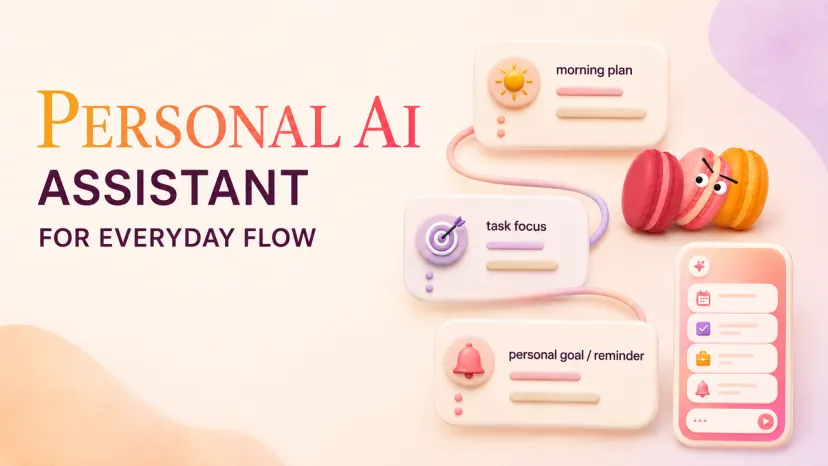
Five minutes, not fifty. I describe what I have on my plate and what's actually going to move today — the assistant helps me sequence it, flags what's likely to conflict, and holds the list so I'm not rebuilding it from scratch in my head by 10 a.m.
Research in cognitive psychology has shown that externalizing plans (getting decisions out of your working memory) significantly reduces decision fatigue throughout the day. This is a well-documented benefit of cognitive offloading. This slot exists for exactly that reason.
Task Triage
The inbox-zero fantasy is one I gave up on years ago. But triage — identifying what requires a decision today versus what can wait or be delegated — is something an assistant handles well if it has context about what you're working on. Without that context, it's just generating generic prioritization advice. With it, triage takes about ninety seconds.
Follow-Up Reminders
This is the part that breaks most systems. You make a decision, someone says they'll get back to you, and then — nothing. Three weeks later you remember. A personal AI assistant that can set intelligent follow-ups and surface them without you having to manually manage a reminder system is genuinely useful. Not because the feature is novel, but because the alternative is a dedicated follow-up app that you stop checking by week two.
Personal AI vs Task Apps vs Executive Assistants
Worth being precise here, because these three things get conflated.
An ai task manager does one job: it holds tasks, organizes them, sometimes suggests prioritization. It doesn't interpret context, doesn't draft communication, doesn't adjust based on how your week is going. Useful, limited.
An ai executive assistant is a closer comparison — but the traditional EA model is built around delegation to a person who learns your patterns over months. Most AI tools marketed as executive assistants don't actually accumulate that institutional knowledge. They're responsive, not anticipatory.
A personal AI assistant sits in the middle and — when it works — does something neither of the above does well: it connects the dots between what you said you wanted to do and what you actually have capacity for, right now, in this week.
Gartner's research on workplace AI adoption notes that the highest-value AI applications aren't the most powerful ones — they're the ones that reduce low-stakes cognitive overhead consistently, across many small interactions. That's a precise description of what this category should do.
What Personal AI Should Not Decide for You
But here's where it gets specific — and this matters for knowing whether it fits your setup.
A personal AI assistant should not decide your priorities for you. It should help you see them more clearly. There's a version of this tool that becomes a crutch — you stop making decisions because the AI will triage them, you stop tracking your own patterns because the AI is tracking them for you. I've noticed this happening in my own use. Around week five I started checking the assistant's suggestions before forming my own opinion about my day. That's not useful. That's outsourcing your judgment to something that doesn't have the full picture.
The people I'd say this won't work for: anyone who already has a clean external system they trust and use consistently. If your task app is working, adding a personal AI layer will probably just create two sources of truth and more friction than you started with.
Worth trying if your setup looks anything like mine — hybrid schedule, varied project types, no reliable EA, a lot of async communication that needs following up.
How Macaron Fits This Category
Macaron is the tool I've been running this experiment on. What made it different from the three or four alternatives I tested before it: it held context between sessions in a way that actually changed how I used it. By week three I wasn't re-explaining who I was or what projects I was tracking. That's not a feature I expected to notice. I noticed it because its absence had been so consistent in everything else I'd tried.
It's not perfect. The task-to-calendar integration took me longer to set up than it should have. But it's still running at week eight. That's not something I say often.
FAQ
What is a personal AI assistant?
A personal AI assistant is a tool that handles planning, communication, and task coordination on your behalf — ideally while learning your patterns and preferences over time. The key difference from a general AI tool is continuity: it should know context from past interactions rather than starting from zero every session.
How can AI help with productivity?
The most consistent win is reducing low-stakes cognitive overhead — triaging tasks, drafting follow-ups, structuring a day plan, holding information you'd otherwise keep in your head. According to productivity research compiled by the American Psychological Association, interruptions and context-switching cost more time than the tasks themselves. AI for productivity works best by absorbing the small maintenance tasks that fragment attention.
Is a personal AI assistant the same as an AI task manager?
No. A task manager organizes things you tell it. A personal AI assistant interprets, prioritizes, drafts, and — if it's well-built — adapts to how you actually work, not how you intend to work. The best ai assistant app for you depends on whether you need organization or actual decision support.
When should I use personal AI instead of another app?
When the friction you're experiencing isn't missing features — it's missing memory. If you find yourself re-explaining context to your tools, setting the same reminders manually every week, or maintaining three different lists that don't talk to each other, a personal AI assistant is more likely to help than another standalone app.
I'm planning to test whether the follow-up reminders hold up when project load increases — the current experiment has been relatively controlled. I'll check back in.
I’m Maren, a 27-year-old content strategist and perpetual self-experimenter. I test AI tools and micro-habits in real daily life, noting what breaks, what sticks, and what actually saves time. My approach isn’t about features—it’s about friction, adjustments, and honest results. I share insights from experiments that survive a real week, helping others see what works without the fluff.