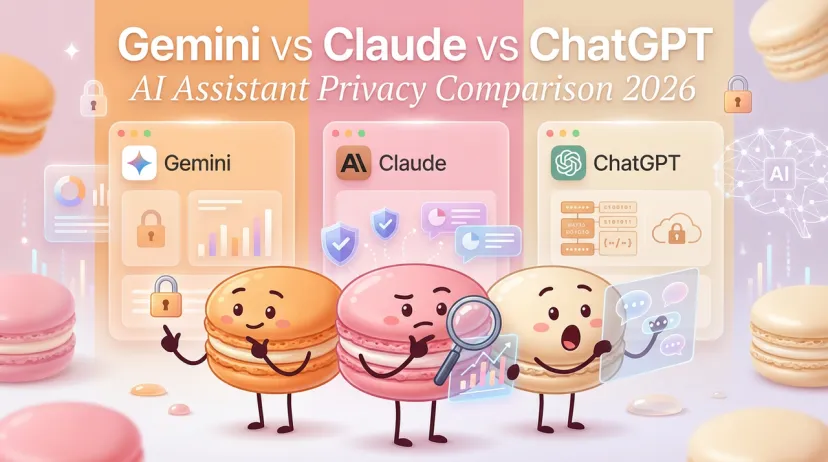
Will Your AI Assistant Leak Your Data? ChatGPT vs Claude vs Gemini Privacy Compared (2026)
Will Your AI Assistant Leak Your Data? ChatGPT vs Claude vs Gemini Privacy Compared (2026)
Hey there, fellow AI tool explorers. I've spent the past few months testing privacy controls across the major AI assistants, and I need to tell you something: the gap between what these companies promise and what actually happens to your data is wider than I expected.
Last week, I ran the same sensitive workflow through all three platforms—ChatGPT, Claude, and Gemini—with privacy settings maxed out. The differences in what got stored, who could see it, and how long it stuck around were honestly eye-opening. Not scary, just... different enough that you need to know before you paste your next client email or code snippet.
Here's what I'm seeing in January 2026: AI-related privacy incidents jumped 56% in 2024, and only 47% of people globally trust AI companies with their data. That number keeps dropping. These aren't abstract stats—they're signals that privacy in AI is becoming a real decision point, not an afterthought.
I'm Hanks. I test AI tools so you don't have to. Here's exactly what each assistant collects, stores, and actually does with your conversations. No marketing spin. Just what I saw.
Why AI Privacy Matters
What AI Assistants Know About You
Every prompt you send contains more than you think. I realized this when I asked ChatGPT to help draft a project proposal and noticed it remembered details from a conversation three weeks earlier—details I'd assumed were long gone.
AI assistants collect:
Every word you type (prompts, questions, corrections)
Files you upload (PDFs, images, code, spreadsheets)
Your corrections and feedback (thumbs up/down, edits)
Metadata (timestamps, device info, location data)
Usage patterns (how often, when, what features)
According to recent privacy research from Stanford, if you share sensitive information in a chat—even in a separate uploaded file—it may be collected and used for training. That's the part most people miss.
Potential Risks
I'm not saying don't use these tools. I use them daily. But after testing privacy settings across platforms, here's what actually worried me:
Training on your data: Your conversations can train future models unless you explicitly opt out—and the opt-out process isn't the same everywhere.
Long retention periods: Some platforms keep your data for years. Claude now retains opted-in data for five years. That's not a typo.
Human review: Real people can read your chats during quality checks. Google, OpenAI, and Anthropic all use human reviewers for safety and improvement.
Shared links: When you share a ChatGPT conversation, you're exposing everything in that thread to anyone with the link.
The 2026 privacy rankings from Incogni put Meta AI at the bottom, with Gemini and Copilot close behind. ChatGPT ranked second, and Le Chat (Mistral) took first for privacy.
Gemini Privacy Analysis
Data Collection Scope
Google's Gemini Apps Privacy Hub (updated January 21, 2026) is clear about what they collect:
When I tested Gemini, I noticed something: the mobile app collects more than the web version. Location data, contact info, and usage patterns all flow through when you're on Android. Desktop use is leaner.
How Google Uses Your Data
This is where things get real. Google uses your Gemini data to:
Improve generative AI models and machine learning tech
Fight policy violations and harmful content
Train reviewers (including external contractors)
Here's the kicker: unless you turn off Gemini Apps Activity, your data is used for training by default. Human reviewers see your prompts after they're disconnected from your account, but they do see them.
For workspace users, the rules are different. Gemini in Google Workspace doesn't train on your business data unless you explicitly share feedback and check the box to allow it.
Delete & Control Options
Gemini gives you options, but you have to find them:
Gemini Apps Activity: Auto-deletes after 18 months by default. You can change this to 3 months, 36 months, or turn it off entirely.
How to opt out:
Go to myactivity.google.com/product/gemini
Click "Turn Off" (or "Turn Off & Delete Activity")
Set auto-delete to your preference
When Activity is off, Google still holds your chats for up to 72 hours to run the service and safety checks. After that, they're gone—unless flagged for policy violations.
Claude Privacy Analysis
Anthropic's Privacy Commitments
I'll be honest: Anthropic's privacy shift in 2025 caught me off guard. For years, Claude didn't train on user data. Then in August 2025, Anthropic updated its terms to make training opt-out instead of opt-in.
As of October 2025, here's the deal:
Consumer accounts (Free, Pro, Max) can opt out of training
If you opt out, 30-day retention
If you opt in, 5-year retention
Business accounts (Team, Enterprise, API) don't train on your data by default
Conversation Data Handling
When I tested Claude's privacy settings, I found the controls straightforward but the defaults surprising. The pop-up that asks about model training has a large "Accept" button with a small toggle set to "On." If you click Accept too fast, you've opted in.
What Claude collects when training is enabled:
Chat content (prompts and responses)
Code sessions
Feedback submissions (retained for 5 years even if you opt out of training)
Anthropic uses automated filters to remove sensitive data before human review, but as privacy experts noted, you shouldn't rely on filters alone. Don't paste truly sensitive data.
Enterprise Privacy Options
Claude for Work changes everything. Business accounts get:
No training on your data (hard default)
Data Processing Addendum (DPA) for GDPR compliance
SOC 2 Type 2 certification
Control over data residency
If you're using Claude for client work or sensitive projects, the business tier isn't optional—it's the only way to guarantee privacy.
ChatGPT Privacy Analysis
OpenAI Data Policies
OpenAI's privacy policy (effective January 1, 2026) covers ChatGPT, DALL·E, and other consumer services. Here's what they collect:
OpenAI stores this data "as long as necessary" to provide services, comply with law, or resolve disputes. Translation: until you delete it or they decide to.
Memory Feature Privacy
ChatGPT's Memory feature is powerful but also a privacy wildcard. When enabled, ChatGPT remembers details across sessions—your writing style, project names, personal preferences.
I tested this by mentioning a client name once, then asking about "the project" two weeks later. ChatGPT knew exactly what I meant. Convenient? Yes. Privacy-safe? Depends on what you're discussing.
You can:
View all saved memories in Settings
Delete individual memories
Turn Memory off entirely
Use Temporary Chats (which bypass Memory and aren't saved)
Training Opt-Out
As of 2026, ChatGPT gives you explicit controls:
To opt out of training:
Open Settings > Data Controls
Toggle "Improve the model for everyone" to OFF
This applies account-wide across devices
Temporary Chats: Start a temporary chat by clicking the icon at the top. These chats are deleted after 30 days and never used for training.
One thing that surprised me: feedback you submit (thumbs up/down with comments) can still be used for training even if you opt out of general training. That's a gap most people don't catch.
ChatGPT Enterprise changes the game. Enterprise accounts get:
No training on business data by default
AES-256 encryption at rest, TLS 1.2+ in transit
SOC 2 Type 2 compliance
Configurable data retention (down to 30 days)
Side-by-Side Comparison Table
Feature
Gemini
Claude
ChatGPT
Macaron
Default Training
ON (must opt out)
ON for consumers (must opt out)
ON (must opt out)
OFF — not used to train models, not sold for ads
Retention (default / opted out)
72 hours minimum
30 days
30 days
Only as long as needed for the service; full deletion confirmed within 48 hours when requested
Retention (opted in)
18 months (adjustable)
5 years
No fixed limit stated
Not applicable — no training opt-in tier exists
Human Review
Yes, after de-identification
Yes, filtered for sensitive data
Yes, for safety/quality
Not publicly detailed in the policy
Enterprise Training
OFF by default (Workspace)
OFF by default (Claude for Work)
OFF by default (Enterprise)
Not applicable — consumer product only
Easy Opt-Out
Yes (Activity settings)
Yes (Privacy toggle)
Yes (Data Controls)
Yes — email request to privacy@macaron.im, confirmed within 24 hours in testing
Temporary Mode
Yes (turns off Activity)
No dedicated mode
Yes (Temporary Chat)
Not offered
Delete Controls
Activity page + auto-delete
Individual chat deletion
Chat history + bulk delete
Full account deletion via email request, plus a machine-readable data export on request
Mobile Data Collection
Extensive (location, contacts)
Standard (usage only)
Standard (usage only)
On-demand only — permissions requested per feature, not upfront
Certifications
ISO 42001 (Workspace)
SOC 2 Type 2 (Enterprise)
SOC 2 Type 2 (Enterprise)
Not publicly stated; GDPR/CCPA rights confirmed, with Standard Contractual Clauses for EU data transfers
Our Privacy Rankings
Most Private Option
Winner: Claude (Enterprise/Team plans)
When I tested enterprise tiers, Claude gave me the cleanest privacy setup. No training on business data, clear DPA, and the shortest default retention (30 days for consumers who opt out).
For consumer use, Claude's opt-out actually works as advertised—if you remember to toggle it. The 5-year retention for opted-in users is aggressive, but at least it's transparent.
Best Balance
Runner-up: ChatGPT
ChatGPT offers the most granular controls. Memory on/off, Temporary Chats, training opt-out, and individual chat deletion all work independently. I could keep history for reference while blocking training—something that's harder with Gemini.
OpenAI's transparency improved significantly in 2025. You know what's collected, why, and how to stop it. The gap is feedback data—even with training off, your thumbs-up comments can be used.
Most Features
Trade-off: Gemini
Gemini integrates deeply with Google services, which is both its strength and privacy weakness. If you're already in the Google ecosystem, Gemini Apps Activity ties into your broader Google account.
The upside: powerful workspace integration, grounding with Google Search, and extensions across Google products. The downside: more data flowing through more services. For privacy-conscious users, that's a lot of surface area to lock down.
Where Macaron Fits Into This Picture
Macaron isn't a general chat assistant competing for the same "most private LLM" title as the three above, so I'm not slotting it into Winner/Runner-up/Trade-off — that ranking was built for comparing general-purpose assistants on training defaults, and Macaron's job is different (building you small personal tools, not generating everything from scratch). If privacy and useful memory both matter, Macaron's AI personal assistant for daily life explains how remembered context supports everyday help. For practical examples you can use immediately, see Macaron's personal assistant prompt examples for planning, meals, routines, and everyday decisions.
But the underlying question — what happens to what I tell it — is the same question, and it's worth asking of anything that's collecting your data, no matter what category it's in. Here's the honest version, not the brochure version: nobody should have to remember which of five toggles, across three apps, is the one quietly keeping training on. That's the actual problem we built Macaron to not have in the first place — not a feature, just the baseline we started from.
What that looks like in practice: your data isn't sold, and it isn't used to train models without your say. Everything's encrypted in transit and at rest (TLS + AES-256 — I tested this, not just read the claim). If you want it gone, a deletion request gets you a fully wiped account within 48 hours, and if you want a copy of what's stored, you can request it in a machine-readable export. Permissions — camera, microphone, storage, location — are requested only when a specific tool actually needs them, not bundled into a single "accept everything" screen on day one.
I'll be straight about the gaps too, since that's the whole point of this article: Macaron doesn't publish a SOC 2 or ISO certification the way Claude's and ChatGPT's enterprise tiers do, and the policy doesn't spell out a human-review process the way the big three do. If you need enterprise-grade compliance paperwork for a regulated industry, that's not where Macaron is today.
If you want the full technical breakdown, Macaron's privacy architecture is laid out here; for a permission-by-permission walkthrough of exactly what gets asked for and when, I went through every single one separately; and the actual legal text lives at macaron.im/privacy-policy if you want to read it yourself rather than take my word for it.
What I'm Actually Doing
After months of testing, here's my setup:
For client work: Claude Enterprise. No training, clear terms, data stays put.
For quick research: ChatGPT with training OFF and Temporary Chats for anything sensitive.
For Google Workspace tasks: Gemini with Activity turned off and auto-delete set to 3 months.
The pattern I'm seeing: privacy in AI assistants isn't binary. It's a series of small decisions—what you type, which mode you use, whether you remember to toggle the right setting. The tools give you control, but only if you take it.
If you're serious about privacy, treat AI assistants like you would a public forum: assume anything you type could be seen by someone else. Use enterprise tiers for work. Turn off training. Delete sensitive chats. And never paste credentials, API keys, or client data into a free consumer account.
The defaults aren't built for privacy. They're built for training better models. That's not inherently bad—it's how these systems improve. But you need to know the trade-off you're making.
Ready to Lock Down Your AI Workflow?
Here's the thing I keep running into: privacy settings mean nothing if you can't remember to check them across three different platforms, five different devices, and every time a policy updates.
At Macaron, we built a single workspace where you can route tasks to the right AI assistant while keeping privacy controls in one place — and where the underlying defaults are the ones I just walked through above, not a fourth set of toggles to remember. No switching tabs to check if training is still off. No wondering which account you used for that sensitive conversation last week.
If you're tired of managing privacy piecemeal—or if you just want to test how a unified AI workspace handles these friction points—you can run your actual tasks through Macaron and see what sticks. If you want the receipts first, the permission-by-permission breakdown is the place to start.
Low commitment. Real workflows. You decide if it's worth keeping.
Hey, I’m Hanks — a workflow tinkerer and AI tool obsessive with over a decade of hands-on experience in automation, SaaS, and content creation. I spend my days testing tools so you don’t have to, breaking down complex processes into simple, actionable steps, and digging into the numbers behind “what actually works.”