How to Use TurboLearn AI for Lecture Notes
How to Use TurboLearn AI for Lecture Notes

TurboLearn AI is now called Turbo AI. The company’s rebrand notice connects the former name and domain to the current product, so older searches for “turbolearn ai” should lead to turbo.ai. For lecture notes, the useful workflow is modest: bring in one recording or other permitted source, inspect the generated notes against it, then make a short practice set from the corrected material. The generated output is a draft for review, not a record you can trust on sight.
This guide assumes you have your own lecture recording or material you are allowed to use. It does not assume that recording a class, uploading someone else’s slides, or sharing an output is allowed simply because the app accepts it. Check the current rules set by the course, school, platform, rights holder, and your location before taking any of those actions. This is general information, not legal advice.

Before You Upload a Lecture
Start with the source, not the upload button. Identify the one lecture you want to review, its date or topic, and the learning objective it covered. Keep the original accessible. If the recording has gaps or the slides contain a diagram that carries the explanation, mark those limits now. A polished AI note can hide missing input.
Turbo AI’s student product page lists live lecture recording, PDFs, and YouTube links as ways to create notes. Its App Store listing also describes documents, slides, videos, and lecture recordings. Those pages show product routes, not a promise that every source will be processed perfectly or that every account has the same options. Use the current interface to confirm which route applies to your material.

Do a permission and privacy check before any upload. A recording may include other students’ voices, names, or classroom discussion; a slide deck may belong to an instructor or publisher. The Turbo AI privacy policy describes uses of personal information and service data, including AI development and improvement. If the source contains information you are not comfortable submitting under the current policy, use notes you can keep locally or ask for an approved way to study it. Do not upload sensitive content simply to make the workflow faster.
There is also an academic boundary. If your course limits AI assistance on assignments, follow that policy. This workflow is for understanding and revising material you may use; it does not turn generated text into an authorized assignment answer or an independently verified explanation.
Create One Study Set From One Lecture
Work with one lecture before combining weeks of material. The label “study set” here means one contained collection of notes and practice for that lecture; Turbo’s current public pages usually call the core object a note or folder. Name it with the course, lecture date, and topic in a way you can recognize later. Avoid a folder called “Everything for Biology,” where a mistaken definition is hard to trace back to its source.
Start With a Source You May Use
Use the available input route for the lecture you actually have: an authorized recording, a permitted PDF, your own notes, or a YouTube link where the service and content rules allow the intended use. If you record live, settle permission first, then keep a separate note of what the speaker emphasized and which slide or board image mattered. A transcript may capture the words while missing the raised hand, equation, gesture, or “this part is not on the exam” context.
Make a small source card outside the generated output: lecture title, date, original file or URL, and any known gaps. You are not creating a bureaucracy. You are preserving the one thing an AI summary cannot reliably reconstruct after the fact: what source it was supposed to summarize. If a crucial stretch is missing, stop and get the original material before relying on the note.
Review Notes Before You Make Practice Material
Turbo AI describes editable notes and chat tied to a note, as well as quizzes and flashcards on its student page. The order matters more than the menu: edit the note first. A mistaken date, reversed causal relationship, or inaccurate equation can propagate into every practice question made from it.
Use a three-pass check. First, match the note’s headings to the lecture’s actual topics. Second, inspect claims likely to change an answer: definitions, formulas, exceptions, examples, names, and what the instructor explicitly called tentative. Third, mark any statement you cannot find in the recording, slides, or your own contemporaneous notes. If the tool adds a confident explanation that the source never gave, keep it labeled as outside material until you verify it separately.
Imagine a lecture on cell transport that discusses diffusion, osmosis, and active transport. The generated note says all transport requires ATP. That one sentence would contaminate a flashcard, a quiz answer, and a later summary. Compare it with the lecture and course text, correct the note, and only then create practice material. This is a hypothetical example of the check, not a claim that Turbo made that error in a test.
Turn the Result Into a Short Review Session

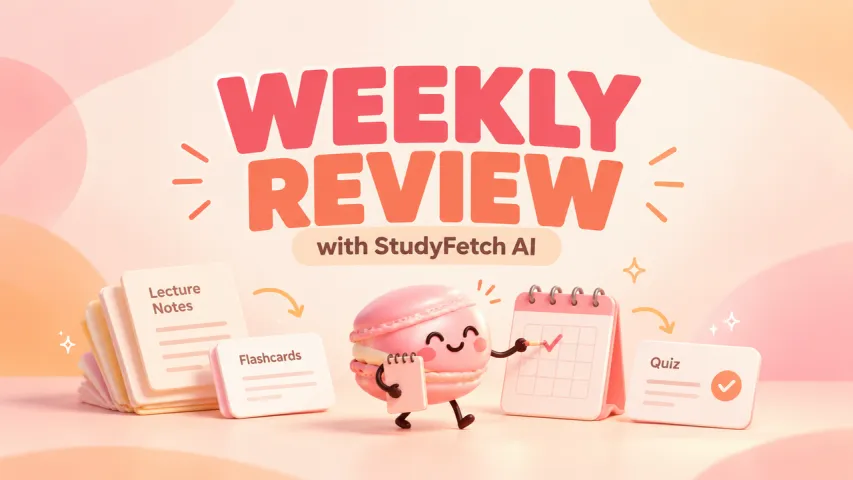
Once the note passes a source check, choose one practice format. If the lecture defined terms, a few flashcards can test whether you can explain them without looking. If it compared mechanisms, short-answer questions may expose a missing distinction better than recognition-based multiple choice. Turbo AI publicly offers flashcards and quiz questions from notes, but no feature should decide what counts as understood for your course.
Here is a four-step loop for one permitted lecture:
- Collect: Select the lecture source and record its title, date, permission basis, and known gaps.
- Generate: Create the note, keeping the original recording or course material open.
- Correct: Check high-impact claims against the source and edit or flag anything unsupported.
- Practice: Answer a small set without looking, then return to the source for every uncertain or incorrect answer.
The last step is where the note becomes useful. Do not treat a high score on a generated quiz as proof of course mastery; the questions may cover only what the model noticed. Write down one unresolved point to ask the instructor or check in the assigned text. The value of a short session is that it ends with a specific next question instead of another pile of notes.
If the real problem is choosing among focus, note, and review tools, Best Study Apps for Focus, Notes, and Review handles that broader decision. This page stays with a single-lecture workflow.

Check What the Tool Has Not Verified
Turbo AI can format and organize material. It cannot certify that the recording was permitted, that a lecturer’s statement was accurately captured, or that an exam will use the same wording as its questions. The official site advertises strong outcomes, but those are product claims, not evidence from this article that the workflow improves a grade or saves a fixed amount of time.
Stop using the generated set as your main source when the original lecture is incomplete, several key claims cannot be matched, a technical diagram has been flattened into misleading prose, or the material is sensitive under the current terms of service and privacy policy. You can still study directly from the authorized course material and bring specific uncertainties to a teacher. The ability to generate a smooth summary is not a reason to ignore a mismatch.
For PDF-specific tool selection, the separate PDF Summarizer Tools: Which One Fits Your Study Notes? page owns that question. The link target must be confirmed in the publishing system before this draft goes live.
FAQ
Can TurboLearn AI make a podcast from a source I am allowed to use?
Yes. The current Turbo AI student feature page says notes can be turned into a podcast-style audio output and describes length and depth choices. Confirm that the option is present for your account and source. A spoken recap inherits any mistakes in the note, so check the source before using it for review.
Can I ask TurboLearn Chat a follow-up question about an uploaded lecture?
Yes. Turbo AI’s AI note taker page describes chat within a note, and the app listing says chat can answer questions using uploaded material. Ask about a specific passage, then compare the answer with the recording or slides. A fluent answer may still add an unsupported explanation.
Can I merge two generated study sets?
The official public pages checked for this guide do not document a dependable “merge two study sets” action. Turbo now describes notes and folders more prominently than a named study-set object. Keep the two source notes identifiable and check the current app or support team before assuming a merge will preserve source boundaries, edits, and practice history.
Can I download a generated study set for offline review?
Turbo AI’s product page explicitly advertises downloading a generated podcast for offline listening. That does not establish offline download of an entire note, flashcard, and quiz collection. The public pages checked here do not specify an all-in-one study-set export. Confirm the exact item and format available in your current app before depending on offline access.
How do I remove one lecture from an existing study set?
No current public Turbo AI help page checked here gives a reliable instruction for removing one source lecture while preserving the rest of a combined set. Do not guess which delete control affects the original recording, its note, or generated practice. Check the current item menu and Turbo AI support before making a destructive change, and keep any permitted original source separately.
Bottom Line
For lecture notes, use TurboLearn AI—now Turbo AI—as a drafting and practice aid around one permitted source. Collect the lecture, generate the note, correct it against the original, and practice only from what survives that check. If you cannot verify a key claim or cannot submit the material under current rules, stop there and use the course source directly.








Apply to become Macaron's first friends
Read & discover
AI Personal Assistant
Free calculators


