Why Combining Meal Planning and Grocery Lists Works Better
How AI Handles Meal Planning and Grocery Lists Together
Best Tools That Do Both in One Place
How to Set Up Your First Combined Plan
Limitations Worth Knowing Before You Rely on These Tools
What to Actually Do Next
FAQ
Meal Planner and Grocery List: Use AI for Both
Meal Planner and Grocery List: Use AI for Both
Hey fellow meal-prep overthinkers — if you've ever finished building a weekly menu and then realized you still have to manually cross-reference every recipe to build the grocery list, this one's for you.
The meal planning space is one I kept circling back to. Not because the tools are flashy — but because the actual friction point isn't "finding recipes." It's the gap between plan and shop. That's where most people lose 20–30 minutes every single week. I've run this workflow across enough weeks now that I stopped treating it as a test and started using it as my actual system — which is probably the clearest signal I can give you.
The core question I kept asking: can AI actually close that gap, or does it just create a fancier to-do list?
Here's what I found.
Why Combining Meal Planning and Grocery Lists Works Better
The time math — doing them separately vs together
Let's be honest about what "doing them separately" actually costs. You pick 5–7 dinners. Then you open each recipe, scan the ingredient list, check what's in your fridge, and manually build a shopping list — deduplicating "1 cup olive oil" that appeared in three recipes. That process, done carefully, runs 25–40 minutes. Done sloppily, you end up buying duplicate items or forgetting things.
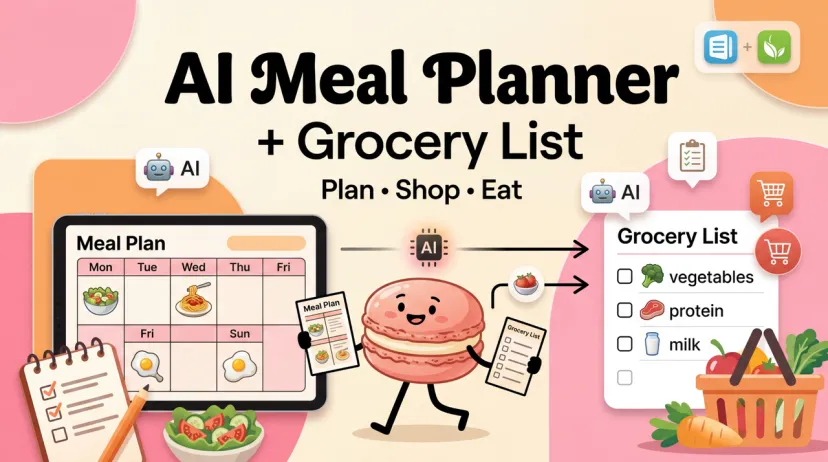
When meal planning and grocery list generation are integrated, that whole second step collapses. You plan the week, the list generates automatically — ingredients consolidated, quantities scaled, items grouped by store section.
The time savings aren't hypothetical. Mealime users consistently report cutting their grocery shopping time nearly in half, specifically because the list is pre-organized by aisle and accounts for ingredient overlap across recipes.
What "integrated" actually means in practice
"Integration" gets thrown around loosely. Here's what it actually means when it works well:
The app extracts raw ingredients from each recipe in your plan
It deduplicates across all 7 days (so "garlic" appears once, not seven times)
It scales quantities to your household size
It groups items by category (produce, dairy, pantry, meat)
Optionally: it connects to a delivery service so you can order directly
When integration is shallow — and some apps do this — you get a list that looks consolidated but still has redundancies, or quantities that don't account for recipes sharing the same base ingredient.
How AI Handles Meal Planning and Grocery Lists Together
How it extracts ingredients from your meal plan
The better AI-driven tools use what's now called semantic recipe understanding — they recognize that "grilled chicken breast" and "pan-seared chicken cutlets" pull from the same base ingredient, so they consolidate automatically rather than listing both separately. Older, non-AI tools just concatenate ingredient lists, which is why you'd end up with "2 tbsp olive oil" showing up four separate times.
How it groups items by category or store section
Every app covered here groups items by store section. The variance is in how smart that grouping gets. Mealime's grocery list is organized by produce, dairy, pantry, and protein sections, so you move through the store in one pass. Samsung Food takes it a step further — with 23 integrated grocery retailers, it can push your list directly to an online cart, skipping the store entirely.
Quantity scaling for your household size
This is where most tools still have rough edges. Scaling a recipe from 2 to 4 servings is straightforward. Scaling a week of meals for a household of 4, while accounting for which ingredients overlap across recipes, while flagging what's probably already in your pantry — that's harder. I'll note where each tool handles this well and where it doesn't.
Best Tools That Do Both in One Place
Tool 1 — Mealime
Best for: Busy individuals and couples who want healthy 30-minute meals with zero friction between planning and shopping.
Mealime is purpose-built for the plan-to-list workflow. You select your dietary preferences and dislikes, pick meals for the week, and the app auto-generates a grocery list organized by store section. No manual assembly required.
Meal planning depth: Moderate — 200+ personalization options, focused on quick weeknight cooking. Not a calendar-style planner.
Grocery list quality: High — items consolidated across all recipes, organized by aisle, shareable
Free tier: Generous — most recipes and full grocery list functionality free; Pro is $2.99/month for exclusive recipes and macro tracking
Where it falls short: No pantry tracking, so if you already have chicken thighs in the fridge, it won't know. You manually uncheck items you have. No calendar view for multi-week planning.
Tool 2 — Samsung Food (formerly Whisk)
Best for: Anyone who saves recipes from around the web and wants a free, high-quality plan-to-list pipeline.
Samsung Food has a genuinely strong free tier. You can drag recipes into a weekly calendar and convert your meal plan to a shopping list in two taps. With 240,000+ recipes and communities, it's also a good recipe discovery tool.
Meal planning depth: High — full calendar, AI-personalized plans available (Food+ tier), recipe import from any site
Grocery list quality: High — smart list with one-click generation from your plan; 23 grocery delivery integrations
Export options: Share list, order direct from 23 retailers
Free tier: Strong — meal planning and grocery list generation free; Food+ is $6.99/month or $59.99/year for AI personalization and pantry features
Where it falls short: Pantry tracking and AI-personalized plans are locked behind the paywall. The free version won't proactively suggest what to cook based on what you already have.
Tool 3 — Eat This Much
Best for: Macro counters and fitness-focused users who want their grocery list to be a direct output of hitting specific calorie/macro targets.
Eat This Much auto-generates meal plans based on your calorie goal, macro split, and diet type — then builds the shopping list from that. It's the only tool here that treats macro precision as a core feature rather than an add-on.
Where it falls short: The UX is functional but clinical. Ingredient lists can run longer than expected because the recipe pool is fixed (~5,000 recipes) and ingredient overlap isn't always optimized.
Comparison Table
Meal Planning Depth
Grocery List Quality
Export / Delivery
Free Tier
Mealime
Moderate (30-min focus)
⭐⭐⭐⭐⭐ Aisle-organized, auto-generated
Delivery partners
Full list gen, most recipes free
Samsung Food
High (full calendar + AI)
⭐⭐⭐⭐⭐ 23 retailer integrations
23 grocery retailers
Calendar + list free; AI locked
Eat This Much
High (macro-first)
⭐⭐⭐ Functional, Instacart/AmazonFresh
Instacart, AmazonFresh
Daily only, no list on free
How to Set Up Your First Combined Plan
From zero to a full week + grocery list in 15 minutes
Here's a realistic walkthrough using Mealime (the fastest path for most people):
Step 1 — Set preferences (3 min) Open Mealime, input your diet type, any allergies, and ingredients you dislike. This runs once; the app stores it.
Step 2 — Pick your meals (5 min) Browse recommended recipes filtered to your preferences. Select 5 dinners (or however many you need). The app shows you estimated cook time and servings.
Step 3 — Generate the list (30 seconds) Tap "Create Grocery List." The app consolidates ingredients across all recipes, removes duplicates, scales to your serving size, and organizes by store section.
Step 4 — Review and adjust (5–7 min) Scroll through and uncheck items you already have. Add any household staples (the app lets you add non-recipe items). Done.
Total: 15 minutes or less, including the one-time setup. The grocery list step itself — which used to take 20–30 minutes manually — is now under a minute.
Limitations Worth Knowing Before You Rely on These Tools
Pantry inventory blind spots
None of the free tiers here do real pantry tracking. You tell the app you have olive oil; it still lists olive oil next week unless you manually uncheck it. Samsung Food's paid tier includes pantry features, but even that requires you to log what you buy. The gap between "what the app thinks you have" and "what's actually in your kitchen" is real, and it means occasional over-purchasing.
Ingredient overlap errors
Even well-built tools sometimes miss ingredient consolidation. Two recipes that both call for "fresh ginger" might list it separately if one says "1-inch knob" and the other says "1 tsp grated ginger." The app doesn't always recognize these as the same item. Quick fix: do a 2-minute visual scan of your generated list for anything that looks duplicated in different forms.
When manual review is still necessary
AI-generated grocery lists work best when the recipes are standardized. If you clip a recipe from a food blog where the author writes "a handful of spinach" instead of "2 cups spinach," the quantity on your list may be vague or off. Same goes for recipes where servings aren't clearly marked. Before you head to the store: quick scan, 2 minutes, catch the edge cases.
What to Actually Do Next
Here's the honest bottom line: the tools work. The plan-to-list workflow is genuinely solved in 2026 — you're not fighting with a feature that's half-built. The main variable is whether you care more about speed (Mealime), recipe collection + free delivery integration (Samsung Food), or macro precision (Eat This Much).
Pick one, run it for two weeks with real meals, and judge by whether your grocery trips actually got shorter. That's the only test that matters.
Here's the part these tools don't solve: the recipe is easy to generate. The hard part is deciding what to cook again tomorrow, remembering what actually worked last week, and turning one good dinner into something that repeats reliably. That's the layer most meal planning apps stop before — they hand you the list, but not the habit. At Macaron, that's exactly the gap we built for — if you want to test whether your weekly routine can actually hold, try it free with a real week, not a demo.
FAQ
Can AI generate a grocery list from my meal plan automatically?
Yes — and this is exactly what the tools above are built to do. You build (or select) your weekly meal plan, and the app extracts every ingredient, consolidates duplicates across recipes, scales to your household size, and organizes the output by store section. The process is automatic; your only job is a quick review to uncheck things you already have.
Do these tools sync with grocery store apps?
Some do. Samsung Food integrates with 23 grocery retailers and can push your list directly to an online cart. Eat This Much connects directly to Instacart and AmazonFresh. Mealime has select delivery partners. If direct store sync matters to you, Samsung Food has the deepest integration as of early 2026.
Hey, I’m Hanks — a workflow tinkerer and AI tool obsessive with over a decade of hands-on experience in automation, SaaS, and content creation. I spend my days testing tools so you don’t have to, breaking down complex processes into simple, actionable steps, and digging into the numbers behind “what actually works.”