What Is OpenClaw? A Complete Guide to Self-Hosted AI Automation (2026)
What Is OpenClaw? A Complete Guide to Self-Hosted AI Automation (2026)

I'm Anna. A small thing pushed me into it: I was out on a walk and caught myself drafting a reminder in my head for the third time. I knew I'd forget it again by the time I got home.
So I spent an evening (late January 2026) seeing whether OpenClaw could turn a quick chat message into an actual action, on my own machine, with my own guardrails. I wasn't expecting magic. I was hoping for "less friction." That's more or less what I found, with a few unsurprising bumps.

What is OpenClaw? (30-second answer)
Definition and core value proposition
OpenClaw, in plain words, is a self-hostable gateway that turns conversations into actions. You send a message (say, in Telegram or Slack), and OpenClaw routes that intent to a thing that can actually do it, a script, a tool, a small service, then returns results back to your chat.
The draw, for me, is that it lives where you choose (a laptop, a home server, a private VPS). It's not another cloud automation layer with a glossy dashboard: it's closer to an orchestrator for small, practical "do this" moments. If you like the idea of texting a bot "add milk to groceries" and having it land in the right list, without handing your digital keys to a third-party cloud, this is the promise.
Who built it and why it exists
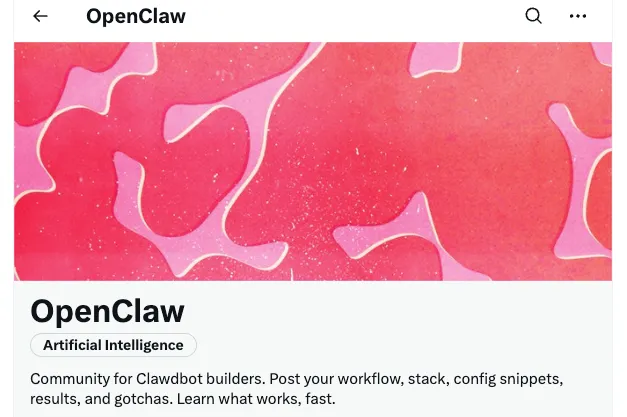
From what I can tell, OpenClaw is an open-source project aimed at bridging "chat to actions" with privacy and extensibility in mind. The contributors emphasize local control, a modular skill system, and connectors to common chat apps. I didn't see marketing fluff: most of the material I found was straightforward: wire up your chat, wire up your actions, keep the loop tight and under your control.
The problem OpenClaw solves
Why "chat to actions" matters for workflows
Typing a note into a chat is easy. Turning that note into an action, consistently, is the hard part. I don't need a new dashboard: I need something that quietly turns "remind me to send the invoice Friday" into an actual reminder in the place I'll see it. When I'm already in a chat app, because I'm coordinating with a client or answering a friend, it's faster to say it there than to switch context.
In practice, "chat to actions" lowers mental overhead. It removes little steps: opening the right app, finding the right list, picking the right label. It's not always faster on day one, but after a week, I noticed fewer loose ends. My brain stopped trying to remember the same small thing twice.
Limitations of cloud-only automation
I've tried cloud automations that read messages and trigger things. They're fine until you hit permissions, rate limits, or private data you don't want piped through another service. Also: the moment you want a slightly odd action, a local script, a file dropped into a specific folder, a one-off API call, you end up building detours.
OpenClaw felt different because the default path runs where you control it. If you want to call a local script, you can. If you want nothing stored outside your machine, you can. That doesn't make it simpler in every case (you'll do some setup), but it does remove a category of worry and opens the door to small, bespoke actions that cloud tools rarely handle well.
How OpenClaw works (architecture overview)
Gateway, Skills, and Nodes explained
This is the mental model that clicked for me:
- Gateway: the front door. It listens for incoming messages/requests from your chosen platform (e.g., chat) and handles authentication and routing.
- Skills: the "things that do things." A skill might add an item to a list, post to a calendar, run a local script, or call an API. You can install community skills or write your own.
- Nodes: the execution environment(s). Think of these as where skills actually run, local machine, a container, or a small service elsewhere. Nodes let you separate the interface from the execution.
When I connected a test chat and a simple local action, the Gateway received my message, parsed what I asked, picked the relevant skill, executed it on the configured Node, and replied with the result. It sounds obvious, but the separation makes it easier to grow in tiny steps.
System diagram with data flow
If you draw it, it's basically:

Chat App → Gateway → Intent/Parsing → Skill Resolver → Node (executes) → Result → Gateway → Chat App
Data stayed where I chose to keep it. Credentials for skills lived in my environment variables on the host, not in a shared cloud. Logs were local. When I broke something (I did), the logs told me where: either the Gateway couldn't reach the Node, or the Skill threw a sensible error. That's the kind of clarity I appreciate, blame is local, fixable, and not behind a SaaS support form.
Key features and capabilities
Self-hosted control and privacy
This was the main reason I tried it. I could run OpenClaw on my own hardware and decide exactly which integrations had access to what. No mystery data flows, no surprise storage. If you're allergic to giving third parties broad access to your messages and actions, this is the appeal.
I won't pretend self-hosting is effortless. I had to set a few tokens, expose a webhook (briefly), and double-check permissions. But once it was running, I felt less uneasy than I usually do with cloud automations.
Multi-platform connectors (WhatsApp, Telegram, Slack)
Connectors are how OpenClaw listens and talks back. I experimented with a chat integration to send short commands and receive confirmations. From the docs and examples, it supports multiple platforms, including Telegram and Slack: WhatsApp appears possible through supported gateways or third-party bridges. Setup varies per platform (bot tokens, app permissions, the usual dance). None of it was glamorous, but none of it felt opaque either.
If you've never configured a chat bot before, expect 20–40 minutes of tinkering the first time. After that, it's forgettable, in the good way.
Extensible skill system
Skills are small, focused, and swappable. This is where OpenClaw earns its keep. I started with a very plain skill: pass a text string to a script that formats it and appends it to a daily note. Not exciting, but exactly what I needed. The framework didn't fight me.
If you're more adventurous, you can map intents ("add task," "log habit," "start timer") to different skills and let OpenClaw choose the right one from the message context. Or keep it intentionally dumb, explicit commands only. I liked that I could pick the level of "smarts" instead of having it imposed on me.
Best use cases ranked by ROI

Personal productivity automation
Highest ROI for me. Two patterns stood out:
- Quick capture to canonical places: tasks, notes, shopping list. The return wasn't raw speed, it was reduced mental drag. I stopped juggling half-made reminders in my head. That's worth more than a stopwatch can show.
- Simple routines: "log water," "start practice timer," "mark deep work." These are tiny, but routing them through chat kept the momentum. I didn't open an app jungle: I sent one message.
Team operations and collaboration
Medium to high ROI if your team already lives in chat. Think: "create a ticket with this snippet," "record a lightweight decision," "hand off today's standup notes," "kick off a small deployment task." The benefits compound when multiple people use the same gateway, and you can keep sensitive bits on infra you control. If your team hates bots in chat, this won't convert them. If they're chat-native, it fits right in.
When NOT to use OpenClaw
- If you want zero setup or you're allergic to tokens, webhooks, and environment variables. This isn't for you.
- If your automations are already perfectly handled by a cloud platform you trust, and local control isn't a concern. Don't fix what isn't broken.
- If you need heavy-duty workflow mapping, approvals, dashboards, and analytics. OpenClaw feels intentionally light. You can extend it, but it's not trying to be an enterprise BPM suite.
Getting started checklist
3 questions to determine if OpenClaw fits your needs
- Do you want to trigger small, real actions from chat without handing the keys to a third-party cloud? If yes, OpenClaw's self-hosted gateway model makes sense.
- Are you willing to do 30–60 minutes of initial setup (tokens, a connector, one skill) to save mental effort later? If not, you'll find the friction annoying: if yes, you'll likely forget the setup ever happened.
- Do you prefer simple, composable actions over big, opinionated platforms? OpenClaw stays out of your way. If you're looking for a pre-built "system," you might be disappointed.
Practical note: My first useful setup was intentionally small, a single chat connector and a single skill that appended to a daily note. It wasn't impressive. It was dependable. And once it worked, adding a second skill took minutes, not hours.
I'm still testing the edges, especially how it handles slightly ambiguous messages and how comfortable I am routing more sensitive tasks through it. For now, it's doing that quiet thing I value: removing tiny bits of friction I used to carry around in my head.
Have you ever had such a problem: while walking on the road, you remember to handle some affairs, but you don't want to open five apps or write complex scripts?

Although these minor issues may seem insignificant, they can become very annoying when accumulated over time. Our Macaron can directly turn the reminders, notes, or small tasks you think of during a chat into executable actions, without the need to switch apps or write complex scripts.
Try Macaron now and make your daily tasks less stressful and more smooth.












Apply to become Macaron's first friends
Read & discover
AI Personal Assistant
Free calculators


