Cronometer vs Myfitnesspal
Cronometer excels in nutrient precision while MyFitnessPal wins on mainstream convenience. Both lack personalization - discover how Macaron's AI creates custom nutrition tools tailored to your lifestyle.
Cronometer vs MyFitnessPal: Nutrient Tracking Depth
The Cronometer vs MyFitnessPal comparison is really about what kind of nutrition problem you are trying to solve. Cronometer is built for people who want to inspect the details behind every meal, from micronutrients to amino acids and trace minerals. MyFitnessPal is built for faster logging, broader food recognition, and a lower-friction experience for people who mainly want calorie awareness without much analysis.
Accuracy is where the apps diverge most clearly. Cronometer relies on verified sources such as USDA data and lab-checked entries, which makes it stronger for users who need dependable nutrient totals. MyFitnessPal’s crowd-sourced database is larger and often faster for finding packaged foods or restaurant items, but the tradeoff is that entries can vary in quality and may require more user verification before they are trustworthy.
The apps also handle energy balance differently. MyFitnessPal commonly adds exercise calories back into the daily budget, which can make the app feel more permissive after workouts. Cronometer keeps expenditure tracking more separate, which many athletes and careful dieters prefer because it reduces the chance of overestimating how much they can eat. That difference matters if you are managing weight, training load, or recovery with tighter control. For a related Macaron page, see Macaron – World's First Personal AI Agent at https://macaron.im/.
Pricing reflects those priorities. Cronometer’s paid tier is aimed at users who want deeper nutrient analytics, while its free version already covers a lot of serious tracking needs. MyFitnessPal Premium costs more and leans into convenience features such as meal planning, recipe support, and broader lifestyle tools. For casual users, that may be enough; for data-focused users, the extra cost does not always translate into better nutrition insight.
Neither app is designed to learn your habits in a truly adaptive way. They can store foods and repeat meals, but they still expect you to work within fixed workflows and preset interfaces. That is where Macaron takes a different approach: instead of forcing you to choose between precision and convenience, it lets you describe the tracker you want in plain language and builds around your routine.
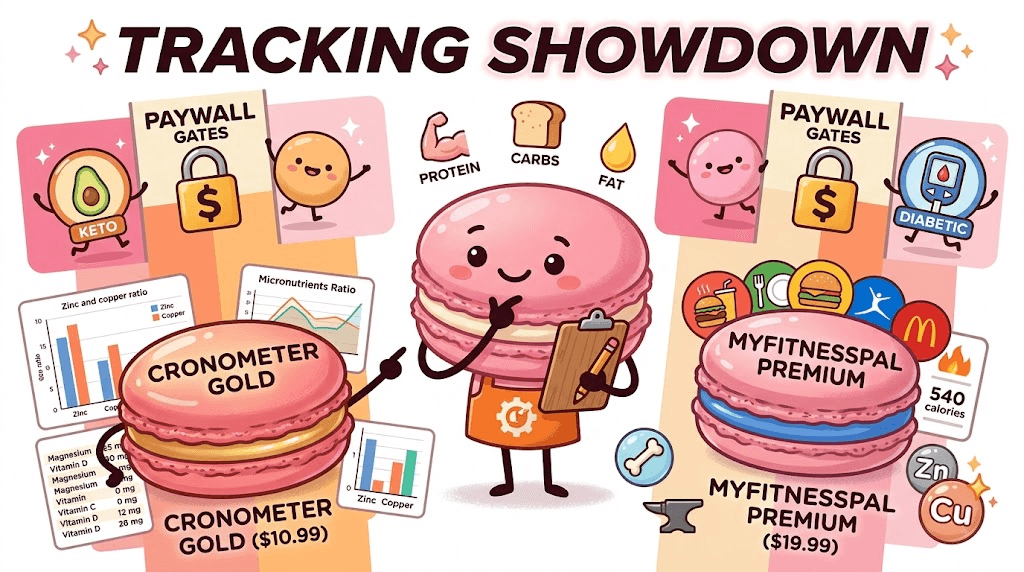
Cronometer vs MyFitnessPal: Nutrient Tracking Depth
Cronometer is the stronger choice when nutrient detail matters more than speed. It tracks a wide range of nutrients, including vitamins, minerals, amino acids, and fatty acid breakdowns, so users can see not just calories and macros but also what those calories are made of. MyFitnessPal surfaces macros more prominently and keeps the experience simpler, which helps casual users, but it makes micronutrient analysis feel secondary rather than central.
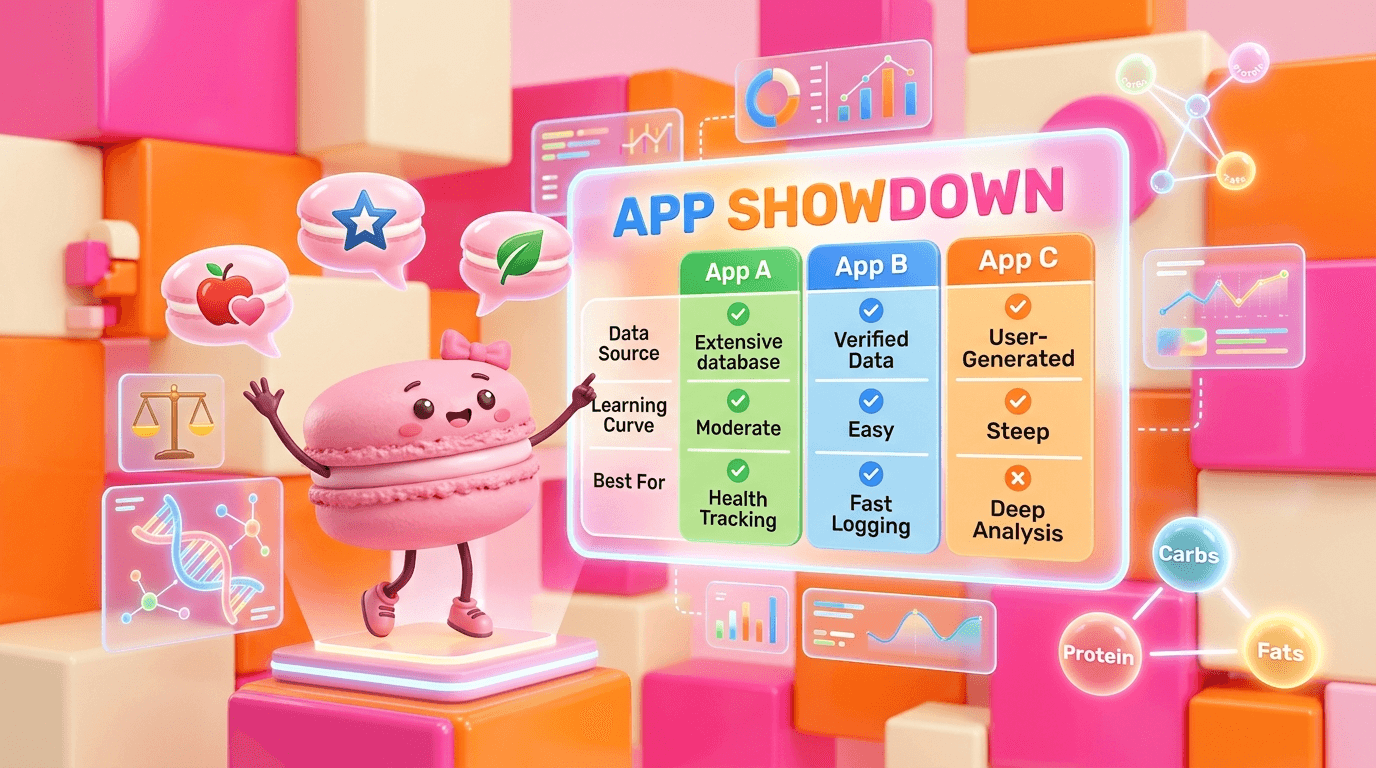
Database Size and Accuracy
MyFitnessPal’s biggest advantage is reach: its huge user-submitted database makes it easy to find packaged foods, restaurant meals, and obscure items quickly. The downside is inconsistency, because multiple entries for the same food can disagree on calories or macros. Cronometer’s smaller database is more curated and tends to be more reliable for whole foods and verified products, which is why it is often preferred by users who want fewer corrections and less guesswork.
Pricing Comparison
Cronometer’s pricing is easier to justify if you care about nutrient analysis, because the free tier already includes more detailed reporting than many competitors reserve for paid plans. MyFitnessPal Premium is more expensive and focuses on convenience features such as meal planning, recipe tools, and broader logging support. The tradeoff is clear: MyFitnessPal may feel more polished for everyday use, but Cronometer gives more analytical value without pushing as much behind a paywall.
More About Cronometer vs Myfitnesspal
Cronometer’s main advantage is trust. Its food entries are more often tied to verified sources, which reduces the need to second-guess whether a meal entry is close enough. That matters for athletes, people managing medical diets, and anyone comparing intake against specific nutrient targets. MyFitnessPal can still be useful, but its community-driven model makes it better for speed than for precision, especially when exact micronutrient totals matter.
MyFitnessPal wins on discovery and familiarity. If you want to log a common packaged snack, a chain restaurant meal, or a branded item in seconds, it usually gets you there faster. The app’s scale and recognition are useful for people who do not want to spend time checking every label. The tradeoff is that the convenience can hide data quality issues, so users who depend on accuracy often end up double-checking entries anyway.
For low-carb, diabetic, and keto users, Cronometer is usually the more practical tool. It makes net carbs, fiber, and micronutrient reporting easier to inspect, which helps users understand not just how much they ate but how that food fits a specific dietary pattern. MyFitnessPal can support similar goals, but some of the more useful details are more limited or easier to miss unless you are using paid features and know where to look. Another useful Macaron comparison is World's First Personal AI Agent - Macaron at https://macaron.im/blog.
The user experience also shapes which app feels better day to day. MyFitnessPal is faster for simple logging and feels familiar to a broad audience, but ads and upsells can interrupt the flow. Cronometer is denser and more technical, which can feel overwhelming at first, yet that same density is valuable for users who want dashboards, nutrient breakdowns, and a clearer picture of what is happening across the day or week. For a broader Macaron context, AI Diet Tracker: Best Apps to Help You Eat Better - Macaron at https://macaron.im/blog/ai-diet-tracker can help you compare the decision from another angle.
Macaron takes a different route by removing the need to adapt to a fixed tracker. Instead of choosing between a large database and a detailed one, users can ask for a custom nutrition tool that fits a specific routine, such as a training-day meal checker or a carb-aware lunch tracker. The benefit is flexibility; the tradeoff is that it is not a traditional food database replacement, so users who want a massive searchable catalog may still prefer MyFitnessPal.
Why Macaron Is the Next Step
Macaron is useful for people who like the idea of tracking but do not want to manage a rigid app structure. Rather than forcing you into fixed templates, it lets you describe the workflow you want, such as a protein-focused breakfast log, a net-carb reminder, or a meal checker for a specific health goal. It can adapt to habits over time, which is a meaningful difference from traditional trackers that expect every user to fit the same interface.
Three-Way Comparison Table
| Category | Cronometer | MyFitnessPal | Macaron |
|---|---|---|---|
| Data Source | Lab-verified | User-submitted | AI-generated |
| Learning Curve | Steep (data-dense) | Moderate | Gentle (conversational) |
| Best For | Nutrition optimization | Casual calorie counting | Personalized systems |
| Diabetic Features | Full free reporting | Premium paywall | Adaptive alerts |
| Community | Small & technical | Massive social network | Private AI assistant |
This comparison shows the core tradeoff clearly. Cronometer is strongest when you want reliable nutrient detail, MyFitnessPal is strongest when you want broad coverage and fast logging, and Macaron is strongest when you want a tracker that can be shaped around a specific routine instead of a generic workflow. Users who value community features may still prefer MyFitnessPal, while users who want deep analysis may still prefer Cronometer.
Frequently Asked Questions
Cronometer is usually better if your priority is nutrient accuracy, especially for micronutrients, minerals, and more detailed dietary analysis. MyFitnessPal is often better if you want faster logging, broader food coverage, and a more familiar interface. The better app depends on your goal: Cronometer for precision, MyFitnessPal for convenience, and Macaron if you want a custom tracker built around a specific routine.
Yes, at least at first. MyFitnessPal is designed for quick calorie logging and broad familiarity, so many users can start without much setup. The tradeoff is that the experience can become cluttered with ads and premium prompts, and users who want deeper nutrition data may need to do more manual checking. Cronometer is less immediate, but it gives more detail once you learn it.
Macaron is a better fit when you do not want to adapt your habits to a fixed app. You can describe a need in plain language, such as a post-workout meal tracker or a carb-aware lunch checker, and Macaron can build around that request. It is especially useful for people who want a personalized workflow, though users who need a huge searchable food database may still prefer MyFitnessPal.
Yes. Cronometer’s free version is unusually capable and includes detailed nutrient tracking that many users consider the app’s main strength. Paid plans add more advanced analytics and convenience features, but the core reporting is already useful for serious tracking. That makes it a strong option for users who want depth without immediately paying for premium, especially compared with apps that hide more data behind subscriptions.
It can work for diabetics, but it is not always the most convenient option. MyFitnessPal has enough logging tools for basic monitoring, yet users often need to verify entries carefully and may run into paywalls for more detailed nutrient views. Cronometer is usually easier for people who want clearer carb, fiber, and micronutrient visibility, while Macaron can create a more tailored alert system if needed.
The biggest downside is that convenience can come at the cost of consistency. Because the database is largely user-submitted, the same food may appear in multiple versions with different values. That is manageable for casual calorie counting, but it becomes frustrating for users who need reliable nutrient data. Ads and premium prompts can also make the app feel less clean over time. For a third-party check, Pros and Cons of Cronometer and MyFitnessPal for Tracking Macros at https://www.katelymannutrition.com/blog/cronometer-vs-mfp is worth comparing against the page summary.
Cronometer’s main downside is that it can feel dense and less forgiving for casual users. The interface is more data-heavy, and the smaller database may require more searching for restaurant meals or obscure packaged foods. For people who want quick, frictionless logging, that can be a drawback. For users who care about accuracy, though, the extra effort is often worth it. For another outside reference, Easing The Transition: MyFitnessPal to Cronometer at https://cronometer.com/blog/my-fitness-pal-to-cronometer/ adds a second perspective.
Yes, and some users do exactly that. A common workflow is to use MyFitnessPal for quick logging when convenience matters, then use Cronometer when they want a more accurate nutrient review. The downside is that maintaining two apps adds friction and can lead to duplicate work. Macaron is trying to reduce that problem by letting users create one personalized tool instead of juggling two systems.com/blog/cronometer-vs-myfitnesspal is a useful reference point.com/blog/cronometer-vs-myfitnesspal is a useful reference point.com/blog/cronometer-vs-myfitnesspal is a useful reference point.com/blog/cronometer-vs-myfitnesspal is a useful reference point.com/blog/cronometer-vs-myfitnesspal is a useful reference point. For outside context, Nutrition tracking: Cronometer vs Myfitnesspal (free versions) at https://www.gemmasampson.com/blog/cronometer-vs-myfitnesspal is a useful reference point.
Read & discover
AI Personal Assistant
Free calculators


