Foodvisor App
Foodvisor simplifies nutrition tracking through AI photo analysis, offering quick estimates with 500,000+ food database. While convenient for simple meals, its accuracy drops with mixed dishes and sauces - making it better for awareness than precision tracking.
How Foodvisor's AI Photo Recognition Works
Foodvisor is built for people who want faster food logging without typing every ingredient. Its core workflow uses a photo of the meal, then matches visible items against a large nutrition database to estimate calories and macros. That makes it useful for everyday awareness, especially when meals are simple, well lit, and easy to separate visually. The tradeoff is that the app is estimating, not measuring, so it works best when users treat results as a starting point.
The app also tries to function as a lightweight nutrition coach rather than just a scanner. Premium features add meal plans, progress tracking, and guidance meant to support weight loss or habit change over time. That broader positioning helps users who want structure, but it also means the free tier can feel narrow if you only need reliable logging. In practice, Foodvisor is strongest when the coaching layer is part of the routine.
Accuracy depends heavily on what is on the plate. Single foods, packaged items, and clearly separated portions are easier for the system to identify, while bowls, casseroles, sauces, and mixed recipes create more uncertainty. Portion size is another weak point because the app has to infer volume from a photo, which can be thrown off by camera angle, plate size, or hidden ingredients. Users who want tighter control usually still edit entries manually. For a related Macaron page, see What Should I Eat for Weight Loss? - Macaron - Macaron AI at https://macaron.im/eat-healthy/what-should-i-eat/weight-loss.
Compared with manual calorie counters, Foodvisor saves time and lowers friction, which is why many users stick with it longer than they would with a text-based tracker. The downside is that convenience can hide small errors that matter for strict macro goals. That makes it a better fit for people building awareness, managing general weight goals, or reducing logging fatigue than for users who need clinical-level precision or exact recipe accounting.
For Macaron, the competitive angle is different: it focuses more on planning meals before they happen, not just recording them afterward. That helps users who want grocery ideas, recipe alternatives, and dietary suggestions based on preferences or pantry context. Foodvisor still has an edge for quick photo capture and barcode-style convenience, while Macaron is better for proactive meal management. The choice comes down to whether you want faster logging or more decision support.
How Foodvisor's AI Photo Recognition Works
Foodvisor combines computer vision with a nutrition database of more than 500,000 foods to estimate calories, macros, and serving sizes from a meal photo. It performs best when the food is clearly visible, portions are separated, and the background is uncluttered. The app can be faster than manual entry, but it is still inferring nutrition from appearance rather than reading exact product data. That makes it practical for quick logging, though less dependable for recipes with hidden ingredients, mixed textures, or visually ambiguous portions.
Foodvisor Accuracy Tested
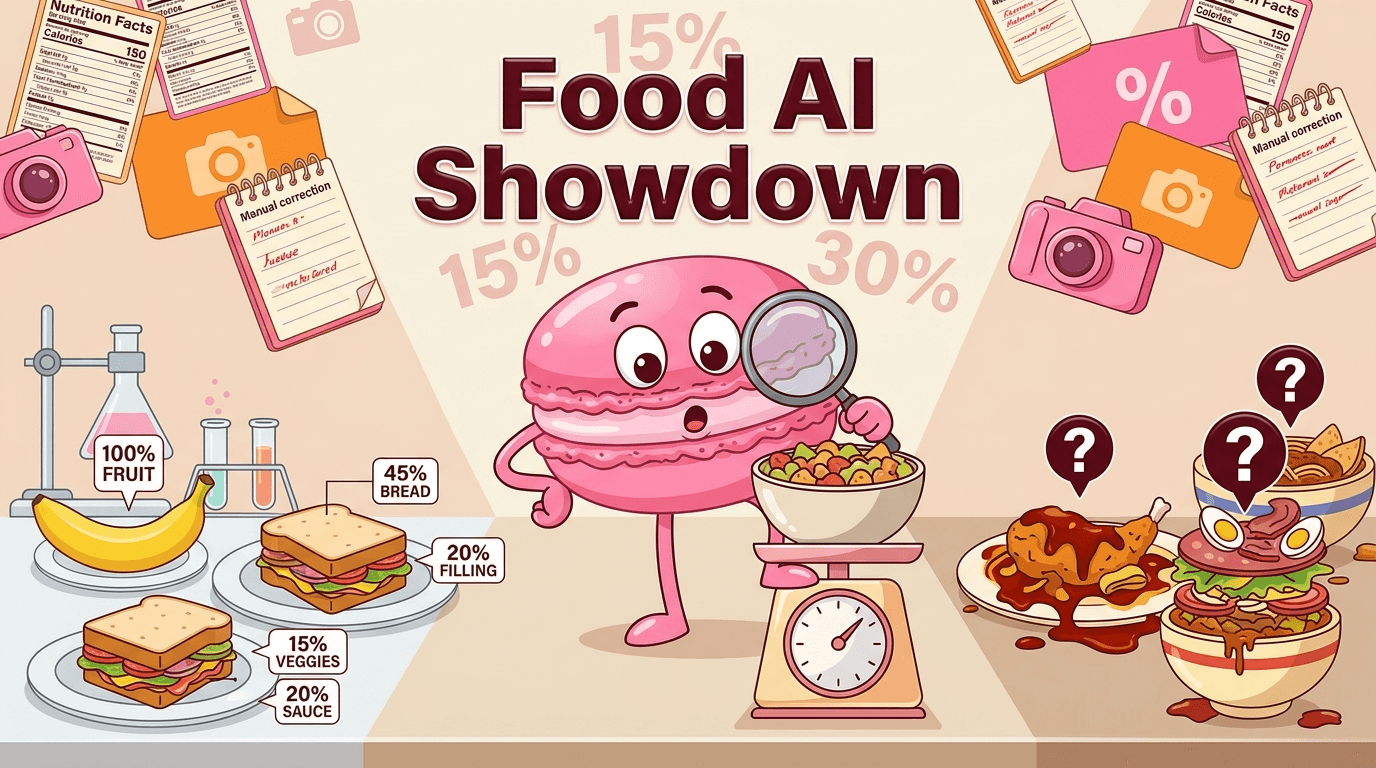
Controlled testing and user reports point to a clear pattern: simple meals are usually close enough for casual tracking, while restaurant dishes, sauces, and homemade recipes introduce much larger variance. The app tends to do better with obvious items like fruit, sandwiches, or packaged foods, and worse with bowls, layered plates, and meals where ingredients overlap. Many users correct entries manually after scanning, especially when they care about macros, portion control, or ingredients that the camera cannot reliably distinguish.
More About Foodvisor App
Foodvisor’s main strength is speed. A photo or barcode scan gets you into the log quickly, which is helpful for users who abandon apps that require too much typing. That convenience is especially valuable for casual tracking, meal awareness, and people trying to build a consistent habit. The tradeoff is that speed can come at the expense of detail, so users who need exact ingredient-level records will still need to edit entries or supplement with manual logging.
The premium tier adds the features that make Foodvisor feel more like a coaching product than a simple scanner. Meal plans, nutrient breakdowns, and access to nutrition guidance are aimed at users who want structure around weight loss or healthier routines. The free version is useful for trying the workflow, but it is limited enough that many people will hit a wall if they want deeper analysis. That makes the subscription more relevant for committed users than for occasional trackers.
Foodvisor’s interface is intentionally friendly, with badges, reminders, and encouraging language designed to reduce the friction of daily logging. That matters because food tracking often fails when the app feels tedious or judgmental. The upside is a more approachable experience for beginners. The downside is that the product leans toward motivation and simplicity rather than advanced analytics, so users who want detailed nutrient comparisons, recipe engineering, or strict macro management may find the interface too lightweight. Another useful Macaron comparison is AI Diet Tracker: Best Apps to Help You Eat Better - Macaron at https://macaron.im/blog/ai-diet-tracker.
Barcode scanning is one of the more reliable parts of the experience because packaged foods usually map more cleanly to known nutrition data. The app is less dependable for homemade meals, custom recipes, and dishes where the user has to decide whether to log raw or cooked ingredients. That creates a common workflow: scan when you can, edit when you must. For meal prep users, the manual correction step can become repetitive, especially if the same recipes are logged often. For a broader Macaron context, Calorie Tracker — Monitor every bite to shape your health | Macaron at https://macaron.im/playbook/calorie-tracker-68957e011bbc6bcd9f80555e can help you compare the decision from another angle.
Macaron competes by solving a different problem. Instead of focusing mainly on retrospective logging, it helps users plan meals, generate suggestions, and adapt ideas to pantry items or preferences. That is a better fit for people who want to make decisions before eating, not just record them afterward. Foodvisor remains stronger for quick photo-based capture and familiar calorie-tracking workflows, while Macaron is more useful when the goal is broader meal planning and dietary support.

Foodvisor Pricing
Foodvisor uses a freemium model with subscriptions at $9.99 per month, $19.99 per quarter, or $59.99 per year. The free version covers basic photo analysis and calorie tracking, which is enough to test the workflow and see whether the app fits your habits. Premium unlocks more detailed nutrient data, meal planning tools, and access to coaching features. The main tradeoff is that the free tier is functional but limited, so users who want meaningful insight usually need to pay.
Macaron vs Foodvisor: Beyond the Photo
Foodvisor is strongest when you want to log a meal quickly and move on. Macaron takes a more proactive approach by helping users plan meals in advance, suggest alternatives, and build grocery lists from preferences or pantry context. That makes Macaron better for people who want to shape their eating habits before they sit down to eat. Foodvisor still has an edge for fast photo capture and familiar calorie logging, but Macaron is more useful when the goal is ongoing nutrition planning rather than simple tracking.
Frequently Asked Questions
Foodvisor is a good fit for people who want a low-friction way to track meals and build awareness without typing every ingredient. Its photo-based workflow is easy to use, and the coaching features can help users stay consistent. It is less compelling for people who need exact macro control, detailed recipe handling, or advanced analysis. In that sense, it is strong as a habit-building tool, but not always the best choice for precision-focused tracking.
Foodvisor is reasonably accurate for simple meals, packaged foods, and clearly separated portions, but it becomes less reliable with mixed dishes, sauces, and homemade recipes. The app estimates from appearance, so camera angle, plating, and hidden ingredients can affect the result. For casual tracking, that is often good enough. For strict dieting or macro targets, users usually need to review and adjust the scan rather than trust it as an exact measurement.
Foodvisor has a free version that includes basic photo analysis and calorie tracking, so you can test the core experience without paying. However, more useful features such as detailed nutrient breakdowns, meal planning, and coaching are part of the paid plan. That means the free tier works best as an entry point. If you want ongoing guidance or deeper nutrition data, you will likely need to upgrade.
Foodvisor’s paid plans are listed at $9.99 per month, $19.99 per quarter, or $59.99 per year. The monthly option is useful if you want to try premium features without a long commitment, while the annual plan is the better value for users who expect to keep using the app. Whether it is worth the cost depends on how much you value coaching and meal planning versus simple photo logging.
Yes. Barcode scanning is one of the more dependable ways to log packaged foods in Foodvisor because it can pull nutrition data from a product match instead of estimating from a photo. That usually makes it more accurate than image recognition for branded items. The limitation is that barcode scanning does not help much with homemade meals, restaurant dishes, or recipes where there is no packaged product to identify.
Yes, but recipe logging usually requires more manual work than scanning a packaged item. Homemade meals often need ingredient edits, portion adjustments, or corrections after the initial estimate. That makes Foodvisor workable for meal prep users, but not always effortless. If you log the same recipes often, the setup can become repetitive. Apps with stronger meal planning or recipe organization may be more efficient for that use case. For a third-party check, Foodvisor App - Nutrition Coaching - Eat Healthy & Lose Weight at https://www.foodvisor.io/en/ is worth comparing against the page summary.
Macaron is a broader alternative if you want meal planning, pantry-aware suggestions, and help deciding what to eat before you log it. Foodvisor is better for quick photo-based tracking, while Macaron is more useful for proactive nutrition management. The tradeoff is that Macaron is not centered on the same instant scan workflow, so users who mainly want fast calorie capture may still prefer Foodvisor. The better choice depends on whether you want logging or planning. For another outside reference, The Pros and Cons of Foodvisor - Food and Health Communications at https://www.foodandhealth.com/blog/the-pros-and-cons-of-foodvisor adds a second perspective.
Foodvisor works best for beginners, casual calorie counters, and users who want to reduce the friction of daily logging. It is also useful for people who like visual tracking and motivational prompts, since the app is designed to feel approachable rather than clinical. Users with strict macro goals, complex meal prep routines, or a need for exact ingredient-level accuracy may outgrow it faster and prefer a more detailed tracker.com/hc/en-us/articles/360013600800-Is-Foodvisor-free is a useful reference point.com/hc/en-us/articles/360013600800-Is-Foodvisor-free is a useful reference point.com/hc/en-us/articles/360013600800-Is-Foodvisor-free is a useful reference point.com/hc/en-us/articles/360013600800-Is-Foodvisor-free is a useful reference point.com/hc/en-us/articles/360013600800-Is-Foodvisor-free is a useful reference point. For outside context, Is Foodvisor free? at https://foodvisor.zendesk.com/hc/en-us/articles/360013600800-Is-Foodvisor-free is a useful reference point.
Read & discover
AI Personal Assistant
Free calculators


