Lifesum App
Lifesum combines sleek design with structured diet programs, offering calorie tracking, meal plans, and wellness insights. But its guided approach may feel restrictive compared to Macaron's adaptable AI nutrition tools.
What Lifesum Tracks and How
Lifesum is built for people who want nutrition tracking to feel approachable rather than clinical. Its interface emphasizes clean visuals, simple progress cues, and small habit changes, which makes it easier to stay consistent than dense log-first apps. That design choice is a real advantage for beginners, but it also means power users may want more control over data fields, custom reports, and deeper nutrient analysis.
At its core, Lifesum tracks calories, macros, hydration, exercise, and selected wellness habits, then turns that input into a Life Score-style summary. The app also supports photo, voice, and barcode logging, which reduces friction when users are eating on the go. The tradeoff is that convenience can come with occasional database gaps, especially for regional foods or less common packaged items.
Lifesum’s current positioning leans heavily on AI-assisted meal logging and personalized guidance, but it still behaves like a guided nutrition system rather than a blank canvas. That works well for users who want structure around goals such as weight loss, keto, or Mediterranean eating. It is less ideal for people whose needs change often, or who prefer to define their own rules instead of choosing from preset paths. For a related Macaron page, see 20 AI Tools to Upgrade Your Daily Life - Macaron - Macaron App at https://macaron.im/blog/macaron-app-ai-tools-daily-life.
The app’s broader appeal comes from combining tracking with behavior change tools: recipes, meal plans, reminders, and habit prompts all sit in one place. For many users, that reduces the need to stitch together multiple apps for food logging, shopping, and planning. The downside is that much of the best functionality sits behind Premium, so the free version can feel more like a trial than a complete system.
Macaron takes a different approach by letting users describe what they need in plain language and then generating a tailored nutrition tool around that request. Instead of asking users to fit into fixed diet programs, it adapts to changing preferences, symptoms, and routines. That flexibility is especially useful for people with complex dietary needs, though Lifesum still has the edge for users who want a polished, ready-made structure from day one.
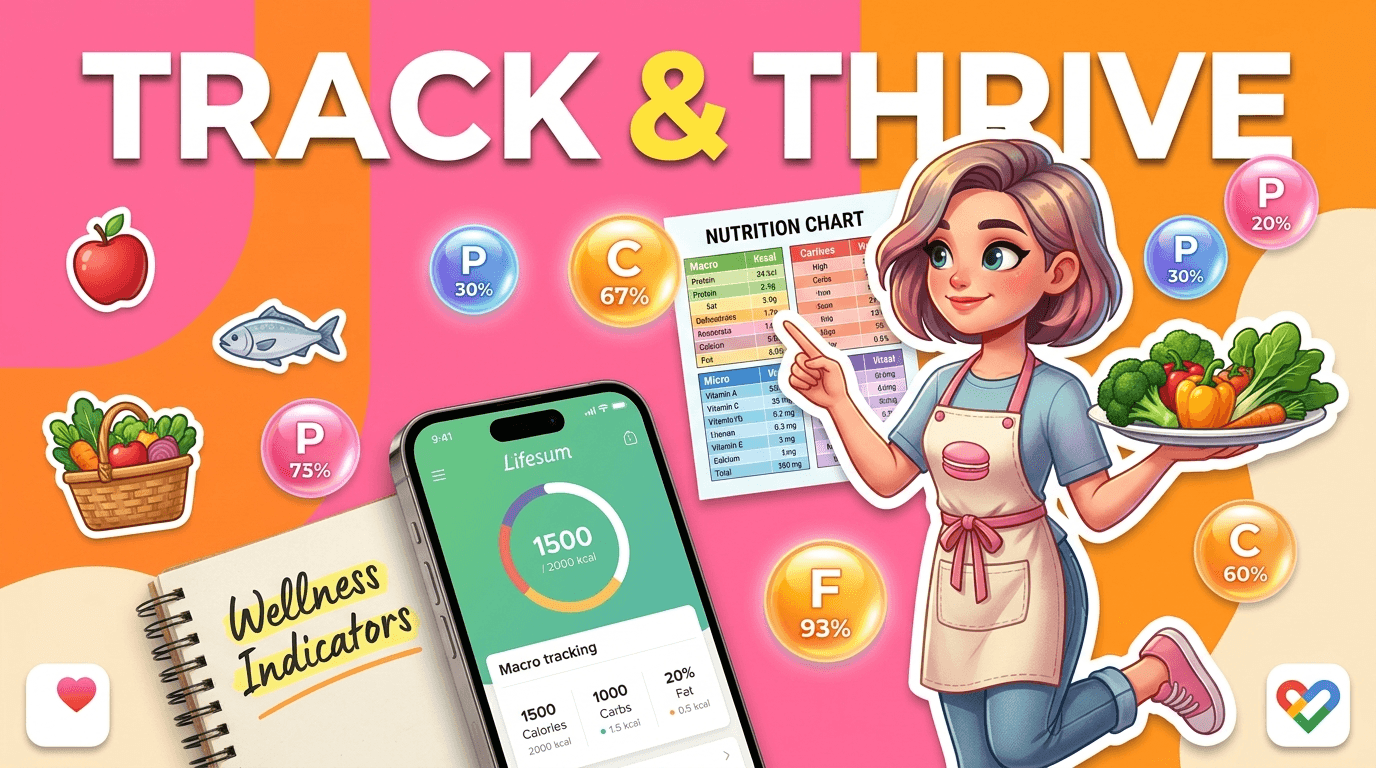
What Lifesum Tracks and How
Lifesum tracks calories, macros, hydration, exercise, and several habit-based indicators such as fruit and vegetable intake. It also supports photo, voice, and barcode entry, which makes logging faster for users who do not want to type every meal. The app syncs with Apple Health, Google Fit, and select wearables, so it can sit inside a broader wellness setup. Its main weakness is data completeness: users sometimes report missing regional foods or less reliable nutrition matches than larger databases offer.
Lifesum's Diet Programs and Meal Plans
Lifesum offers structured diet programs for goals like intermittent fasting, high-protein eating, keto, and Mediterranean-style meals. Each plan typically includes recipes, meal suggestions, and shopping list support, which helps users move from tracking to actual meal decisions. That structure is useful if you want a clear starting point and do not want to build a plan yourself. The limitation is flexibility: users with allergies, shifting schedules, or mixed goals may find preset programs harder to adapt than a more customizable system.
More About Lifesum App
Lifesum’s strongest feature is how quickly it gets users from intention to action. Barcode scanning, voice logging, and photo-based entry reduce the effort of recording meals, which matters more than most people expect when building a habit. The app’s design keeps the process lightweight, but that simplicity can hide tradeoffs: if you need highly detailed nutrient breakdowns, ingredient-level control, or advanced filtering, the experience may feel limited compared with more data-heavy trackers.
The app’s meal planning tools are designed to connect tracking with real-world eating decisions. Premium users can build plans, generate shopping lists, and follow recipes that fit a chosen diet style, which is helpful for busy households and people who want fewer daily decisions. This is where Lifesum is more opinionated than Macaron: it gives you a curated path. That can be reassuring, but it also means less room for experimentation or unusual dietary constraints.
Hydration tracking and wellness reminders add another layer for users who want a broader health routine, not just calorie counts. Recent updates have also leaned into widgets and wearable integrations, which makes the app easier to check throughout the day. These features are practical, but they are not unique in the market. Competitors may offer deeper health dashboards, while Lifesum’s advantage is that it keeps the experience visually simple and less overwhelming. Another useful Macaron comparison is What Should I Eat for Weight Loss? - Macaron - Macaron AI at https://macaron.im/eat-healthy/what-should-i-eat/weight-loss.
Lifesum’s AI messaging focuses on making logging faster and recommendations more relevant, but the app still works best when users fit within its existing framework. It can guide choices, surface trends, and suggest meals, yet it does not fully replace the need to think within the app’s categories and plan types. That makes it a good fit for users who want assistance without total automation, but less compelling for people who want a system that reshapes itself around their language and habits. For a broader Macaron context, Macro Meal Planner - Macaron AI at https://macaron.im/playbook/macro-meal-planner-689581111bbc6bcd9f8055e5 can help you compare the decision from another angle.
Macaron’s advantage is adaptability: instead of asking users to choose from a fixed set of diet programs, it can create custom tools from a simple request and adjust them as needs change. That is especially useful for users managing symptoms, food sensitivities, or evolving goals. The tradeoff is that Macaron is less of a turnkey diet program and more of a flexible builder, so users who want a polished, prepackaged nutrition framework may still prefer Lifesum’s structure.
Lifesum Pricing
Lifesum is free to download, but the most useful parts of the app sit behind Premium, which is priced at $9.99 per month or $59.99 per year in the current model. Premium unlocks the full set of diet programs, meal planning tools, and more detailed analytics. That makes the app easy to try, but harder to evaluate fairly without paying. For users who only want basic logging, the free tier may be enough; for anyone relying on plans and guidance, the subscription becomes the real product.
The AI-Powered Alternative
Macaron approaches nutrition tracking as a conversation rather than a preset workflow. A user can ask for something specific, like a low-FODMAP snack tracker, a post-workout meal builder, or a gluten-free grocery helper, and Macaron can generate a tool around that request. It is better suited to people whose needs change often or who do not want to commit to one diet style. The tradeoff is that it is less of a ready-made diet app, so users who want a polished template may still prefer Lifesum.
Frequently Asked Questions
Lifesum is a strong choice if you want a clean interface, guided meal planning, and a lower-friction way to track food and habits. It works especially well for users who like structure and do not want to build everything from scratch. The main downside is that it is less flexible than some competitors and may not satisfy users who want deeper nutrient data or more customization. If simplicity matters more than total control, it is a solid option.
Lifesum is free to download, but the free version is limited. Basic logging and hydration tracking are available, while many of the features that make the app feel complete, such as full meal plans, advanced analytics, and broader diet program access, require Premium. That means the free tier is best viewed as a trial or lightweight tracker rather than the full experience. Users who want ongoing guidance will likely run into the paywall quickly.
It depends on what you value. Lifesum is usually easier to use and more visually polished, which helps people who want a guided experience without a lot of clutter. MyFitnessPal is generally stronger for users who care about database depth, detailed nutrient tracking, and more granular logging. So the choice is really simplicity versus precision. Lifesum is often better for habit-building; MyFitnessPal is often better for data-heavy tracking.
Someone would choose Macaron if they want nutrition tools that adapt to their language, habits, and changing needs instead of fitting into preset diet programs. Macaron can generate custom helpers for specific goals, sensitivities, or routines, which is useful for people with complex or evolving diets. The tradeoff is that it is less of a packaged diet system than Lifesum. If you want structure out of the box, Lifesum may feel more immediate.
Yes, Lifesum now emphasizes AI-assisted meal logging and personalized guidance, especially in its newer app positioning. In practice, that usually means faster food entry, smarter suggestions, and a more tailored experience around your goals. It does not mean the app becomes fully open-ended or fully autonomous. Lifesum still works within its own diet frameworks and tracking categories, so the AI improves convenience more than it changes the app’s overall structure.
The biggest drawbacks are the paywall, the limited flexibility of preset diet programs, and occasional food database gaps. Some users also find that the app is better at guiding behavior than at offering deep analytical detail. If you want highly specific nutrient data, custom workflows, or a broader database for uncommon foods, you may feel constrained. Lifesum is best when you want a polished, guided experience rather than a highly technical tracker. For a third-party check, The science behind the lifesum app: an intervention design analysis at https://pmc.ncbi.nlm.nih.gov/articles/PMC12019602/ is worth comparing against the page summary.
Lifesum is used for food logging, calorie and macro tracking, hydration tracking, and guided nutrition planning. Many people use it to support weight loss, build healthier eating habits, or follow a specific diet style such as keto, Mediterranean, or intermittent fasting. It also helps users organize recipes and shopping lists around their goals. In short, it is a nutrition app designed to make healthy eating feel more structured and manageable. For another outside reference, Read Customer Service Reviews of lifesum.com - Trustpilot at https://www.trustpilot.com/review/lifesum.com adds a second perspective.
Lifesum can connect with Apple Health, Google Fit, and selected wearables and smart scales, which helps it fit into a broader health setup. That makes it useful if you already track activity, sleep, or body measurements elsewhere. Compatibility is helpful, but it is not the same as deep interoperability. If you need a highly customizable workflow across many tools, you may still find a more flexible system easier to build around.com/ is a useful reference point.com/ is a useful reference point.com/ is a useful reference point.com/ is a useful reference point.com/ is a useful reference point. For outside context, Lifesum - Healthy eating. Simplified. at https://lifesum.com/ is a useful reference point.
Read & discover
AI Personal Assistant
Free calculators


