Lose It App Review
Lose It remains a strong calorie tracker for people who want structure, a clean interface, and a straightforward weight-loss budget, but 2025 users are increasingly asking whether its premium tools justify the cost when AI-first alternatives can reduce manual logging and offer more context.
What Lose It Does Well
Lose It has stayed relevant because it makes calorie tracking feel manageable instead of clinical. The app’s interface is clean, the daily budget is easy to understand, and the tone is encouraging rather than punitive when users go over target. That matters for beginners who want a simple system they can actually stick with, especially if they are trying to build awareness before moving to more advanced nutrition tracking.
Its food database is one of the main reasons long-term users keep coming back. Reviews consistently mention obscure packaged foods, regional items, and recipes that are easier to find than expected, which reduces the friction that usually kills tracking habits. Verified entries also help with confidence, although user-submitted data can still introduce occasional inconsistencies. For many people, the tradeoff is worth it because logging stays fast.
Lose It is strongest when the goal is linear weight loss. The app automatically adjusts calorie targets as users lose weight, which removes some of the guesswork that comes with manual recalculation. That structure is useful for people who want a clear deficit and a visible path forward. It is less helpful for maintenance, flexible eating, or users whose needs change often, because the system is built around a fixed weight-loss framework. For a related Macaron page, see 20 AI Tools to Upgrade Your Daily Life - Macaron - Macaron App at https://macaron.im/blog/macaron-app-ai-tools-daily-life.
Premium adds convenience features that reduce repetitive work, including barcode scanning, voice logging, and photo-based entry. Those tools are useful if you log frequently and want to save time, but they are not the same as adaptive coaching. Lose It can make the input process faster, yet it still expects the user to do most of the thinking. Competitors with AI-first design often go further by interpreting patterns and suggesting next steps.
The app’s biggest appeal is that it lowers the emotional barrier to tracking. Users often describe it as positive, organized, and easier to live with than more cluttered calorie counters. That makes it a good fit for people who want accountability without shame. The tradeoff is that the app’s simplicity also limits depth, so users with complex goals may outgrow it once they want more personalization than calorie math alone can provide.
What Lose It Does Well
Lose It’s core strength is that it makes structured weight loss feel simple enough to repeat every day. The app combines a large food database, verified entries, automatic calorie adjustments, and a clean interface that does not overwhelm new users with too many charts or settings. Its tone is another differentiator: if you go over budget, it nudges rather than shames, which can matter for people who have struggled with guilt-heavy tracking apps. The main tradeoff is that this simplicity is optimized for straightforward calorie control, not for users who want adaptive coaching, nuanced nutrition guidance, or support for changing goals over time.
Where Lose It Falls Short
Lose It starts to feel limited when your routine is not a standard cut-and-track weight-loss plan. Users in maintenance phases, breastfeeding parents, or people shifting between training blocks often find that the app’s calorie logic does not adapt to life changes in a meaningful way. Premium AI tools help with faster entry, but they do not learn habits or proactively suggest better choices. Free users also deal with ads that interrupt logging, which makes the app feel more transactional than supportive. If you want a tracker that understands context, Lose It is useful but not especially flexible.
Lose It's Pricing Breakdown
Lose It’s pricing can be harder to evaluate than the app itself. The company offers multiple purchase paths, including monthly, annual, and lifetime options, and the overlap between plans can make it difficult to know what you are actually paying for. Premium is most defensible for people who log daily and will use barcode scanning or photo entry often. For lighter users, the free version may be enough despite the ads. The value question is less about whether the app works and more about whether you want convenience features or a more intelligent nutrition assistant.
More About Lose It App Review
Lose It’s food database is one of the app’s most practical advantages because it reduces the time spent searching, guessing, or building foods from scratch. Users regularly mention that it includes regional products, packaged items, and recipes that are harder to find in smaller trackers. That breadth is useful for consistency, but it comes with a familiar tradeoff: the larger the database, the more you need to watch for duplicate or user-entered inaccuracies.
The app’s calorie budget system is designed to keep weight loss predictable. As your weight changes, Lose It recalculates targets so you do not have to manage the math yourself. That is helpful for people who want a clear deficit and a visible plan, but it can also feel rigid if your real life changes faster than the app’s assumptions. It is a budgeting tool first, not a coach that understands context.
Lose It’s motivational layer is subtle but effective for many users. Milestones, progress summaries, and visual comparisons give people a sense of momentum without turning the app into a social feed. That can be a real advantage for users who want encouragement without comparison pressure. The downside is that the app’s motivation is mostly retrospective; it celebrates progress well, but it does not do much to help you decide what to eat next. Another useful Macaron comparison is How Macaron AI Tackles the Problem with Traditional Task Lists at https://macaron.im/blog/macaron-ai-daily-planning-guide.
Device integrations are useful when they work, especially for people already using Apple Health or Fitbit. Syncing steps, exercise, and weight data can make the app feel more complete, but Android users report more inconsistency than iOS users. That matters because a tracker is only as good as its data flow. If syncing breaks or lags, the app becomes more manual, which weakens one of its biggest convenience claims. For a broader Macaron context, When Nano Banana Meets Macaron: Next‑Level AI Image Editing ... at https://macaron.im/blog/macaron-ai-essential-personal-assistant-features can help you compare the decision from another angle.
Premium’s AI features modernize the interface, but they do not fully change the product’s philosophy. Voice and photo logging reduce typing, yet they still function mainly as faster ways to enter data into a calorie system. Competitors built around AI can go further by learning preferences, spotting patterns, and suggesting actions. Lose It remains better for people who want a polished tracker; Macaron is better for users who want a tool that adapts to their routine.
Why Macaron Is the AI Upgrade
Macaron is built for users who are tired of treating nutrition like a data-entry job. Instead of asking you to manually log every meal into a fixed framework, it starts from your goal and builds around your habits, preferences, and constraints. That makes it especially useful for people whose needs change often, such as athletes, parents, or anyone balancing weight goals with work, travel, or recovery. The tradeoff is that Macaron is less of a traditional calorie ledger, so users who want a strict food diary may still prefer Lose It’s familiar structure.
Quick Scorecard
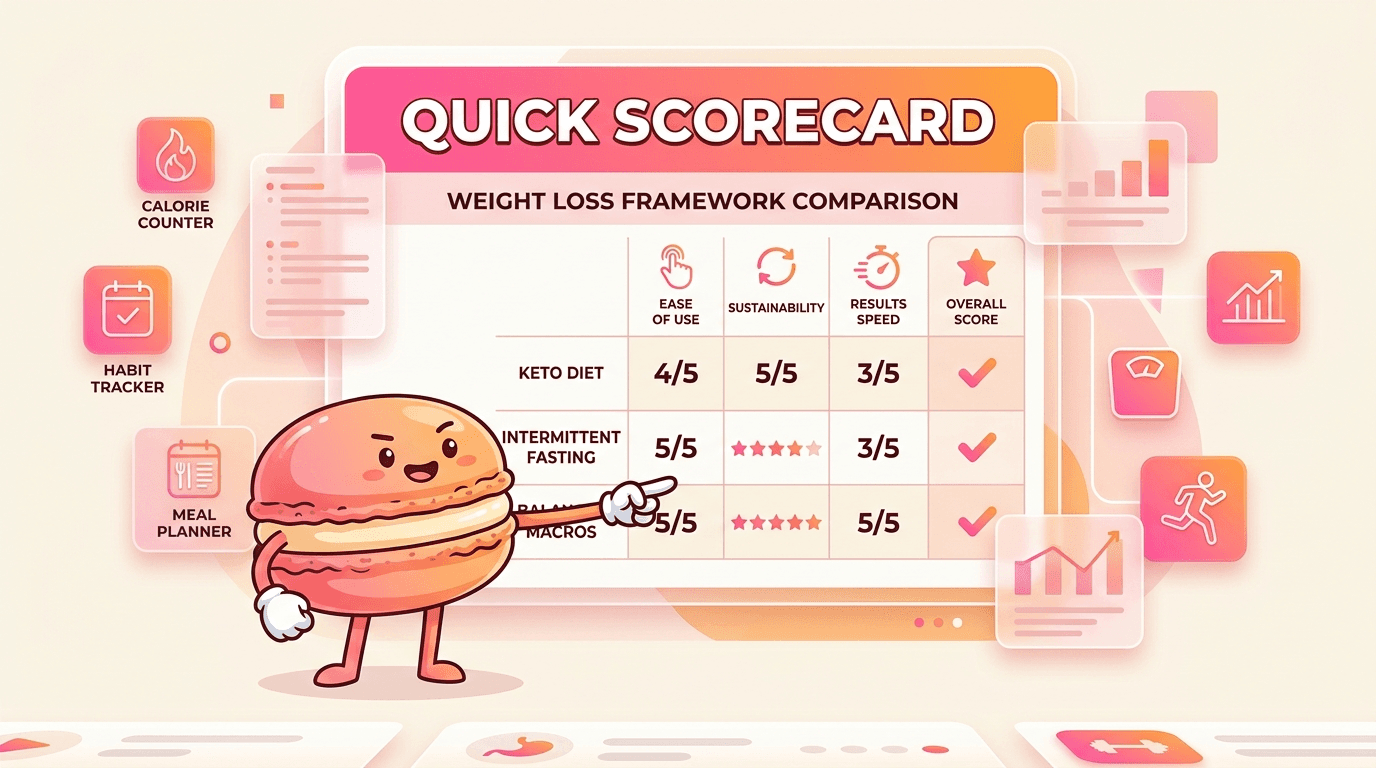
Lose It is strongest when you want a clean, dependable calorie tracker with a low learning curve. It is weaker when you want proactive guidance, deeper personalization, or a system that adapts to changing routines. The free tier is usable but ad-heavy, while Premium is most valuable for frequent loggers who will actually use barcode scanning and photo entry. Macaron is the better choice if you want AI to reduce manual work and surface context-aware suggestions. Lose It still wins for users who prefer a classic tracker and do not need the app to think for them.
Frequently Asked Questions
For many users, yes, if the priority is simplicity. Lose It is cleaner, easier to navigate, and generally feels less cluttered than MyFitnessPal. It also tends to be more encouraging in tone. MyFitnessPal still has advantages for people who want broader micronutrient tracking and, in some cases, more generous free-tier features. If you want a focused weight-loss tracker, Lose It is often easier to live with. If you want deeper nutrition detail, MyFitnessPal can still be the stronger tool.
Yes, but they are mostly convenience features rather than true adaptive AI. Premium includes voice logging and photo-based entry, which can speed up the process of adding meals. What it does not do especially well is learn your habits and adjust recommendations around them. If you want a tool that notices patterns, remembers preferences, and suggests next steps based on context, Lose It is still fairly traditional. Its AI helps you log faster, but it does not fully replace manual decision-making.
It can be, but only if you will use the premium tools often enough to justify the cost. Barcode scanning, photo logging, and other convenience features are most valuable for people who track daily and want to save time. If you log only occasionally, the free version may be enough even with the ads. The main question is whether you want faster logging or smarter guidance. Lose It is better at the first one than the second, so value depends on your habits.
Macaron is designed to reduce the amount of manual tracking you have to do. Instead of entering every meal into a calorie budget, you can start from a goal and let the app build tools around your routine. That makes it more useful for people whose needs change over time, such as training cycles, postpartum nutrition, or stress-related eating patterns. Lose It is a better fit if you want a classic calorie counter. Macaron is better if you want AI to do more of the organizing.
It is generally reliable if you enter foods carefully and use verified entries when possible. The app’s large database helps reduce guesswork, and many users find the calorie budget system consistent enough for weight-loss planning. The main accuracy issue is not the app’s math but the quality of the data you enter. Like any tracker, it can only be as accurate as the portions, food matches, and exercise estimates you provide. It is useful for trends, but not perfect for precision.
It can work for maintenance, but that is not where it feels strongest. The app is built around a calorie budget that moves you toward a goal, so users who have already reached their target may find the experience less intuitive. Maintenance often requires more flexible decision-making, and Lose It does not do much to coach that transition. People who want a long-term habit tool or adaptive support may prefer an AI app that can respond to changing routines instead of just recalculating calories. For a third-party check, Lose It! App: My Honest Review of Its Interface & Ease of Use at https://www.lemon8-app.com/@aliciaxlofficial/7545835861758558750?region=us is worth comparing against the page summary.
The free version can interrupt the logging flow with ads that feel intrusive, especially when you are trying to add meals quickly. That matters because calorie tracking works best when it is low friction. If the app slows you down, you are more likely to skip entries or stop using it. The ads are part of the free-tier tradeoff, but many users feel they are too aggressive. Paying for Premium removes much of that friction, though it also raises the value question. For another outside reference, MyFitnessPal vs Lose It App: Which is Best? - Randa Nutrition at https://randaderkson.com/myfitnesspal-vs-lose-it-app/ adds a second perspective.
Lose It is best for people who want a straightforward, structured calorie tracker and do not need a lot of coaching. Beginners often like the clean layout, and long-term dieters appreciate the automatic calorie adjustments and large food database. It also suits users who prefer a non-judgmental tone and want an app that stays out of the way. If you need personalized meal guidance, adaptive suggestions, or less manual work, an AI-first app like Macaron is usually the better fit.com/weight/lose-it-review/ is a useful reference point.com/weight/lose-it-review/ is a useful reference point.com/weight/lose-it-review/ is a useful reference point.com/weight/lose-it-review/ is a useful reference point.com/weight/lose-it-review/ is a useful reference point. For outside context, A Registered Nurse Tested the Lose It! App for Weight Loss at https://www.everydayhealth.com/weight/lose-it-review/ is a useful reference point.
Read & discover
AI Personal Assistant
Free calculators


