How to Connect Apple Health to ChatGPT: Step-by-Step Setup Guide
How to Connect Apple Health to ChatGPT: Step-by-Step Setup Guide
Hey there, health data nerds! Have you ever looked at Apple Health at night, stared at all those sleep bars and heart rate lines, and thought: "Cool… but what am I actually supposed to do with this?" Creative generators hit the same wall after the first random output. A directed Perchance AI story generator workflow turns prompts into drafts you can actually revise instead of one-off novelty text.
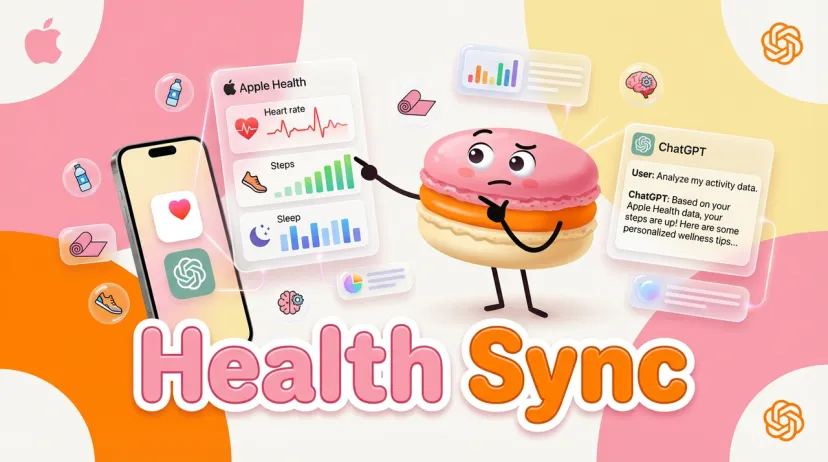
When OpenAI announced ChatGPT Health on January 7, 2026, that was exactly where my head went. Not “new feature,” not “AI healthcare hype.” Just one very practical question: can this finally make sense of my messy sleep, inconsistent workouts, and all the data I’ve been collecting for years?
I’m Hanks. I spend most of my time testing AI tools inside real life, not demos. So instead of skimming the announcement, I joined the waitlist, got access, and wired ChatGPT directly into my Apple Health data — sleep, activity, heart rate — and lived with it for a few weeks.
No sandbox. No cherry-picked examples. Just daily use: tracking recovery, spotting patterns, and prepping smarter questions before doctor visits.
Before we go any further, a quick reality check. This setup is U.S.-only for now, requires an iPhone (not iPad or Mac) for the initial connection, and ChatGPT Health is not medical advice. OpenAI is very explicit about that. Your data stays encrypted, isolated from regular chats, never used for training — and you can disconnect it anytime.
With that out of the way, let me show you exactly how this works — and whether it’s actually worth connecting your health data at all.
Why Connect Apple Health to ChatGPT?
I've been tracking health data for years—sleep scores, heart rate variability, daily steps. The problem? All that data just sits there. I'd glance at trends in the Health app, maybe screenshot something for my doctor, but never really understood what it meant long-term.
ChatGPT Health changes that by grounding its responses in your actual data instead of generic advice.
Get Personalized Insights from Your Data
Here's the shift: instead of asking ChatGPT "How much sleep do I need?", you can ask "Analyze my sleep this week" and get an answer based on your actual patterns—average duration, deep sleep phases, disruptions, and what might be affecting quality.
I tested this with workout recovery. After connecting my Activity and Heart Rate data, I asked: "What's my resting heart rate trend over the past month?" ChatGPT pulled the data, showed me a slight upward trend during a stressful work period, and suggested recovery adjustments. That's the kind of context I never got from just looking at numbers.
Identify sleep patterns and suggest bedtime adjustments
Track heart rate variability (HRV) trends for stress monitoring
Prepare data summaries for doctor appointments
Suggest wellness adjustments based on activity levels
According to OpenAI's Help Center, over 230 million health-related questions are asked in ChatGPT weekly. This integration makes those responses more relevant by anchoring them in real data.
What Data ChatGPT Can Access (You Control It)
This was my biggest concern initially: What exactly gets shared?
The answer: Only what you explicitly approve. During setup, iOS prompts you to select specific data categories—Activity, Sleep, Heart Rate, etc. You toggle each on or off. ChatGPT Health doesn't automatically access everything in your Health app.
Key privacy details (verified from OpenAI's policy):
Data is encrypted in transit and at rest
Stored separately from regular ChatGPT conversations
Never used to train OpenAI's models
Not sold to third parties
You can revoke access or delete imported data anytime
I granted access to Activity, Sleep, and Heart Rate but kept Nutrition off (I don't log meals consistently). That's the level of control you have.
Example: "Analyze My Sleep This Week"
Here's a real query I ran after syncing my data:
Me:"Analyze my sleep this week"
ChatGPT Health: Pulled data from Apple Health and summarized:
Average sleep duration: 6.8 hours (below my 7.5-hour goal)
Deep sleep: 22% of total (within healthy range)
Pattern: Bedtime inconsistent—ranging from 11 PM to 1 AM
Suggestion: Stabilize bedtime to improve sleep onset
That's not generic advice—it's based on my actual behavior. I also asked it to compare my sleep quality on workout days vs. rest days. Turns out I sleep 30 minutes longer after intense workouts. Useful insight I wouldn't have noticed manually.
Requirements Before You Start
Before you connect, confirm you meet these requirements. I learned this the hard way—tried setting it up on my iPad first (doesn't work).
iPhone with iOS 17 or Later
You need an iPhone running iOS 17 or newer. This isn't just a recommendation—the HealthKit integration OpenAI uses requires it. Check your version in Settings > General > Software Update.
Apple Watch or other devices can feed data into Apple Health, which then syncs to ChatGPT. But the initial connection must happen on an iPhone.
ChatGPT App (Not Web Version)
You must use the ChatGPT iOS app (download from the App Store). The web version at chatgpt.com supports Health chats but cannot connect Apple Health—that requires the iOS app.
I also enabled multi-factor authentication (MFA) in ChatGPT settings for added security. Recommended if you're connecting health data.
ChatGPT Health Access (Check Availability)
ChatGPT Health rolled out on January 7, 2026, via waitlist. It's available to ChatGPT Free, Go, Plus, and Pro users (outside the EU, Switzerland, and UK). U.S.-only for Apple Health integration at launch.
I got access within a week, but timing varies. OpenAI says full availability is rolling out over the coming weeks.
Step-by-Step: Connect Apple Health
The setup takes about 5 minutes, but the initial sync can take longer depending on how much data you have. Here's exactly how to do it.
Step 1: Open ChatGPT App → Settings → Apps
Launch the ChatGPT iOS app and sign in
Select "Health" from the sidebar (if you have access)
Tap the gear icon (Settings) in the top-right
Scroll to "Apps" and tap it
If you're setting up for the first time, ChatGPT may prompt you automatically during onboarding.
Step 2: Find Apple Health and Tap Connect
In the Apps section, search or scroll to "Apple Health"
Tap "Connect"
iOS will show a permission prompt asking which data you want to share
This is where you'll see a third-party notice. Review it—Apple is clear that ChatGPT (via OpenAI) will access only the data you approve.
Step 3: Choose Which Data to Share
iOS will display a list of health data categories. Toggle on the ones you want to share:
Data Category
What It Includes
Example Use Case
Activity
Steps, workouts, calories burned
"Summarize my weekly activity"
Sleep
Duration, quality, bedtime patterns
"Analyze my sleep this week"
Heart Rate
Resting HR, HRV, cardio fitness
"What's my heart rate trend?"
Nutrition
Calories, macros (if logged via other apps)
Diet context for wellness tips
I selected Activity, Sleep, and Heart Rate. You can always change this later in iOS Settings > Health > Data Access & Devices > ChatGPT.
Important: This is read-only access. ChatGPT cannot write data back to Apple Health.
Step 4: Wait for Sync (Minutes to Hours)
After confirming permissions, ChatGPT starts syncing your data. Keep the app open and connected to the internet.
Sync times (from my experience):
Recent data (last 30 days): ~5 minutes
Full history (2+ years): ~45 minutes
For large datasets, sync in batches by limiting initial categories. If it gets stuck, disconnect and reconnect in Settings > Apps > Apple Health.
Once synced, you'll see a confirmation in the app. Test it with a query like: "What data do you have from Apple Health?"
What Data Can You Share?
You choose what ChatGPT can access. Here's what each category includes based on Apple's official documentation.
Activity: Steps, Workouts, Calories Burned
Daily steps counted by iPhone or Apple Watch
Workout types (running, cycling, strength training) and duration
Active energy (calories burned during exercise)
Example query: "How many calories did I burn last week?"
Sleep: Duration, Quality, Patterns
Total sleep time and bedtime/wake consistency
Sleep stages (light, deep, REM) if tracked by Apple Watch
Disruptions and weekly averages
Example query: "Compare my sleep quality on workout days vs. rest days"
Heart: Resting Heart Rate, HRV
Resting heart rate and trends over time
Heart rate variability (HRV) for stress/recovery monitoring
Cardio fitness levels (VO2 max estimates)
Example query: "What's my HRV trend this month?"
Nutrition: If Logged via Other Apps
ChatGPT doesn't access nutrition data directly from Apple Health unless you log it via third-party apps like MyFitnessPal. If you sync those apps to Apple Health, their data can flow to ChatGPT (if you grant permission).
Troubleshooting Common Issues
I hit a few snags during setup. Here's what worked for me.
Sync Taking Too Long
Problem: Sync stuck at "Processing" for over an hour
What I did:
Kept ChatGPT app in the foreground (don't switch apps)
Ensured stable Wi-Fi connection
For datasets over 2 years, I limited initial categories to Activity and Sleep only, then added Heart Rate later
If sync still fails, disconnect in Settings > Apps > Apple Health and reconnect.
Data Not Showing in ChatGPT
Problem: Sync completed but queries return "I don't have access to that data"
What I checked:
Confirmed sync completion—check for confirmation message in app
Verified permissions in iOS Settings > Health > Data Access & Devices > ChatGPT
Tested with: "What data do you have from Apple Health?"
If data is missing, toggle permissions off/on in iOS Health app, then reopen ChatGPT.
Permission Errors
Problem: iOS permission prompt didn't appear
Fix:
Go to iOS Settings > Health > Data Access & Devices
Find ChatGPT and tap "Allow ChatGPT to Read Data"
Toggle desired categories on, then reopen ChatGPT app
If you see error codes, note them and search OpenAI's Help Center or restart the connection process.
How to Disconnect Apple Health
You can disconnect anytime. Here's what happens.
Go to Settings → Apps → Apple Health
Open ChatGPT app > Settings
Tap Apps > Apple Health
Tap "Disconnect"
Confirm when prompted
You'll also have the option to delete imported data.
What Happens to Your Data After Disconnect
ChatGPT immediately stops accessing new data from Apple Health
Existing imported data can be deleted via Settings > Personalization > Health memories
Data remains encrypted and is not used to train models (per OpenAI's Privacy Policy)
Note: ChatGPT Health is not HIPAA-certified. For clinical data (lab results, medical records), OpenAI partners with platforms like b.well for a separate U.S.-only connection (requires age 18+). Apple Health integration is for wellness data only.
Want to do more with your health data?
I've been running these health queries in ChatGPT for weeks now, and here's what I noticed: the insights are useful, but they live in isolation. I'd get a sleep analysis, screenshot it, and... then what?
That's where Macaron comes in. I use it to turn those insights into actual plans—like "build a weekly workout routine based on my recovery patterns" or "create a sleep optimization checklist." You describe what you want to achieve, and Macaron builds the structure to make it happen.
It's free to start, low-friction to test, and you can run it alongside your health tracking without switching contexts. If you're already experimenting with health data, it's worth seeing what happens when you turn analysis into action.
Try it free at macaron.im — no commitment, just real tasks.
FAQ
Does This Work on iPad or Mac?
Health chats: Yes—you can use ChatGPT Health on the web (chatgpt.com) or iOS (including iPad) to ask health-related questions.
Apple Health connection: No—you cannot connect Apple Health from an iPad, Mac, or web browser. The connection requires an iPhone with iOS 17+ due to HealthKit limitations.
Can ChatGPT See My Medical Records?
No. Apple Health integration does not include medical records (lab results, doctor visits, prescriptions). Those require a separate connection via OpenAI's medical records partners like b.well, which is U.S.-only and requires age verification (18+).
Apple Health focuses on fitness and wellness data—steps, sleep, heart rate—not clinical records.
Is My Apple Health Data Private?
Yes. According to OpenAI's documentation:
Data is encrypted in transit and at rest
Stored separately from regular ChatGPT conversations
Hey, I’m Hanks — a workflow tinkerer and AI tool obsessive with over a decade of hands-on experience in automation, SaaS, and content creation. I spend my days testing tools so you don’t have to, breaking down complex processes into simple, actionable steps, and digging into the numbers behind “what actually works.”