How Macaron Helps You Keep Subscriptions Under Control
FAQ
Subscription Tracker: Find and Cancel What You Don't Use
Subscription Tracker: Find and Cancel What You Don't Use
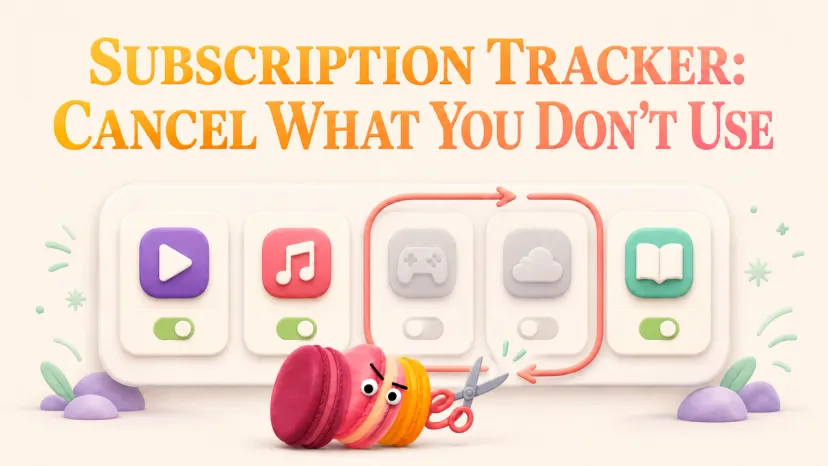
There are two kinds of subscriptions on your card statement. The ones you'd renew today if someone asked. And the ones you're paying for because nobody's asked. A subscription tracker is just the thing that makes the second pile visible — so the question stops being "do I have a subscription problem" and starts being "which ones survive a real look."
The math on this is boring and the same for almost everyone. Eight to fifteen recurring charges. Three or four you actively use. Two you forgot existed. The rest sit in a middle zone where you keep meaning to decide. Finding them isn't the hard part. Sorting them is. That's where most tools — and most advice — quietly fail.
A reader emailed last month with the subject line "Maren, what would you actually put on a keep-or-cut list?" — and the honest answer was longer than the email deserved. What follows is the cleaned-up version: a three-step workflow — find, decide, review — and a checklist you'll actually open more than once. I'll also explain why I don't use auto-cancel features, even when they're free.
Find the Subscriptions You May Be Paying For
The thing nobody tells you about subscription creep — and CFPB on subscription tactics documented this pattern across enforcement cases — is that it's not a budgeting problem. It's a memory problem. You didn't agree to pay for things you wouldn't use. You agreed once, forgot, and the charge moved into the background.
So before deciding anything, you need a full list. Not a guess. A list. CFPB cancellation guidance makes the case for going through company-side cancellation, which is also why pulling 60–90 days of statements, which is what I do too — one billing cycle isn't enough to catch the annual ones.
Trials that quietly converted
The single largest source of "wait, I'm paying for that?" is free trials that converted on a date you didn't write down. They're easy to miss because the first real charge often lands a month after the email, when you've stopped thinking about it.
Two sweeps that catch most of them:
Search your email for the words trial, welcome, and receipt over the last 90 days
Scan your statement for amounts under $15 — most trial conversions are small
That's usually enough. If you find more than three, it's worth doing the same scan quarterly.
Renewals and accounts you forgot
App store charges are a separate category because they show up under generic billing names — "APLITUNES" or "GOOGLEPLAY" — without telling you which app. You have to check the platform directly. Apple's subscription docs walk through the iOS path; Google Play subscriptions has the Android version. Both list every active and recently-canceled subscription in one place, which is the only reliable way to handle them.
For anything billed directly (not through an app store), the email search is faster than the statement scan. Just look for the word renew.
Decide What to Keep, Pause, or Cancel
This is the step most subscription apps skip — and why I'm skeptical of the ones that promise to cancel unwanted subscriptions for you automatically. FTC click-to-cancel rule made canceling legally simpler in 2024, which is good news. But the decision itself — keep, pause, or cut — is still yours. Outsourcing it to an algorithm that doesn't know what you actually use produces a different problem: things you needed get canceled, things you don't need stay because the algorithm couldn't tell.
Capture the essentials: service, renewal date, payment note
For every subscription on your list, three fields are enough:
Service name (the real one, not "APL*ITUNES")
Next renewal date (the actual one, not "monthly")
What you used it for last (one phrase: "watched two movies in March")
Three fields. That's it. More than that and you'll stop maintaining the list, which makes the whole exercise pointless.
Make the keep-or-cut call
For each subscription, ask one question: "If this charged me tomorrow morning, would I be annoyed?"
Annoyed = cut. Not annoyed = keep. Genuinely unsure = pause for one billing cycle and see if you miss it.
This works because it's specific. "Do I use it?" is too vague — you'll talk yourself into keeping things. "Would tomorrow's charge annoy me?" is concrete enough that your gut answers before your brain negotiates.
Pause seasonal, coordinate shared plans
Streaming services are the obvious pause candidates. If you watch one show every couple of months, pausing between seasons (or canceling and re-subscribing for binge weekends) costs less than the always-on plan, with almost no friction.
Shared plans need a conversation, not just a decision. Before you cancel a family streaming plan or productivity suite, check who else is on it. I've seen people quietly cancel a plan their partner used daily — which is a cheaper subscription and a more expensive evening.
How Macaron Helps You Keep Subscriptions Under Control
This is where I'm careful, because Macaron isn't a financial app. It doesn't see your bank account. It doesn't have card data. It can't cancel anything on your behalf, and I wouldn't want it to.
What it does is more boring and more useful: it remembers what you tell it.
Remember every recurring charge you tell it about
When you mention a subscription in conversation — "I'm paying for Spotify family, renews on the 14th" — Macaron holds onto that detail. Next time you bring up subscriptions, it knows what's already on the list. You're not starting from zero every time you sit down to clean things up.
That's the whole feature. No bank integration, no auto-detection, no surprise charges flagged. Just memory that survives between conversations.
A keep-or-cut checklist you actually revisit
You can describe the checklist once — service name, renewal date, last-used note, keep/pause/cut decision — and Macaron will turn it into something you can open later. The version I use has one extra column: date I last reviewed this. Anything older than 90 days gets re-examined.
A lightweight subscription-review mini-app
The one-sentence-creates-a-tool version of this is short: "Make me a subscription review I can update each month." You get back a simple structure for the fields above, and you fill in what you want. It's not a budgeting tool. It's a remind-record-review loop, which is what most of us actually need.
FAQ
How do I find subscriptions I forgot I'm paying for?
Pull 60–90 days of card statements and search your email for trial, welcome, receipt, and renew. For app store charges, check Apple's and Google Play's subscription pages directly — generic billing names like "APL*ITUNES" won't tell you which app is charging you.
Should I let an app auto-cancel subscriptions, or stay in control?
Stay in control. Auto-cancel features cancel based on usage signals, not what you actually need. The fix isn't automation — it's a short review every couple of months, with a real keep-or-cut decision on each line.
How do I stop free trials from charging me?
Write the conversion date in your calendar the day you sign up — that's the only reliable method. Two days before the date, decide: keep or cut. Searching your email monthly for trial catches the ones you forgot to log.
How do I safely check the official cancellation steps for a service?
Go to the service's own help center, not a third-party guide. Cancellation flows change often, and intermediaries sometimes route you through affiliate pages. The official help center is slower to find but always current.
Why not just use my bank's "subscription detection" feature?
It's a fine starting point but catches maybe 70% — anything billed annually, anything routed through an app store, and anything with a generic merchant name tends to slip through. Use it as a first pass, then do the email and statement sweep above.
If your situation looks like this — fewer than five subscriptions, all of them used weekly, none of them shared — this whole workflow is overkill for you. A note on your phone is enough. The find-decide-review loop earns its keep at eight subscriptions and up, where the forgetting starts to compound. Below that, you'd just be maintaining a list for its own sake, which is exactly the kind of admin that makes people quit these systems in the first place.
I’m Maren, a 27-year-old content strategist and perpetual self-experimenter. I test AI tools and micro-habits in real daily life, noting what breaks, what sticks, and what actually saves time. My approach isn’t about features—it’s about friction, adjustments, and honest results. I share insights from experiments that survive a real week, helping others see what works without the fluff.