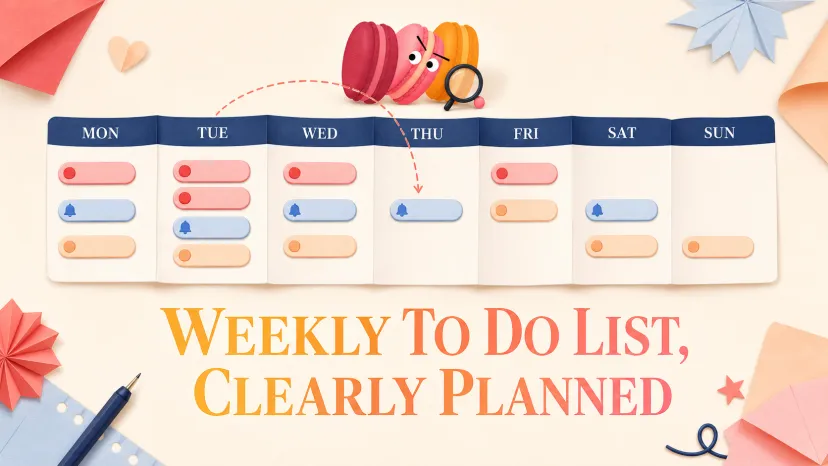
Add reminders without turning the list into a calendar
Review the week with less guilt
When monthly planning belongs elsewhere
FAQ
Weekly To Do List: Plan the Week Clearly
Weekly To Do List: Plan the Week Clearly
Two things stayed true after a few months of keeping a weekly to do list: I rarely finished it, and it still helped more than not having one. That contradiction took me a while to make sense of. The list wasn't supposed to be a control mechanism — it was a visibility mechanism. Once I stopped grading myself on completion, the whole thing started working.
Every Sunday night for the past few years, Maren writes a weekly list — and most weeks, she's wrong about at least one thing on it by Tuesday. That's not a planning failure. That's the point.
This piece walks through how to build a weekly list that helps without crushing you, how to use reminders without turning the list into a calendar, and why some things you might want to plan weekly really belong somewhere else.
Weekly lists are for visibility, not control
A weekly list isn't a contract with yourself. It's a snapshot of what you'd like the week to contain, taken before the week starts, with the full understanding that the week will rewrite it.
If you treat it as a control mechanism — every item must be done, every miss is a failure — you end Friday feeling worse than you started. You also tend to overcommit, because the planning version of you (Sunday-night Maren) is more optimistic than the doing version (Wednesday-afternoon Maren).
If you treat it as a visibility mechanism, the math changes. The point isn't to finish the list. The point is to see what you intended before the week distorted it, so you can make smarter calls when things conflict in the moment.
Separate the week into three buckets
The single most useful thing I've done with weekly lists is stop ranking items 1 through 20. Instead, three buckets — based on what happens if the item doesn't get done. This isn't new; it's the basic logic behind every prioritization technique from the Eisenhower matrix onward, and Nielsen Norman Group's guide to prioritization matrices walks through several formal variants. The three-bucket version is the lo-fi one.
Must-do
These are the items where the cost of missing them is real and external: a client deliverable, a tax deadline, a flight booking, picking up a prescription. If they slip, someone else is affected or you lose something concrete.
Keep this bucket short. Five items at most for a typical week, fewer if the week is heavy in other ways. The number isn't arbitrary — if everything is must-do, nothing is, and you'll triage by accident under pressure rather than by design.
Should-do
These are the items that should happen this week — a draft you said you'd send, a workout schedule you set for yourself, a follow-up email — but where slipping a day or two won't cause a fire. The world keeps moving if these wait.
This bucket is where most weekly to do list items actually live. They're real. They matter. They just don't all need to happen by Friday.
If-there-is-space
These are the items you'd like to do if the week gives you the room: organize a folder, finally read the article you bookmarked, catch up on a podcast, draft a longer document you've been avoiding. The wins here are bonus wins. The misses don't count against you.
The trap with this bucket is letting it grow into a graveyard. If something has been in "if-there-is-space" for three weeks, either move it to "should-do" or admit it's not actually a priority and remove it. The list isn't a museum.
Add reminders without turning the list into a calendar
Weekly reminders are useful for a small subset of items — recurring obligations, payment deadlines, weekly check-ins. They are not useful for most of what's on a weekly list, and over-using them turns the list into a calendar with extra steps.
Reserve reminders for items that have a specific time component or a hard deadline. "Submit timesheet Friday 5pm" gets a reminder. "Work on Q4 strategy doc" does not — there's no specific moment when the reminder would be useful, and the alert just adds noise. For the genuinely recurring items, set them up once in a calendar and forget about them; Google Calendar's documentation on recurring events walks through the setup in a few clicks, and Apple Reminders has a near-identical flow.
The signal that your reminders are over-tuned: you've started ignoring them. Once you train yourself to swipe away alerts, the system stops being a system. Pull back to fewer, more meaningful pings and the remaining ones land.
Review the week with less guilt
The weekly review is where most weekly planning systems die. People plan on Sunday with hope, fail to deliver on Friday, feel bad, and stop planning the next Sunday. The review is the failure point.
The fix is to review without grading. Zen Habits' breakdown of the GTD weekly review keeps the spirit of David Allen's original ritual but trims most of the guilt out of it. Mark what got done; for items that didn't:
Ask if it still matters. If yes, carry forward. If no, drop it.
Ask what got done instead. Real weeks are full of work that wasn't on Sunday's list. That work counts.
Don't journal about why you missed things. The meta-analysis usually costs more than the miss did.
A weekly review that takes more than ten minutes will get skipped. Keep it short, finish it, move on.
When monthly planning belongs elsewhere
A monthly to do list is a different tool. Weekly lists hold the texture of execution; monthly lists hold the texture of intention. If you try to put a month's worth of items into a weekly list, the list breaks under its own weight by Tuesday.
Monthly planning works better as a small set of outcomes — "ship the landing page," "finish the certification," "have the conversation with X" — that you then translate into weekly chunks as each week begins. This is the multi-horizon idea baked into David Allen's full Getting Things Done methodology: you maintain different lists at different altitudes, and you only ever execute from the lowest one. The monthly view shows you what's drifting; the weekly view shows you what to do about it this week.
If you're building a daily checklist, that's a third shape — closer to a routine than a plan, and worth keeping separate from both.
FAQ
What should I put on a weekly to do list?
Items that have a realistic chance of getting done this week and where being able to see them before Monday actually changes your decisions. Skip items that belong on a monthly outlook, skip items that are really habits (those belong in a daily checklist), and skip items so vague they can't be acted on. A good list is mostly verbs with specific objects: "draft client proposal," "call dentist," "review Q4 budget." Not "think about strategy."
How do weekly reminders fit into a to-do list?
Use weekly reminders for the small set of items with specific times or hard deadlines — recurring meetings, payment dates, weekly check-ins. For everything else, the list itself does the job. Adding a reminder to every item trains you to dismiss alerts, which kills the value of the reminders you actually need. Most weekly list items don't need to ping you. They just need to be visible when you're deciding what to do next.
Is a monthly to do list better for long-term tasks?
Yes — but with a caveat. A monthly to do list isn't a long version of a weekly list. It's a different shape: fewer items, higher altitude, framed as outcomes rather than actions. Long-term tasks belong on a monthly view as what you're trying to accomplish, then get broken into weekly chunks each Sunday. Trying to track multi-week work directly on a weekly list usually fails because the work doesn't fit and you start feeling behind even when you're on track.
Should I use a checklist planner or a blank list?
A checklist planner — with pre-printed sections, time blocks, or templates — is helpful if you've never built a weekly system and need scaffolding. It's also helpful if your week is structurally similar every week. The risk is that it shapes your planning around the planner rather than around your actual week. Once you know your own rhythm, a blank list (or a simple to-do list template you can grab as a free checklist starting point) tends to be more flexible. Start with a planner if you need a starting point; graduate to a blank format when you've figured out what to leave off.
I'm planning to test something next week: writing only the must-do bucket on Sunday, and adding the other two on Monday morning when the week's actual shape is clearer. I'll see whether splitting the planning across two sessions makes the weekly to do list more honest, or just adds a second moment of optimism. Either way, the list isn't supposed to be the boss of the week. It's supposed to be the witness.
I’m Maren, a 27-year-old content strategist and perpetual self-experimenter. I test AI tools and micro-habits in real daily life, noting what breaks, what sticks, and what actually saves time. My approach isn’t about features—it’s about friction, adjustments, and honest results. I share insights from experiments that survive a real week, helping others see what works without the fluff.