How to use personal AI to keep up with releases like Veo 4
A simple weekly AI-trend routine
Limits and risks: what AI can't do for your news diet
FAQ
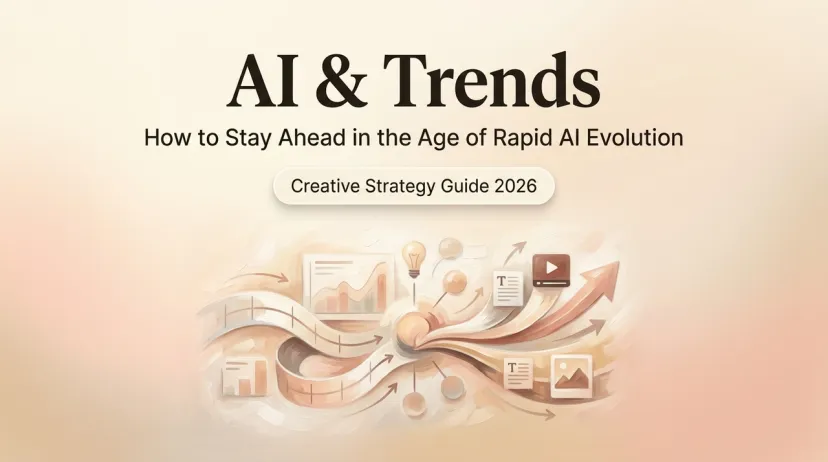
How to Use AI to Keep Up with Trends Like Veo 4
How to Use AI to Keep Up with Trends Like Veo 4
AI trend tracker tips: use personal AI to stay on top of releases like Veo 4 without the FOMO. Practical setups and habits for everyday users.
A few weeks ago on a Tuesday, I opened my phone to four group chats all buzzing about the same thing: Veo 4. One friend even messaged me directly, "Anna, have you seen Veo 4 yet?"
I had not seen Veo 4.
I didn't even know Veo 3.1 had dropped until someone mentioned it in passing, at which point I quietly nodded like I'd been following along. If you also find out about major AI releases through group chats rather than any intentional tracking system — this might feel familiar. Nothing embarrassing about it. There's just a lot.
This is one small thing I've been working out this year: using a personal AI not to become an AI news expert, but to keep up just enough that I don't feel perpetually three releases behind.
Why AI news feels like too much in 2026
It's not that the news is bad. It's that there's so much of it, arriving so fast, with no natural stopping point.
A Harvard Business Review study from early this year gave it a name — "AI brain fry" — the mental fatigue that kicks in when the rate of AI information exceeds what our brains can process. The researchers surveyed nearly 1,500 employees and found a meaningful share reported slower decision-making, mental fog, difficulty concentrating. Not from doing AI work — from keeping up with it.
That one landed for me. Because I realized that skimming newsletters, clicking every "what just launched" thread, bookmarking things I'd definitely read later — none of it was actually keeping me informed. It was just filling a gap.
71% of office workers say new AI tools are appearing faster than they can learn how to use them, according to research from WalkMe. That number is probably higher for people tracking tools they don't even use for work.
So the question shifted from "how do I consume more AI news?" to something quieter: what do I actually need to know, for my actual life?
What an AI trend tracker actually does
The phrase sounds official. I had this image of dashboards, alerts, custom RSS feeds, a spreadsheet somewhere.
What I ended up with was much less like that.
Tracking vs filtering vs deciding what's worth your time
There's a difference between three things that get lumped together:
Tracking is passive. Something comes out, you hear about it through group chats. You already do this, whether you want to or not.
Filtering is where it gets useful. Not "what happened in AI this week" but "what happened that's relevant to me, specifically." This is what a personal AI can actually help with — once you've given it context about what you care about.
Deciding is the hardest part, and no tool does it for you. Is this release worth trying? That's still yours. But you get there faster if the filtering is good.
I think of my setup less as an AI trend tracker and more as an AI filter. It doesn't watch the news for me. It helps me process what I've already encountered, without spending 40 minutes reading takes and still feeling confused.
How to use personal AI to keep up with releases like Veo 4
Google Veo 4 is a useful example here — it generated a lot of noise for weeks, some of it useful, most of it speculative. Exactly the kind of release where I got overwhelmed and checked out entirely.
Here's what I've started doing instead.
Setting up smart summaries for new AI releases
When something drops — or is about to drop and everyone's already writing think pieces — I copy a few headlines into a chat with my personal AI and ask:
"Here are five things I've read about Veo 4 this week. Short version of what's confirmed versus speculation? Flag anything relevant if I'm someone who occasionally makes short videos but is not a developer."
Not always perfect. Sometimes it still hedges everything into uselessness. But faster than reading all five pieces and trying to triangulate. One habit I've built: I tell it upfront what I'm not — not a developer, not building a production pipeline. That context changes the summary significantly.
Filtering by your interests, not the algorithm
The algorithm deciding what AI news you see is organized around clicks, not around what's useful to you. A lot of the "releases" getting the most coverage are things that won't affect you at all.
I've started giving my personal AI a rough profile of what I care about. Not a formal document — just a few sentences, over time, in conversation:
"I use AI mostly for writing and occasionally for simple visuals. I don't do video production. Less interested in benchmarks, more interested in whether something is genuinely easier to use."
Once it has that context, I can ask "does any of this actually matter to me?" and get something more calibrated than a generic explainer.
Capturing what to try and what to skip
This is the piece I'd been skipping: actually deciding, after hearing about something, whether to try it or let it go.
What I have now is a running note where my AI helps me track things I said I'd look at. Embarrassingly simple. But it stops me from having the same "oh I should try that" thought about the same tool seventeen times and never acting on it.
The key: telling it "skip" is a valid option. Deciding to skip something on purpose feels better than just forgetting about it.
A simple weekly AI-trend routine
I don't do this every day. That would defeat the point.
Once a week, about 15 minutes:
Skim whatever AI news arrived — newsletters, group chats, things I stumbled across. I don't seek it out. Just collect what already came to me.
Drop the headlines into a chat with my personal AI, with a one-line reminder of what I care about.
Ask for a short summary: what's confirmed, what's speculative, what might matter to me.
Decide on two categories — "try this" and "skip for now." Everything else gets let go.
That's it. Not elegant. But it's made me feel noticeably less anxious about keeping up with AI trends, which was the actual problem.
Worth knowing: information overload and decision fatigue are genuinely connected. Consuming less but actually finishing the thought tends to leave you better informed than consuming more and feeling vaguely up to date.
Limits and risks: what AI can't do for your news diet
It can't tell you what to care about. That has to come from you.
It can miss context. If the AI has a knowledge cutoff that predates a release, you'll get something outdated or confidently wrong. Worth asking "when is your information from?" and cross-checking anything that matters.
It can amplify noise if you ask the wrong questions. "What do I need to know about AI this week?" gets you whatever was prominent — basically a newsletter. Useful questions are specific: "here's what I read, what's confirmed?" or "does this affect someone in my situation?"
And it can give you a false sense of being caught up. I've walked away feeling informed and later found I'd missed something significant that wasn't in the sources I'd shared. The AI works with what you give it.
One more thing: not all personal AI retains what you've told it across conversations. For filtering-by-context to actually work, memory matters. Macaron is built around this — the kind of thing where "I don't care about developer tools" actually sticks.
FAQ
Is it better to use one AI to track trends or follow newsletters?
Newsletters are good for raw material and discovery. A personal AI shines at filtering and synthesizing that information based on your specific needs and context. Using both together works best.
How can I tell hype from a real upgrade?
Look for concrete details after launch — actual usage numbers, user reports, and specific improvements. Early coverage full of "expected to" or "no confirmed date" is usually mostly hype.
Can personal AI summarize Veo 4 news for me?
Yes, with caveats. Paste in the actual articles rather than asking it to search — most personal AI lacks reliable live web access. Give it your context upfront. For anything specific, spot-check against Google DeepMind's Veo page directly.
Do I still find out about releases late?
Yes, and that's okay. The goal isn't to know everything first — it's to quickly understand what actually matters to you without the anxiety and overload.
I still find out about things late. That's not going to change.
What's changed is that I've mostly stopped feeling bad about it. Having a way to quickly figure out what's worth my attention — without reading seventeen takes and still feeling uncertain — has made the whole thing feel a lot lighter.
Might be obvious to some people. Took me a while.
Going to get some water. And then maybe try the thing I said I'd try two weeks ago.
Hi, I'm Anna, an AI exploration blogger!
After three years in the workforce, I caught the AI wave—it transformed my job and daily life. While it brought endless convenience, it also kept me constantly learning. As someone who loves exploring and sharing, I use AI to streamline tasks and projects: I tap into it to organize routines, test surprises, or deal with mishaps. If you're riding this wave too, join me in exploring and discovering more fun!