How to Automate Code Reviews with AI Agents
How to Automate Code Reviews with AI Agents 
Hey, guys. I'm Anna. Recently, our team's pull request queue kept growing, and I kept wondering if there was a way to handle the boring parts without burning out our senior engineers on routine checks.
I'd seen AI code review tools mentioned in passing — usually wrapped in claims about "revolutionizing workflows" or "eliminating bottlenecks." I'm skeptical of that language. But the friction was real: PRs sat for days, context got lost between reviews, and the same style issues showed up repeatedly. So I tried a few tools in late February 2026 to see what they actually handled well, and what still needed human judgment.
This isn't about replacing reviewers. It's about figuring out which parts of code review can be automated without losing quality — and which parts absolutely shouldn't be.
Why Code Review Breaks at Scale
The problem isn't that code review is slow. It's that the volume overwhelms the capacity, and quality suffers as a result.
PR volume overload
According to recent data, AI coding agents increased output by 25-35% in 2025. That's a lot more code landing in review queues. In our case, we went from maybe 15 PRs a week to closer to 40. The reviewers stayed the same. The math didn't work.
What caught me off guard was how this changed behavior. Developers started batching unrelated changes into larger PRs to reduce the number of reviews needed. Review queues stack up, which encourages developers to batch unrelated updates into larger pull requests that require deeper scrutiny but seldom get it. Bigger PRs are harder to review well, which creates a cycle where quality drops precisely when it matters most.
Context loss
The other friction point is context. A human reviewer might remember that a similar bug was fixed three months ago, or that a specific pattern was discussed in a design doc. But when you're reviewing your fifth PR of the day, that context fades.
AI tools don't have perfect memory either, but they can be pointed at the right documentation, past issues, and coding standards without getting tired or forgetting. That consistency matters more than I expected.
What AI Agents Can Handle
After testing several tools — CodeRabbit, Qodo, and**** GitHub Copilot code review — I noticed they all handled certain tasks reliably, and struggled with others in predictable ways.
That experiment also pushed me to think about how multiple AI tools could work together rather than acting as isolated assistants. I wrote more about that in this guide on how to orchestrate AI coding agents.
Diff summarization
The first thing I appreciated was automatic PR summaries. Instead of reading through hundreds of lines to understand what changed, the AI generates a plain-language overview: "This PR refactors the authentication module to use async/await instead of callbacks."
GitHub's Copilot code review now accounts for more than one in five code reviews on GitHub as of March 2026, and one reason is these summaries. They're not perfect — sometimes they miss the why behind a change — but they give reviewers a starting point that saves maybe five minutes per PR. That adds up.
Risk flagging
AI reviewers are surprisingly good at catching certain classes of bugs. Off-by-one errors, unhandled edge cases, potential null pointer exceptions — things that slip through when you're tired or rushing.
CodeRabbit claims 46% accuracy in detecting real-world runtime bugs through multi-layered analysis combining Abstract Syntax Tree evaluation, Static Application Security Testing, and generative AI feedback. In practice, I saw it flag issues I would have missed: an exposed environment variable in a public API, a race condition in concurrent code, a missing input validation check.
It's not foolproof. False positives still happen — maybe 20-30% of the time in my testing. But I'd rather review a flagged line that turns out to be fine than miss a real bug.
Draft responses
One feature I didn't expect to use much was AI-generated review comments. The idea is that the tool drafts feedback, and you edit or approve it before posting.
I tried this on a PR with inconsistent naming conventions. The AI suggested renaming several variables for clarity and provided inline diffs showing exactly what to change. I tweaked the wording to be less robotic, then posted it. Saved me maybe 10 minutes of typing and thinking through how to phrase the feedback diplomatically.
This worked best for objective issues — style violations, naming inconsistencies, missing documentation. For subjective feedback on architecture or design choices, the AI's suggestions felt too generic to be useful.
What Still Needs Human Eyes
There are parts of code review that AI tools handle poorly, or that I wouldn't trust them with even if they could.
Architectural decisions: AI can't tell you if a new microservice makes sense for your system, or if you're over-engineering a simple feature. It sees the code in isolation, not the broader product context.
Business logic correctness: The AI might flag that a function handles null inputs, but it can't verify that the discount calculation matches your company's pricing policy. That requires domain knowledge.
Trade-offs and judgment calls: Sometimes a PR introduces technical debt intentionally — maybe to ship faster, or because a refactor would be too risky right now. AI tools don't understand those trade-offs. They flag the debt as a problem without knowing the decision behind it.
In practice, I found myself using AI to handle the mechanical parts — security checks, style enforcement, bug pattern detection — and focusing human review time on the questions that actually require judgment. Review depth is now tied directly to governance, safety, and long term maintainability, which means the parts that matter most still need experienced reviewers.
Setup in Three Steps
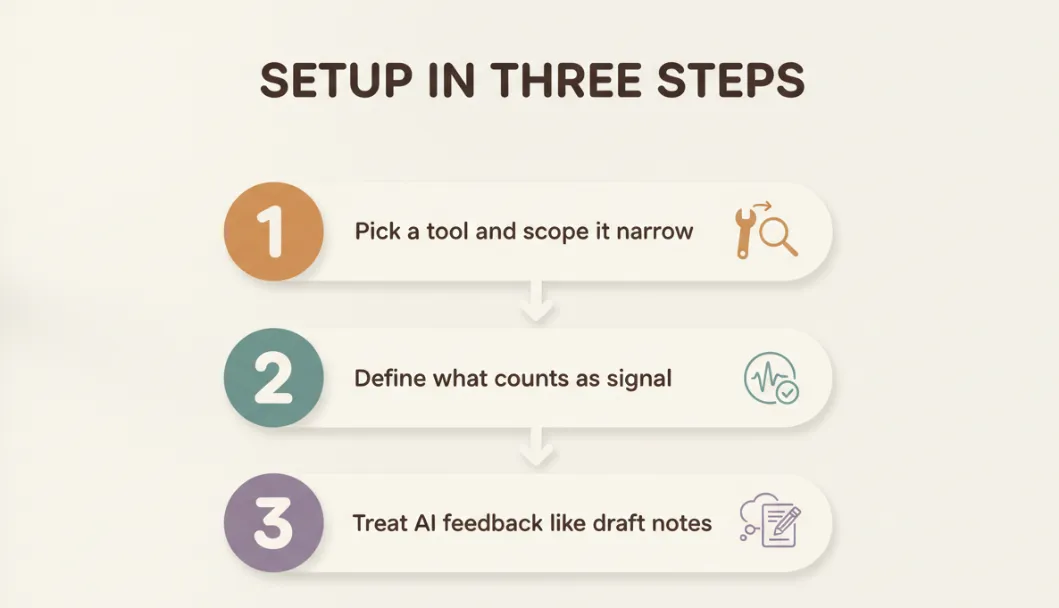
If you're testing this out, here's what worked for me without requiring a massive workflow change.
Step 1: Pick a tool and scope it narrow
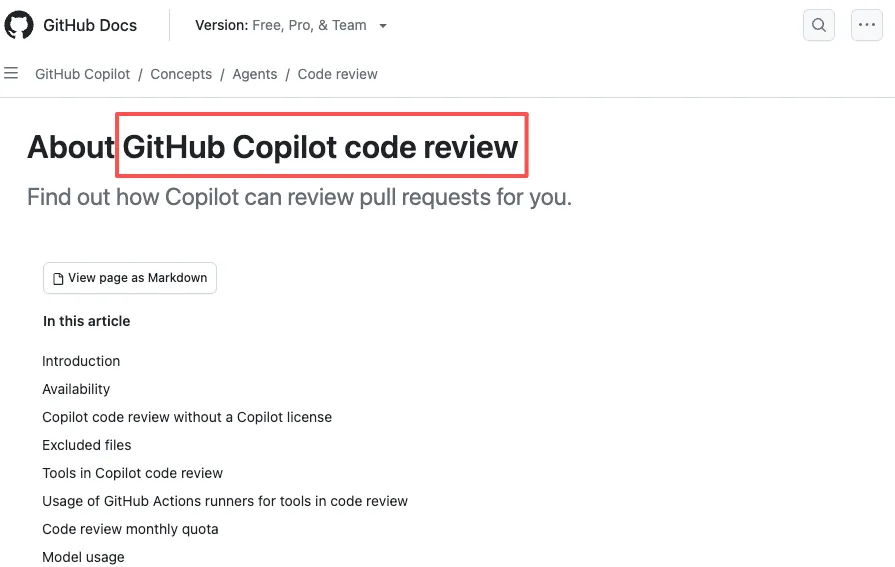
I started with GitHub Copilot code review because we already use GitHub and it required zero setup. Organizations can now enable Copilot code review on all pull requests on github.com—including pull requests from users who are not assigned a Copilot license, which made it easy to pilot with the whole team.
For the first two weeks, I ran it in "comment-only" mode. It left feedback on PRs, but didn't block merges or enforce anything. This let us see what kinds of issues it caught without changing our approval workflow.
Step 2: Define what counts as signal
The biggest challenge was noise. AI reviewers love to comment on everything, including trivial style issues that don't matter.
I configured custom instructions using a .github/copilot-instructions.md file in our repo. We told it to focus on security, performance, and logic issues — not formatting or minor style preferences. That cut the noise significantly.
For example, we added: "When performing a code review, focus on security vulnerabilities and logic errors. Ignore formatting issues handled by our linter."
This made the reviews feel more useful and less like nitpicking.
Step 3: Treat AI feedback like draft notes
I remind the team that AI comments are suggestions, not requirements. If a flagged issue doesn't make sense, we discuss it or ignore it. Sometimes the AI misunderstands context. Sometimes it's right and we missed something.
What I didn't do: set up automated merge blocking based on AI feedback. The tools aren't reliable enough for that yet. Instead, we use them to surface potential problems, and humans make the final call.
A lingering thought
After a month of using AI code review, what stands out isn't the bugs it caught or the time it saved. It's the shift in how reviewers spend their energy.
Instead of scanning for null checks and variable naming, our senior engineers now focus on whether the PR solves the right problem, fits the architecture, and won't cause issues six months from now. That's the work that actually matters, and it's harder to automate.
The AI handles the grunt work. Not perfectly, but reliably enough that we're keeping it around. For now.
I'm curious whether these patterns hold as the tools get smarter and the codebase gets larger. I'll see what happens when the next wave of PRs lands.
If you're experimenting with multiple AI tools like this, the real friction often isn't the tools themselves — it's keeping them organized in one workflow. We built Macaron to give teams a single place to run and manage AI tools together, instead of juggling separate tabs and prompts. See how it works → https://macaron.im/





Apply to become Macaron's first friends
Read & discover
AI Personal Assistant
Free calculators


