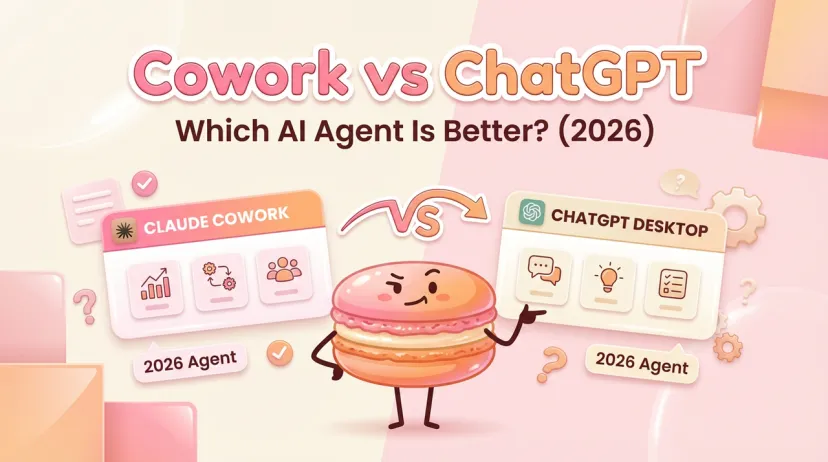
Claude Cowork vs ChatGPT Desktop: Which AI Agent Is Better? (2026)
Claude Cowork vs ChatGPT Desktop: Which AI Agent Is Better? (2026)
Hey there — if you've been watching the AI agent space lately, you know the game changed fast.
I spent the past month running both Claude Cowork and ChatGPT's agent mode through real tasks. Not demo scenarios. Actual work that breaks tools if they're not ready — messy file structures, background tasks that run while I'm away, the kind of stuff where one mistake trashes hours of progress.
The question isn't "which looks cooler in a launch video?" It's: which one survives when you actually step away and let it work?
Here's what kept tripping me up: both tools promise autonomous work, but they solve completely different problems. Pick wrong, and you're either paying for features you'll never touch or missing the capabilities that would've saved you hours.
I'm Hanks, and after 40+ side-by-side tests — file cleanup, research synthesis, batch operations — I can tell you what actually matters when choosing between these two.
Quick Comparison Table
Feature
Claude Cowork
ChatGPT Agent
Pricing
$20/mo (Pro) or $100-200/mo (Max)
$20/mo (Plus) or $200/mo (Pro)
Platform
macOS only
Web, mobile, desktop (Mac/Windows)
File Access
Direct local folder access
Upload-based + connector APIs
Primary Design
File operations & document automation
Web research & browser automation
Execution Model
Sandboxed VM on your machine
Remote virtual computer
Best For
File organization, batch processing
Web tasks, form filling, research
Usage Limits
Token-based (heavier consumption)
40/month (Plus), 400/month (Pro)
What Each Tool Does Best
Claude Cowork: File-First Design
Cowork launched January 12, 2026, exclusively for Claude Max subscribers. Four days later, Anthropic opened it to Pro ($20/mo) users after demand spiked.
Here's the core design choice: you point Cowork at a specific folder on your Mac. It can read, edit, create, and delete files inside that sandbox. Think of it as Claude Code (their developer tool) but wrapped in a friendlier interface.
Real use case from my testing:
I gave it a Downloads folder with 247 files—screenshots, PDFs, random exports, duplicates. Task: "Organize by project, delete duplicates, rename with consistent date format."
It created a plan, showed me the logic, then executed in parallel sub-tasks. Took about 12 minutes. When I checked, files were sorted into 8 project folders, duplicates gone, everything renamed to YYYY-MM-DD_description.ext format.
What impressed me wasn't just that it worked—it's that it showed its reasoning at each step. I could see when it paused to confirm before deleting anything permanent.
ChatGPT: Conversation-First Design
ChatGPT's agent mode (launched January 16, 2026) works differently. It uses a virtual computer in OpenAI's cloud to browse the web, run code, and generate files. You don't give it folder access—you describe what you want, and it figures out how to get there.
Real test:
"Find three competitors to [product], compare features, create a slide deck."
It opened its browser, searched, visited sites, extracted data, built a PowerPoint with working comparisons. Delivered in 18 minutes. The deck needed minor edits, but the research depth was solid—it pulled from actual product pages, not just marketing copy.
The trade-off: you can't just say "organize these local files" because it doesn't live on your machine. Everything happens in that remote environment.
Feature-by-Feature Breakdown
File Access & Management
Claude Cowork wins this category.
When you grant folder access, Cowork can:
Read existing files (any format)
Create new documents (Word, Excel, PDF, Markdown)
Modify files in place
Delete with your permission
Batch rename and organize
It runs in an isolated VM using Apple's Virtualization Framework, so it can't touch anything outside your designated folder. Your files never leave your machine.
Example code for batch file processing:
# Cowork can execute operations like this internally
import os
from pathlib import Path

folder = Path('/Users/you/project-files')
for file in folder.glob('*.txt'):
    # Extract metadata, rename, move
    new_name = f"{file.stat().st_mtime}_{file.stem}.txt"
    file.rename(folder / new_name)
ChatGPT's approach is upload-based. You can attach files to your conversation, but it processes them remotely. For ongoing file management (like keeping a folder organized over weeks), that's less practical.
Workflow Automation
ChatGPT agent excels at web-based workflows.
It can:
Navigate websites and click buttons
Fill out forms (with your login when needed)
Search across multiple sources
Compile research into structured reports
Schedule recurring tasks (40/month on Plus)
I tested it on a procurement task: "Find office chairs under $300, compare reviews, create a comparison spreadsheet with links."
It searched Amazon, Wayfair, and Office Depot, extracted specs, pulled review summaries, and built an Excel file with formulas comparing price-per-rating. Took three attempts because it initially missed shipping costs, but the final output was usable.
Cowork can automate file-based workflows (like "every Monday, compile last week's meeting notes into a summary doc"), but it doesn't browse the web natively.
Browser Integration
This is where the tools diverge sharply.
ChatGPT has built-in browser automation. Through its visual browser, it can:
Navigate sites like a human
Take screenshots and understand UI elements
Log into services (you take over for credentials)
Extract structured data from web pages
Claude Cowork needs the separate Claude in Chrome extension to interact with websites. When paired, it can:
Control browser tabs
Fill forms
Navigate through multi-step processes
But it's a two-tool setup. ChatGPT's integration is tighter.
Third-Party Connectors
Both support connectors, but differently.
ChatGPT connectors (Plus/Pro) include:
Gmail (read-only)
Google Drive
GitHub
Notion
Slack
20+ others
These pull data into the agent's context. Example: "Summarize my inbox and draft a one-pager with action items" reads your Gmail via API.
Claude Cowork connectors:
Google Workspace (Docs, Sheets, Drive)
Available through Claude Pro/Max
The connector ecosystem is growing, but ChatGPT's is more mature right now.
Security note: When you enable connectors, you're giving the AI access to sensitive data. Both platforms face prompt injection risks—where malicious instructions hidden in emails or documents could trick the agent. OpenAI and Anthropic both acknowledge this is an ongoing security challenge with no perfect solution.
Pricing Comparison
Claude Max ($100–200) vs Pro ($20)
Claude offers three tiers for Cowork access:
Plan
Price
Usage
Best For
Pro
$20/mo
~225 messages/5hrs
Moderate users, occasional automation
Max 5x
$100/mo
~225 messages/5hrs
Regular Cowork users
Max 20x
$200/mo
~900 messages/5hrs
Heavy daily automation
Important: Cowork consumes tokens faster than regular chat. A complex file task might burn 50–100 message equivalents. Pro users will hit limits quicker.
Limits reset on rolling 5-hour windows, not daily. If you max out at 2 PM, you get fresh capacity around 7 PM.
ChatGPT Plus ($20) vs Pro ($200)
Plan
Price
Agent Limit
Features
Plus
$20/mo
40 tasks/month
Agent mode, Deep Research, connectors
Pro
$200/mo
400 tasks/month
Higher limits, priority access
ChatGPT's limits are task-based, not message-based. One agent invocation = one task, regardless of how long it runs.
Cost reality check:
If you're doing light automation (5–10 tasks/month), Plus at $20 makes sense. If you're running agents daily, Pro's $200 competes directly with Claude Max.
For file-heavy workflows, Claude makes more sense. For web research and procurement, ChatGPT's task-based model is clearer.
Privacy & Security
How Each Handles Your Data
Claude Cowork:
Runs in a VM on your Mac
Files never leave your machine
No data used for training (if you've opted out in settings)
Sandboxed folder access only
ChatGPT Agent:
Runs on OpenAI's remote servers
Files you upload are processed in the cloud
Can opt out of training data usage
Connector data (Gmail, Drive) stays read-only unless you grant write access
Both platforms face the same fundamental challenge: AI agents can be tricked by prompt injection attacks. If an agent reads a malicious email or document with hidden instructions, it might follow those instead of your original task.
Sandboxing Approaches
Claude: Uses Apple's Virtualization Framework to isolate the agent. It can only touch files in your designated folder. If you don't grant permission, it can't delete anything.
ChatGPT: Runs in a fully remote environment. You can watch its actions in real-time through the visual browser. For critical operations (like sending emails), it asks for confirmation.
Neither approach is "safer" universally—it depends on your threat model. Local execution (Claude) keeps files offline but requires trusting the VM isolation. Remote execution (ChatGPT) keeps your machine clean but means your data travels to OpenAI's servers.
For organizations concerned about AI security risks, the recommendation is the same for both: limit folder/connector access to the minimum needed, review permissions regularly, and monitor agent actions during sensitive tasks.
Real-World Test Results
I ran three identical tasks through both platforms to see where they break.
File Organization Task
Setup: 150 files (PDFs, images, text docs) scattered across one folder. Mix of work docs, personal receipts, random downloads.
Task: "Sort by type, delete duplicates, rename with creation date."
Claude Cowork:
Execution time: 8 minutes
Created 5 category folders (Documents, Images, Receipts, Archives, Other)
Deleted 23 duplicates after showing me the list
Renamed 127 files to YYYY-MM-DD_original-name.ext
Result: Clean, usable structure. Zero errors.
ChatGPT Agent:
Can't access local files directly
Would need me to upload files, which defeats the purpose
Result: Not designed for this use case.
Winner: Claude (by design, not quality)
Report Generation Task
Setup: 5 PDFs of meeting transcripts, 3 Google Docs with project notes.
Task: "Create a Q4 summary report with action items and timeline."
Claude Cowork:
Read all local PDFs
Couldn't access Google Docs (no connector enabled in my test)
Generated 4-page report from PDFs in 12 minutes
Missed some context from Docs
ChatGPT Agent:
Used Google Drive connector to pull Docs
PDFs uploaded manually
Generated comprehensive 6-page report in 15 minutes
Better cross-source synthesis
Winner: ChatGPT (connector integration made the difference)
Web Automation Task
Setup: Research task requiring visiting 8 competitor websites.
Winner: ChatGPT (native browser automation is smoother)
Who Should Choose What
Best for Power Users
Choose Claude Cowork if:
You work with lots of local files (research PDFs, client docs, exports)
You need batch file processing (renaming, organizing, format conversion)
You value data staying on your machine
You're on macOS and don't need Windows support
Example workflow: Legal reviewer with hundreds of contracts to organize, rename by date, and sort by client.
Best for Casual Users
Choose ChatGPT Plus if:
You mostly need web research and summaries
You want scheduling and recurring tasks
You use multiple devices (not just Mac)
Budget is tight ($20/mo vs $100–200)
Example workflow: Marketing manager who needs weekly competitor analysis and trend reports.
Best for Teams
For collaboration-heavy work:
ChatGPT Team ($30/user/month) includes shared workspace and admin controls.
For regulated industries:
Claude Enterprise (custom pricing) offers SOC 2 compliance and data residency controls.
Neither tool currently excels at multi-user file access. If your team needs shared folder automation, you're looking at custom solutions or traditional RPA tools.
At Macaron, we built our workspace to handle real-world file, document, and task workflows — the kind that trip up agents like Claude Cowork or ChatGPT when the work isn’t just demos.
With Macaron, you can organize folders, extract data from PDFs and notes, batch process spreadsheets, and keep ongoing workflows in one place across apps. Start with a single workflow on your own files and see tangible results — no demos, no fluff, just your actual tasks handled reliably.
Ready to see the comparison in action? Try both tools with your actual work tasks (not demos) for two weeks. Track where you hit friction, where you save time, and what breaks. The tool that survives your real workflow is the one to keep.
Hey, I’m Hanks — a workflow tinkerer and AI tool obsessive with over a decade of hands-on experience in automation, SaaS, and content creation. I spend my days testing tools so you don’t have to, breaking down complex processes into simple, actionable steps, and digging into the numbers behind “what actually works.”