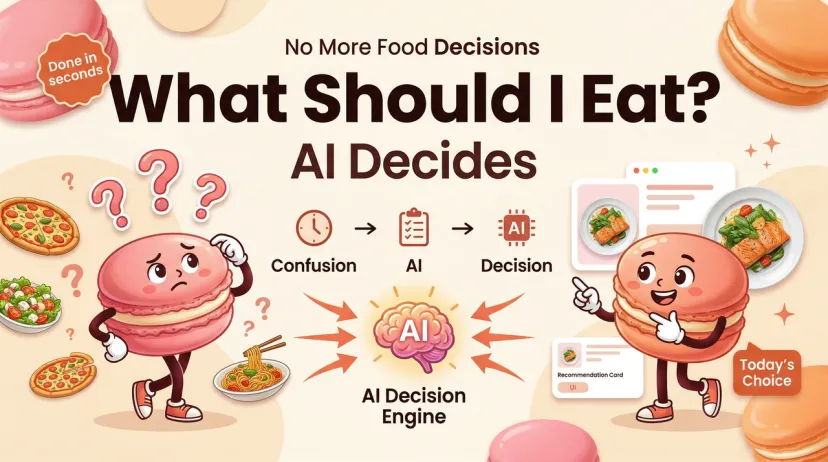
What Should I Eat Today? AI Tools That Help You Decide
What Should I Eat Today? AI Tools That Help You Decide
It's 12:30 PM and you still haven't eaten lunch because every time you think about it, you get overwhelmed and close the fridge. Or it's 6 PM and you've been staring at the same four ingredients for ten minutes and somehow still can't commit to anything.
This guide is for that moment. Specifically: how to use AI to get a usable meal suggestion in under a minute, including the exact prompts that actually work.
Why "What Should I Eat Today?" Is Genuinely Hard
Decision Fatigue Compounds Across the Day
The popular claim that we make 200+ food decisions a day turns out to be based on methodologically flawed research — researchers at the Max Planck Institute showed in 2025 that the real self-reported number is closer to 15. But the exhaustion you feel at 5 PM when you can't decide what to cook is completely real. The number was wrong. The feeling wasn't.
Food decisions compound because each one requires you to simultaneously weigh multiple constraints: what you have, what you've already eaten today, how much time you have, what your body needs, and what you can be bothered to make. That's a lot of variables to hold in your head, especially at the end of a full day. The result is what researchers call choice overload — when too many options produce paralysis rather than selection.
The Fridge-Stare Problem
Standing in front of an open fridge and drawing a blank isn't a willpower problem. It's a working-memory problem. You're trying to generate a recipe from ingredients without a recipe reference, while tired, while hungry. It's genuinely harder than it sounds. The cognitive load of "what can I make from chicken, half a zucchini, some eggs, and whatever's in the back" is much higher than "follow these instructions."
How AI Answers That Question
What You Need to Tell It
Generic prompts get generic answers. "What should I eat today?" will get you a list of sandwich ideas that ignore everything specific about your situation. The more context you give, the more useful the output.
The four inputs that make a real difference:
What's in your fridge/pantry — Even a partial list works. "I have chicken thighs, eggs, rice, canned tomatoes, and basic pantry stuff" is enough.
Any dietary constraints — Allergies, preferences, or active goals. "I'm trying to hit 120g protein today" or "no dairy" completely changes the output.
Time available — "I have 15 minutes" versus "I'm home all afternoon" produces entirely different suggestions.
What you've already eaten today — This matters more than people realize. If you've already had a high-carb breakfast and a sandwich for lunch, a useful AI will account for that when suggesting dinner. Without this context, it's just guessing.
How It Generates Useful Suggestions vs Generic Ones
The difference between a useful AI response and a useless one comes down to specificity. "Make a salad" is not useful. "Use the chicken thighs with the canned tomatoes for a 25-minute stovetop dish — add the rice as a side and that'll get you roughly 45g protein for this meal" is useful.
This happens when the AI has constraints to work within. Constraints are what turns a general model into a personal suggestion engine. A blank prompt produces average output. A prompt with five specific inputs produces something actually tailored to your situation.
Copy-Paste Prompt Templates
These work in ChatGPT, Claude, Gemini, or any capable AI. Copy, fill in the bracketed parts, and paste.
Template 1 — Full Day Planning from What You Have
Use this on Sunday night or Monday morning to map out the whole week, or on any day when you want to plan all meals at once.
I need help planning what to eat today. Here's my situation:

In my fridge/pantry: [list what you have — be specific]
Dietary needs/preferences: [list any restrictions, goals, or preferences]
People eating: [just me / me + partner / family of X]
Time available: [breakfast X min / lunch X min / dinner X min]
Protein goal for today: [X grams, or skip if not tracking]
What I've already eaten: [or "nothing yet"]

Give me a practical plan for today's meals using mostly what I have.
For each meal, include the main ingredients you're drawing from and an
approximate protein count if you can estimate it.
What good output looks like: Specific meal suggestions tied to your actual ingredients, timing that fits your schedule, and a rough sense of whether the day adds up to something balanced. Not a recipe — just enough detail to make a decision.
Template 2 — Just Dinner, 20-Minute Budget
For when it's already 6:30 PM and you don't have the bandwidth for a full plan.
Quick dinner help. I have [list 4-6 ingredients you can see right now].
I have about 20 minutes and I'm [moderately hungry / very hungry / not very hungry].
[Add any restrictions: "no dairy", "high protein", "vegetarian", etc.]

Give me one specific dinner option using what I have. Not three options —
just tell me what to make. Include the rough time and what to do first.
Why "one option, not three": Asking for multiple options brings back the decision problem you were trying to solve. A single recommendation is more useful when you're tired and just want to be told what to do.
Template 3 — Hit Protein Goals with What's Left
For anyone tracking macros who's eaten earlier in the day and needs to close the gap.
I've eaten [describe what you've had today] so far.
My protein target for the day is [X]g. I've probably had about [Y]g so far.
I need to close roughly [X-Y]g of protein before end of day.

Here's what I have to work with: [list ingredients]
Time available: [X] minutes
I don't want to have [anything you're avoiding today — heavy carbs, another salad, etc.]

What should I eat for [meal / snack / dinner] to get close to my protein target?
Keep it practical — I'm not meal prepping, just cooking once.
What to expect: A specific suggestion with a rough protein estimate, using what you have. If the gap is large, it'll usually suggest a protein-forward main. If it's small, it might suggest adding something to a meal you were already planning.
Best AI Tools for Daily Meal Suggestions
General AI (ChatGPT, Claude) vs Dedicated Apps
General-purpose AI (ChatGPT, Claude, Gemini) is better for one-off questions and works best with the prompt templates above. The advantage: it handles unusual ingredient combinations, dietary restrictions, and context-heavy situations (like hitting a specific macro target with particular foods) better than most dedicated apps. The limitation: no memory. Every session starts fresh. You'll re-specify your restrictions and preferences each time.
Dedicated meal suggestion apps — Mealime, Samsung Food, Macaron — carry your preferences across sessions. You set your dietary profile once and suggestions adapt to it automatically. The tradeoff: they work better for people with consistent constraints than for one-off fridge-clearing situations.
For the specific "what should I eat today" problem, a general AI with a good prompt tends to produce more relevant output, because it can handle the irregular, context-specific nature of the question. Dedicated apps shine when you want a planned weekly structure, not a real-time suggestion based on what's in your fridge right now.
Comparison Table
Tool
Memory
Fridge-based suggestions
Full-day planning
Free tier
Best for
ChatGPT
✅ (paid) / ❌ (free)
✅ with prompt
✅ with prompt
Limited
Flexible one-off questions
Claude
❌
✅ with prompt
✅ with prompt
✅
Clean, specific output
Gemini
❌
✅ with prompt
✅ with prompt
✅ Generous
Google users, real-time info
Macaron
✅
✅
✅
✅
Remembers your preferences across sessions
Samsung Food
✅
✅ (pantry scan, Food+)
✅
✅ Full
Connected to grocery/meal plan
Mealime
✅
❌
Dinners only
✅
Weekly dinner planning
Features verified March 2026.
Where AI Suggestions Fall Short
Doesn't Know Your Actual Fridge
Every prompt template above asks you to describe what you have — because the AI has no idea. It can't see the three limp scallions or the half-used can of coconut milk or the fact that the avocado is two days past when you should have eaten it. This is a real limitation: you're translating a visual, tactile, smell-based assessment into text, which introduces errors and omissions.
The practical workaround: before you prompt, take 30 seconds to actually look in the fridge and write down what you see, rather than trying to recall from memory. That small step makes the output noticeably more relevant.
Some apps (Samsung Food with the Food+ subscription) let you photograph the inside of your fridge and have AI recognize the contents, which partly addresses this. It's not perfect at identifying specific quantities or freshness, but it's better than mental reconstruction.
Can't Account for How Tired You Are
An AI doesn't know that it's been a hard week, that you're recovering from being sick, or that you just emotionally cannot deal with chopping anything right now. It will suggest things that are technically good responses to your stated constraints but might require more effort than you're capable of at this moment.
The prompt fix: be explicit. "I am genuinely very tired and need the easiest possible option that doesn't involve a lot of prep" will get you something different from a baseline prompt. The AI responds to what you tell it — but you have to tell it.
Verdict
The prompt templates in this guide are the fastest path to a useful answer when you're stuck. Copy the one that fits your situation, fill in your specifics, and paste it. You'll have a meal suggestion in about 30 seconds.
For a one-off moment of being stuck, any general AI with one of these prompts works fine. For ongoing use where you want AI to actually remember your preferences and build suggestions around your history, something with persistent memory — Macaron, or ChatGPT Plus with memory enabled — is more useful long-term.
The limitation to know going in: AI works with what you tell it. The more honest and specific you are about your fridge, your time, and your actual state, the more useful the suggestion.
Try It Now With Macaron
If you'd rather just describe your situation in plain language than copy-paste a template, Macaron handles the conversation directly — and unlike a general AI, it remembers your dietary preferences, recent meals, and goals across sessions, so you don't re-specify your constraints every time. Try it free — no setup required.
FAQ
What should I eat today if I'm trying to lose weight? The most useful version of this question for an AI is: "I'm trying to eat around [X] calories today. I've already had [meals]. Here's what I have available. What should I have for the rest of the day?" The more specific the constraint, the more usable the answer. Vague weight loss goals produce generic suggestions.
What if I have almost nothing in the fridge? List exactly what you have, even if it feels like nothing. "I have eggs, half a block of cheddar, some leftover rice, and condiments" is an ingredient list that most good AI tools can work with. Add "I don't want to go shopping today" to rule out suggestions that require a grocery run.
Is ChatGPT good for meal suggestions? Yes, with a specific prompt. Without one, it'll give you a generic answer. The templates in this guide work well in ChatGPT — Template 2 in particular (the 20-minute dinner prompt) produces consistently useful output when you fill in the specifics.
How is this different from just Googling a recipe? Google returns recipes from a database. AI generates a suggestion tailored to what you told it — your specific ingredients, time, dietary needs, and what you've already eaten. It's the difference between "here are all chicken recipes" and "here's what to do with the chicken you have, in the time you have, given what you've already eaten today."
Related Reading
AI Grocery Shopping — using AI to build your shopping list from your meal decisions
Hey — I'm Jamie. I try the things that promise to make everyday life easier, then write honestly about what actually stuck. Not in a perfect week — in a normal one, where the plan fell apart by Thursday and you're figuring it out as you go. I've been that person. I write for that person.