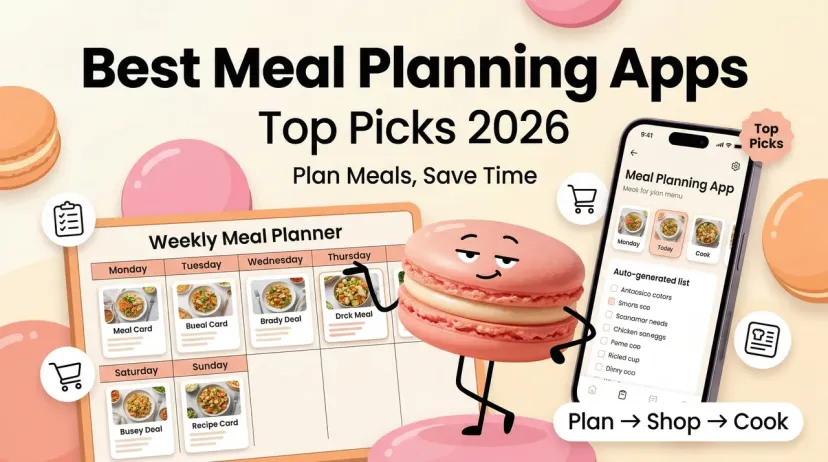
The apps in this roundup solve different problems. Some choose your meals for you. Some are digital recipe binders that still expect you to fill the calendar. Some are built around calorie and macro targets. Treating them as interchangeable is how you end up downloading three apps and using none.
Start with Samsung Food if you want a capable free planner. Choose Ollie if your family wants the app to suggest dinner. Use Eat This Much if nutrition targets drive the plan. Pick Paprika or Plan to Eat if you already have recipes you love.
One important update: Mealime was the fastest dinner-planning app in the original hands-on test, but it will close on October 21, 2026. It can no longer be our recommendation for someone starting a new routine.
What Makes a Meal Planning App Worth Using
AI Features vs Manual Planning
The first question is whether you want to choose the meals or approve meals the app chooses.
Eat This Much builds around calorie and macro targets. Ollie suggests meals around a household’s preferences. Samsung Food lets you arrange recipes yourself for free; its paid Food+ tier adds tailored seven-day plans.
Paprika and Plan to Eat give you more control, but they do not take the decision off your plate. If the problem is “I have no idea what to cook,” a beautiful recipe calendar may still feel like homework.
Mealift sits between the two approaches. It connects a meal calendar to a separate AI assistant, so you can ask for a plan in plain language. That flexibility comes with more setup than pressing “generate” inside one app.
Shopping List Integration Quality
A plan is only half finished until you can shop for it. Add two recipes that both use onions. Does the app combine them? Can you remove the onions already in your kitchen? If you change Thursday’s dinner, does the list change with it?
In the original comparison, Samsung Food had the broadest retailer selection among the apps tested. That does not mean every store is available everywhere: Samsung Food says connections vary by location and ZIP code. Check your actual store before paying for any grocery integration.
Customization Depth (Diet, Servings, Cuisine)
Diet labels are easy to list. A real household is harder: four servings on Monday, two on Wednesday, no peanuts, a late meeting, and vegetables that need using up.
Test those constraints together. If someone has a food allergy, treat the app’s filter as a starting point, not a safety check. Recipes, substitutions, packaged-food labels, and preparation still need review.
Best Meal Planning Apps in 2026
Best Overall and Best Free Option: Samsung Food
Free: Recipe saving, meal planning, and shopping lists
Food+: $6.99/month or $59.99/year in the U.S.
Best for: People who want a free planning-to-shopping workflow
Samsung Food was the free-option standout in the original review. You can save recipes, put them on a weekly calendar, and turn the plan into a grocery list without paying first. The recipe collection also gives you somewhere to go when the meals you usually make start to feel tired.
That range makes it the most useful starting point now that Mealime is closing. But there is a distinction the original draft blurred: the free version helps you plan; Food+ can propose a tailored plan for you. Samsung Food’s current Food+ page lists seven-day personalized plans, nutrition tracking, and AI recipe personalization in the paid tier. The free calendar does not do the same job.
Samsung Food can identify ingredients from a photo for its Food List. It is a helpful shortcut, not an accurate picture of everything in your fridge. You review the detected items before adding them, and the app cannot know how much is left behind the milk.
The limitation: If you want a complete week chosen for you at no cost, Samsung Food’s free tier will still leave you making those decisions. Grocery-store availability also depends on where you live.
Best for: Solo cooks and households that want to collect recipes and plan at their own pace.
Not for: Anyone expecting free automatic weekly plans.
Best for Families: Ollie for Meals
Free: Trial available (verify the duration in-app)
Platform: iOS and Android
Best for: Households with several eaters and competing preferences
Ollie starts with the family rather than an empty calendar. Tell it about preferences and dietary needs, and it suggests meals with a grocery list. Ollie says that the list can be used in store or sent to Instacart, Walmart, or Amazon Fresh.
The useful detail in the original review was “swap this meal.” A family plan rarely survives the week untouched. Replacing one dinner without starting over is more valuable than generating an impressive first draft of seven days.
The App Store listing includes breakfast, lunch, dinner, and snacks. Ollie offers a trial, but subscription pricing is shown in the app, so check it before the trial ends.
The limitation: It is available on iOS and Android. If your household uses Android, or everyone already agrees on a reliable rotation of recipes, a shared manual planner may be simpler.
Best for: Families who want help deciding what to cook.
Not for: Cooks who want to choose every recipe themselves.
Best for Calorie and Macro Targets: Eat This Much
Free: Generates one-day plans
Premium: $5/month with annual billing
Best for: People whose nutrition targets shape the week
Eat This Much was the most hands-off option for nutrition-focused planning in the original comparison. Set your calorie and macro targets, food preferences, and exclusions, and it builds meals around them. You are working backward from numbers rather than browsing recipes until something looks good.
The free account generates daily plans. Premium adds weekly plans, grocery lists, leftovers, and delivery connections. Try the free daily generator first. If you dislike the meals it proposes, a paid week of them will not fix that.
The tradeoff is the food experience. The original review found Eat This Much functional but less appealing for someone looking for cuisine ideas or the pleasure of finding a new recipe. It is a planner with a nutritional job to do.
Filters also do not make a plan medically appropriate or allergy-safe. Check the ingredients and serving assumptions, and involve the professional managing your care if you follow a prescribed diet.
Best for: Macro trackers and people who want less manual scheduling.
Not for: Cooks who put variety and discovery ahead of numerical targets.
Best for Your Own Recipes: Paprika
Price: One-time purchase for Paprika 3, sold separately by platform
Platforms: iOS, Android, Mac, Windows
Best for: People with recipes scattered across websites
Paprika will not decide dinner for you. It will give the recipes you have already chosen a proper home, let you put them on a calendar, and combine their ingredients into an aisle-sorted grocery list. That was why it earned the original review’s pick for people who hate subscriptions and prefer to stay in control.
Check the price on each device you plan to use; buying the mobile app does not buy the desktop version.
There is also a change ahead. Paprika 4 is in open beta, and its developer says premium features will require a subscription after the beta. Paprika 3’s current purchase model still applies, but “one payment covers everything forever” would be too broad.
Best for: Recipe collectors who enjoy choosing their own meals.
Not for: Anyone who wants automatic meal suggestions.
Best Shared Manual Planner: Plan to Eat
Trial: 14 days, no credit card required
Price: $5.95/month or $49/year
Best for: Households planning from recipes they already know
Plan to Eat connects three familiar jobs: saving recipes, scheduling them, and building a shopping list. Its calendar can be shared across a household, and menus can be reused when you do not want to plan from scratch again.
It remains a manual planner. You make the food decisions; the app keeps them organized. That is a strength if your family has favorite meals, and a weakness if deciding what to eat is the problem you hoped to solve.
One fact in the original draft needed updating: Plan to Eat’s current site lists grocery delivery alongside its list organized by store and aisle. It should no longer be described as having no delivery connection.
Best for: Families with an existing recipe rotation.
Not for: People looking for the app to choose the week.
Best for AI Assistant Integration: Mealift
Price: Check current in-app terms
Best for: People who want to plan through an AI assistant they already use
Mealift’s approach is different from a built-in plan generator. The company says you can connect ChatGPT or Claude through the Model Context Protocol, ask for meals, and have them added to its calendar and shopping list. It also supports recipe import and ingredient consolidation.
That could be useful if your planning begins with a sentence like, “I have spinach to use up and only 20 minutes on Wednesday.” It also means checking that your assistant, account, and device support the connection you intend to use.
Do not treat an AI-generated recipe or nutrition figure as checked simply because it appears in a meal-planning app. Review the ingredients before you shop.
Best for: People comfortable connecting an assistant to another app.
Not for: Anyone who wants a one-tap setup.
Comparison Table
App
Planning style
Free option
Grocery workflow
Main catch
Samsung Food
Manual free; automatic plans with Food+
Free calendar and lists
Lists and supported retailer connections
Automatic plans require Food+
Ollie for Meals
Family-focused suggestions
Seven-day trial
List and supported delivery services
iOS/iPadOS; check in-app price
Eat This Much
Generated around nutrition targets
One-day plans
Weekly lists with Premium
Full-week workflow is paid
Paprika 3
You schedule saved recipes
No permanent free mobile tier
Combined, aisle-sorted list
Sold separately by platform
Plan to Eat
You schedule saved recipes
14-day trial
Store- and aisle-organized list; delivery advertised
No permanent free plan
Mealift
Manual or connected AI assistant
Check app terms
List generated from plan
Connection and pricing need checking
Prices and published features were checked on October 19, 2026. Hands-on observations come from the original review; the complete comparison was not retested for this update.
How to Choose the Right App for Your Household
Solo vs Family Use
If you cook for yourself, begin with Samsung Food’s free planner. You will learn quickly whether you like filling a calendar or would rather have meals suggested.
For a family, ask who should make the choices. Ollie can propose dinners around several people. Plan to Eat gives the household one shared place for recipes it already trusts. A family-size setting alone does not answer that question.
Casual Planners vs Macro Trackers
For “What can we cook Tuesday?”, start with a recipe planner. For “What will fit these calorie and macro targets?”, start with Eat This Much’s free daily generator.
That distinction was clear in the original testing: the most automated nutrition planner was not necessarily the most enjoyable place to browse for dinner.
Free vs Paid Value Threshold
Give an app one ordinary week, not an imaginary perfect one. Plan three dinners. Change Thursday’s meal. Remove ingredients already in your kitchen. Then take its list to your usual store.
Pay for the step it genuinely removes. If a subscription only gives you more recipes to scroll through, the free planner may already be enough.
Where These Apps Still Fall Short
Fridge Inventory Blind Spots
A photographed fridge is not a complete inventory. Food hides behind other food; quantities and expiration dates change; leftovers disappear without being logged. Even when an app helps track ingredients, check the kitchen before accepting its shopping list.
AI Suggestions Getting Repetitive
The original review flagged repetition as something to watch, especially with a fixed recipe library. AI-generated plans can develop patterns too. Neither claim gives us a comparable repetition rate across every app.
Save more than one week during a trial. Can you reject a meal, change a preference, or reuse a week that worked? Those controls are more useful than a promise of endless variety.
Syncing with Grocery Delivery Services
A retailer logo does not guarantee a good cart. Enter your ZIP code and inspect what transfers: missing ingredients, package sizes, and quantities. The original tests showed that the move from plan to shopping is where apparently similar apps start to feel different.
If an integration needs extensive correction, an editable aisle-sorted list may be the better tool.
Verdict
For most people starting free: Samsung Food. You get recipes, a calendar, and a grocery list, with paid automation available if you later want it.
For a family that wants dinner suggestions: Ollie for Meals, provided you use iOS and the subscription suits you.
For macro-led planning: Eat This Much. Test the free daily generator before paying for a week.
For your own recipes: Paprika if you want to buy a manual organizer; Plan to Eat if you want a shared household subscription.
For planning through an AI assistant: Mealift, after checking the connection and price.
Mealime earned its place in the original hands-on review because its dinner-to-grocery-list flow was so quick. Its announced shutdown is why it is no longer on the recommendation list. Existing users can explore Meals Hub, its stated successor.
Try Planning Your Week Without the Sunday Dread
Macaron also offers an AI Meal Planner. You can describe your schedule, preferences, and dietary needs in plain language, then ask for a weekly plan and grocery list. Macaron lists basic meal planning as free; some advanced features require a subscription or almond top-up.
Macaron is the publisher of this guide. Its product description here comes from Macaron’s published information, not the head-to-head test above. If conversational planning sounds useful, give it the same real-week test: change a dinner, account for what is already in the fridge, and check the ingredients before shopping.
FAQ
What is the best free meal planning app?
Samsung Food is our pick for free recipe saving, weekly planning, and a shopping list. The original reviewer found that core workflow usable without paying. Its tailored automatic seven-day plans are part of paid Food+. Eat This Much is worth trying free if you want one day generated around nutrition targets.
Which meal planning app has the best AI features?
It depends on what you want the AI to do. Eat This Much plans around nutrition targets. Ollie suggests family meals. Samsung Food+ offers tailored weeks. Mealift connects a separate assistant to a meal calendar. Try changing one proposed meal and rebuilding the shopping list—that will tell you more than an “AI” label.
Can a meal planning app handle food allergies?
It can help filter suggestions, but it cannot guarantee safety. Check recipes, substitutions, packaged-food labels, and preparation conditions yourself. The FDA’s food-allergy guidance explains why the full ingredient information matters.
Hey — I'm Jamie. I try the things that promise to make everyday life easier, then write honestly about what actually stuck. Not in a perfect week — in a normal one, where the plan fell apart by Thursday and you're figuring it out as you go. I've been that person. I write for that person.