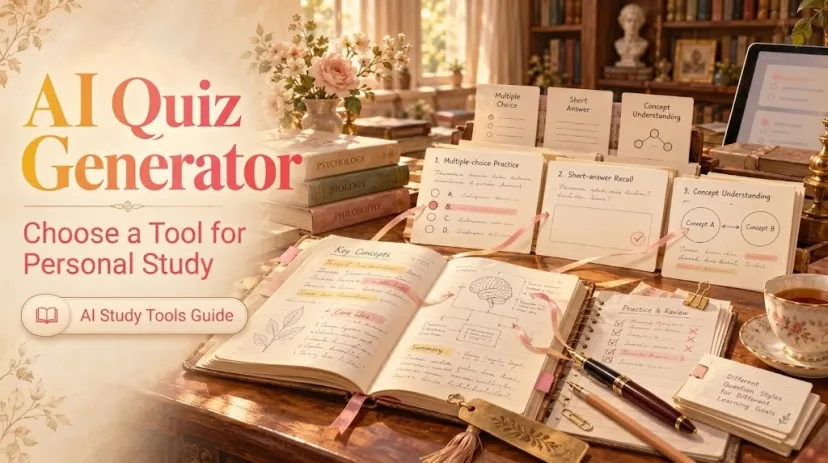
AI Quiz Generator: Choose a Tool for Personal Study
AI Quiz Generator: Choose a Tool for Personal Study
A polished quiz can leave you feeling prepared even when the answer key is wrong. That is the awkward part of choosing an AI quiz generator: the questions are only useful if you can check what they came from. For personal study, I would compare tools on three things: how much control you have over the questions, how you can review an answer, and what your account actually lets you use.
Quizlet Practice Tests and NotebookLM are two concrete options, not a ranking of every quiz tool. Pick the one that fits the material already in front of you, then inspect a small sample before generating a longer test.
Start With the Quiz You Need to Take
Begin with the material, not a search for an “AI quiz generator free” plan. Are you reviewing a flashcard set you made, or a chapter you need to understand? Do you want multiple-choice questions for a quick check, or written answers that make you recall a term without seeing options?
Write one target before opening either tool: “Test the causes and effects on pages 12–16,” for example. Keep the passage nearby. A practice quiz should show what you can retrieve and explain; it should not become your only copy of the facts.
Compare Two Tools for Personal Study
Quizlet’s Practice Tests guide describes AI-generated tests made from flashcard sets or uploaded notes. Google’s NotebookLM quiz guide—currently titled “Gemini Notebook” in its help center—describes quizzes generated from sources in a notebook. Neither description proves that every generated question will be sound.
What matters
Quizlet Practice Tests
NotebookLM quizzes
Question type and scope
Choose a question count, multiple-choice or written responses, and a timer. Start from selected flashcard sets or notes.
Choose difficulty, guide the focus with a prompt, and request fewer, standard, or more questions from notebook sources. Google’s quiz guide does not specify a written-answer option.
Answer feedback
Submit a test to see a score and review it. Check disputed answers against your original set or notes.
Use “Explain” on an answer, then compare the explanation with the source. Review results or retake the quiz.
Access
Limited free use is stated; fuller Practice Tests access has subscription, language, age, and location conditions.
A no-cost Standard tier exists, with usage limits. Paid plans raise limits; eligibility and school-account access can differ.
Question Types and Topic Control
If your study material already lives in Quizlet sets, Practice Tests gives you a direct route from those sets to a test. It is also the clearer choice here when you specifically need a timer or written responses. The ability to choose question count and type makes a small self-test easy to define.
NotebookLM starts with a notebook of sources. Its prompt is useful for narrowing a broad chapter: “Ask about the two causes in this section; avoid dates,” for instance. You can set difficulty, but Google’s public quiz instructions do not establish the same question-type choices as Quizlet’s. If a written-response format is essential, check the current controls before committing your material.
Both tools can produce questions from study content. The distinction is where you want to exercise control: over a test format and existing flashcard sets, or over the focus of source-based questions. A multiple choice quiz maker is helpful only when its options test the point you meant to study.
Feedback You Can Check
A score is a starting point for review, not a verdict on what you know. Quizlet lets you review a submitted Practice Test. If an answer looks off, return to the set or uploaded notes and ask whether the question preserves their meaning.
NotebookLM offers an “Explain” control for quiz answers. Read that explanation beside the relevant source passage. Do not assume every explanation includes a page-level citation merely because the quiz came from a notebook. If you cannot find support for the answer, leave the item out of your revision set.
This check matters most for questions with qualifiers: some, only, before, or among respondents. One missing word can change the correct answer. An AI quiz maker can turn a useful paragraph into a misleading question without making the mistake look obvious.
Current Access Limits
“Free” does not mean unlimited. Quizlet says non-subscribers have limited free access to Practice Tests, but its guide does not give one universal free-question allowance. Subscriber access is subject to stated English-language, age, and regional conditions. Some younger users can take multiple-choice tests but need parent confirmation for written questions.
Google’s NotebookLM plans guide lists a no-cost Standard tier and paid tiers with higher limits. Its usage limits can change, and a school-managed account may have different access. Check the plan and usage shown in your own account before building a study routine around repeated quiz generation.
Tool
Publicly stated boundary
Do not assume from the public quiz guide
Quizlet Practice Tests
Limited free access; subscription and eligibility conditions; multiple-choice and written choices where available
A fixed free quota, dependable grading of every alternative wording, or continued use of saved tests after a subscription ends
NotebookLM quizzes
Standard and paid tiers; changing usage limits; editable notebook needed to generate a quiz
A fixed number of free quizzes, a written-answer mode, Moodle-ready quiz export, or an answer-key hiding control
These are documented boundaries, not results from hands-on testing. Prices, eligibility, and available controls can change; the account screen and current help pages are the final check for your situation.
Choose the Better Fit for Your Materials
Have a set of your own Quizlet cards and want a timed test? Start with Practice Tests. Want to make a practice quiz from a selected reading and guide the difficulty or topic? Start with NotebookLM. Those are practical fits, not claims that one tool writes better questions than the other.
The source matters as much as the tool. A messy set of copied definitions can produce repetitive recall questions. A long notebook containing several unrelated chapters can make it harder to tell which passage supports an answer. Narrow the input first. For Quizlet, select the set or notes you mean to review; for NotebookLM, make the focus explicit in the quiz prompt.
If you are paying mainly for more generated questions, pause. Five questions you have checked against the material are worth more for revision than fifty you cannot defend. Save your original notes, too. A generated test is a study aid, not an archive.
Check a Sample Before Generating More Questions
Here is an original illustration, not output observed from either product.
Suppose your notes say: “Thirty students were invited to a survey. Twenty-four responded. Eighteen respondents said they preferred diagrams. The survey asked about preference; it did not measure learning gains.”
A weak question would ask: “What percentage of all invited students learned better with diagrams?” Its wording invents a learning result the notes never measured. It also hides a denominator problem: invited students and respondents are different groups.
A checkable revision is: “What fraction of survey respondents said they preferred diagrams?” The answer is 18/24, or 75%. A multiple-choice version could offer 18/24, 18/30, 24/30, and 12/24. The wrong options now reveal specific reading errors rather than testing a claim absent from the source.
Use that same inspection on the first few questions either tool gives you.
Can you point to the supporting sentence?
Does the question preserve its qualifiers?
Is there one defensible answer?
If not, correct or discard the item before making more. This is where a multiple choice question generator stops being a shortcut and starts becoming useful study material.
FAQ
Can I keep using a generated quiz after the subscription ends?
Do not count on it without checking your account.Quizlet’s subscription-expiry help says sets, folders, and classes remain when an account returns to free, while upgraded features become unavailable. It does not explicitly promise continued access to previously generated Practice Tests. Google’s quiz and plan guides likewise do not clearly answer what happens to an existing quiz after a paid-plan downgrade. Check current support guidance before the subscription ends, and keep your permitted source notes separately.
Can I export a quiz into a learning platform such as Moodle?
Neither product’s cited quiz guide establishes a Moodle-ready quiz export. Be careful with a nearby feature: Quizlet documents exporting terms and definitions from sets, while Google documents CSV downloads for flashcards. Those are not promises that a generated quiz exports in a format Moodle can import. Check the current quiz controls, the provider’s help center, and your Moodle administrator’s accepted import formats before relying on this workflow.
Can an AI quiz tool reliably grade alternative correct wording?
Do not assume so. Quizlet offers written questions, but its public Practice Tests guide does not establish how consistently it accepts synonyms or equivalent phrasing. Google’s quiz guide does not document a comparable written-answer grading rule. If a plausible answer is marked wrong, compare it with the original passage or ask a teacher; treat the score as provisional for that item.
Can I hide the answer key when sharing a quiz with a study partner?
Quizlet documents sharing a Practice Test and changing its visibility, but its public guide does not confirm an answer-key hiding option. Google’s quiz guide does not make that promise either. Before sharing, check the current sharing controls and, if possible, view the link as a recipient. Do not assume a view that looks like a test to its owner will look the same to someone else.
Can a screen reader navigate the quiz and its answer feedback?
The public quiz guides do not verify the complete question-to-feedback flow for a particular screen reader and browser combination. Quizlet’s accessibility statement provides a route to report a problem, but it is not a test result for Practice Tests. If screen-reader access determines your choice, check focus order, answer options, submission, and feedback with your own setup before preparing a large quiz. Report any barrier with the page URL, device, browser, and assistive technology.
The best AI quiz generator for this task is the one whose questions you can narrow, take, and check against material you trust. Make a small quiz first. Keep the questions that survive that check; let the rest go.
Oi, sou a Anna, uma blogueira de exploração de IA!
Depois de três anos no mercado de trabalho, surfei a onda da IA, que transformou meu trabalho e minha vida diária. Embora tenha trazido conveniência sem fim, também me manteve constantemente aprendendo. Como alguém que adora explorar e compartilhar, uso a IA para simplificar tarefas e projetos: aproveito para organizar rotinas, testar surpresas ou lidar com imprevistos. Se você também está surfando nesta onda, junte-se a mim para explorar e descobrir mais diversão!