GPT-Live vs ChatGPT Voice: What’s the Difference?
GPT-Live vs ChatGPT Voice: What’s the Difference?

Quick Answer
GPT-Live as model naming; ChatGPT Voice as user experience
If GPT-Live vs ChatGPT Voice sounds like a comparison between two competing voice tools, the names are creating a false choice. In OpenAI’s current wording, ChatGPT Voice is the user-facing experience for speaking with ChatGPT and hearing a spoken response. GPT-Live-1 and GPT-Live-1 mini are model names associated with the newer Live option inside that experience.
That distinction is useful, but it should stay bounded. “GPT-Live” may be used loosely in articles, screenshots, or conversations, while an account may display the shorter label Live rather than a full model name. The safest reading is therefore: product first, visible setting second, model claim last.
OpenAI’s current ChatGPT Voice article describes Voice as working inside a chat. It says users can speak and hear responses while also following text, typing when needed, and reviewing earlier messages. The same article lists Live, Advanced, and Standard as Voice options that a user may see. Those labels describe different Voice experiences; they are not three separate ChatGPT products.

Why the Names Are Confusing
GPT-Live, Live, Voice, Advanced, and Standard
Several naming layers appear in the same part of ChatGPT:
ChatGPT Voice is the broad product experience. This is the clearest term when the subject is speaking with ChatGPT in a chat.
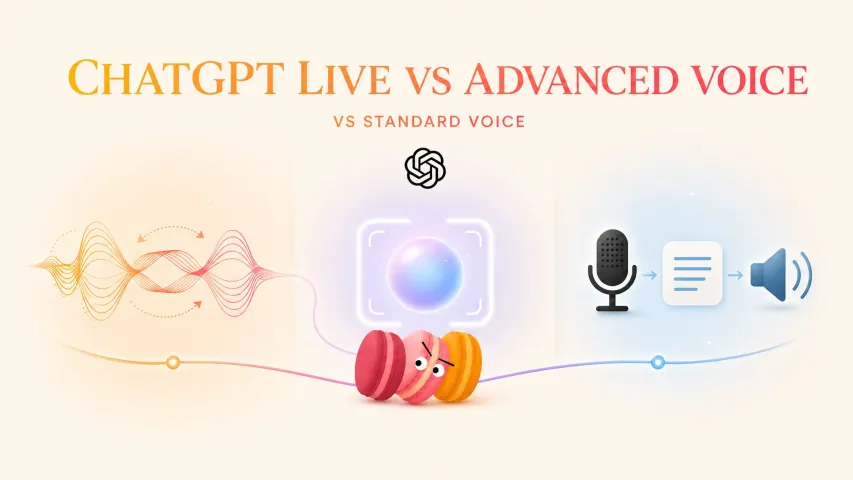
Live is the current interface label for OpenAI’s latest Voice experience. OpenAI says it can listen and speak at the same time, which supports more natural turn-taking and interruptions.
GPT-Live-1 and GPT-Live-1 mini are the model names OpenAI currently connects to Live in its Help Center and July 8 release notes. The release notes describe GPT-Live-1 for paid users and GPT-Live-1 mini for Free users during the rollout. That is stronger evidence than a third-party article calling every spoken interaction “GPT-Live.”

Advanced is described by OpenAI as the previous real-time Voice experience. It remains relevant because some supported mobile capabilities, including video or screen sharing for eligible users, may be available there when they are not available in Live.
Standard is described as turn-by-turn Voice: speech is transcribed before ChatGPT generates a response. It still belongs under ChatGPT Voice, even though its interaction pattern differs from Live.
This is why phrases such as ChatGPT Live Voice can be understandable without being exact official labels. The phrase usually points toward the Live option within Voice, but it does not, by itself, establish which GPT Live model handled a session. Likewise, “Advanced Voice Mode” may appear in current release notes or older support material even when the present settings screen shortens the option to “Advanced.”
The practical rule is simple: do not collapse a product name, a setting label, and a model name into one interchangeable term. Each answers a different question.
What Users Actually See in ChatGPT

Voice settings, Live label, paid/free claims, and rollout differences
The interface is the best evidence for what a particular account can select right now. In the accessible Plus web account checked for this article, ChatGPT’s Voice settings showed a model selector with Live, Advanced, and Standard, plus a separate Intelligence setting. The interface language translated Advanced and Standard while keeping “Live” in English. That observation confirms one account’s visible options; it does not prove that every plan, region, workspace, app, or interface language shows the same controls.
OpenAI’s Help Center makes that limitation explicit: the available Voice options may depend on plan, region, and app version, and its rollout FAQ also names workspace as a factor. A missing Live label therefore does not automatically mean a user has configured Voice incorrectly. It may reflect eligibility or rollout state.
The same caution applies to paid/free summaries. OpenAI’s current documentation associates the fuller GPT-Live-1 model with paid access and GPT-Live-1 mini with Free access, but a short plan label is not a complete entitlement check. Limits can change, and workspace rules can differ from personal-plan rules. An older launch announcement can also describe what was true “at launch,” not necessarily every later rollout stage.
For a reliable check, use this evidence order:
- The account’s current Voice settings show which choices are visible now.
- The current Help Center explains what those choices mean and states known limits.
- Dated release notes explain when a name or rollout claim was introduced.
- Screenshots and third-party wording provide context, but should not outrank current official text.
This is also why searching for OpenAI ChatGPT Voice is often more useful than searching only for a model nickname. A query such as “Voice mode ChatGPT” usually signals a settings question, not a request for hidden model-routing details. The product term leads to the settings and support boundaries a user can actually verify.

What This Means for Everyday Use
Interruptions, text, images, memory, and supported widgets
For everyday use, the visible Voice option matters more than the model name someone attaches to it.
With Live, OpenAI says ChatGPT can listen and speak at the same time. That can make interruptions and handoffs feel more fluid than a strictly sequential exchange. It does not mean every interruption will be understood perfectly. Background noise, overlapping speech, network conditions, pauses, and microphone settings can still affect the conversation.
Live also works within the same chat rather than creating a voice-only space. Spoken responses can appear alongside streamed text, and users may be able to type or add images during the conversation. OpenAI also lists web search, memory, and visual results through supported widgets among Live capabilities. Each of those phrases carries a boundary: the relevant feature must be available for the account and session. A Live label is not a promise that every widget, image flow, memory behavior, or search result will appear in every conversation.
Advanced and Standard should be read by their documented behavior, not as a simple quality ladder. Advanced may be the relevant option when an eligible mobile user needs supported video or screen sharing. Standard uses a transcribe-then-respond flow. Calling Live “best,” Advanced “second best,” and Standard “old” would hide the actual capability differences.
Transcripts need similar care. OpenAI says a transcript is added after a Voice conversation, but it may not be a verbatim record, especially when speech overlaps or the conversation moves quickly. The transcript is useful evidence of what appeared in the chat; it is not a forensic recording of every spoken word or proof of the exact model route.
In other words, Voice mode in ChatGPT is a product surface with several possible experiences. The most useful question is not “Which name sounds newest?” It is “Which option is visible, and does its documented behavior match what I need?”
What Not to Assume From the Name
Availability, exact model, region, and workspace support
Do not infer availability from an article headline. OpenAI says Live is rolling out gradually, so two users may see different Voice settings even if they open ChatGPT.com on the same day.
Do not infer an exact model from the word “Voice.” ChatGPT Voice includes more than one documented experience. Even when the interface shows Live, a screenshot of that label does not expose backend routing, fallback behavior, or later changes that are not shown in the UI.
Do not turn launch wording into a permanent plan matrix. The July 8 release notes described consumer-plan and workspace availability at launch. Current eligibility should be checked against the present Help Center and the account itself, especially for Business, Enterprise, Edu, or other managed workspaces.
Do not treat region or app version as a footnote. They are among the factors OpenAI names for option availability. An iOS screenshot, a web screenshot, and an Android support answer may all be genuine yet reflect different rollout moments or account contexts.
Finally, do not assume that the label “Live” guarantees every adjacent capability. OpenAI currently documents support boundaries for video, screen sharing, connected apps, plugins, custom GPTs, Work, and Codex. Those boundaries may evolve independently of the model name. A name identifies a layer; it does not replace an entitlement or capability check.
FAQ
What if an article uses GPT-Live and Voice interchangeably?
Check what the sentence is actually claiming. If it describes speaking with ChatGPT generally, “Voice” is the safer product term. If it names GPT-Live-1, asks for plan access, or attributes a capability to a model, require a current OpenAI source. When editing team content, define the terms once and preserve that distinction throughout.
Can screenshots prove which Voice model is running?
No. A screenshot can prove that a label or control was visible on a particular account at a particular moment. It cannot reveal hidden routing, fallback behavior, or whether the displayed name changed after the capture. Record the account type, platform, app version, interface language, and capture date alongside the screenshot.
Should users search for model names or product settings?
Start with product settings when the goal is to use or troubleshoot Voice. Search a model name when the question specifically concerns OpenAI’s model announcement or documented routing. This avoids turning a model-focused search result into unsupported account-level guidance.
What if a support article uses older Voice terminology?
Use its update date and context. Older terms may accurately describe an earlier interface or capability set. Compare them with the current Voice Help Center and newer dated release notes, then quote the wording that matches the period you are documenting rather than silently modernizing it.
How should teams document Voice behavior during rollout?
Separate five fields: product name, visible option, platform, account or workspace context, and observation date. Add the relevant Help Center or release-note link. If the exact model is not displayed or officially confirmed for that context, write “not verified” instead of inferring it from the Voice label.
Previous posts: