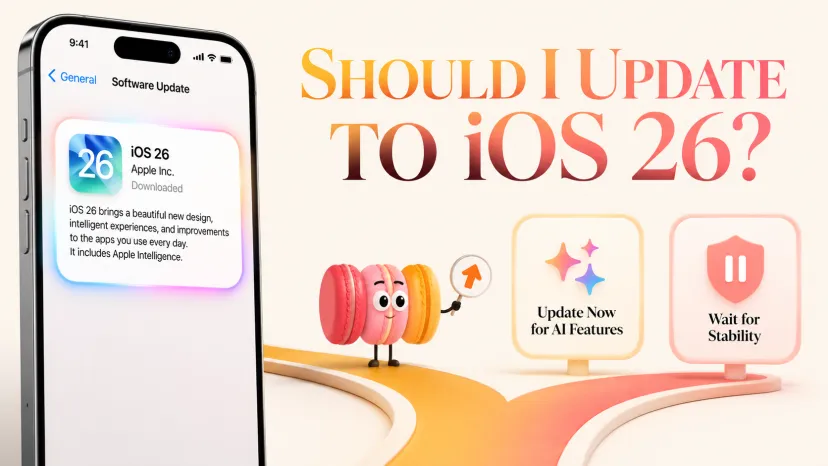
Quick Answer: Update for System AI, Not a Whole Personal Agent
What iOS 26 AI May Change in Daily Use
What to Check Before Updating
What an iOS Update Cannot Decide for You
Where a Personal AI Assistant Still Fits
A Simple Decision Frame for Everyday Users
FAQ
Should You Update to iOS 26 for AI?
Should You Update to iOS 26 for AI?
If you're the kind of person who reads the release notes before tapping update, your real question isn't should I update to iOS 26. It's quieter: what kind of AI help do you actually want next month, and which layer of your phone do you want it to come from? Most update guides skip this framing entirely — they list features, check compatibility, walk through device cutoffs, without asking what you were hoping iOS AI would actually do for you.
Short version: iOS 26 brings real improvements to system-level AI — writing tools, smarter suggestions, deeper Apple Intelligence integration inside Mail, Messages, Notes. None of it remembers what you cared about three weeks ago. That distinction is small on the surface and large in how you experience daily use. What follows is a decision frame for whether the AI angle of iOS 26 matters enough to update for, what an OS update can never decide for you, and where a separate personal AI still has a role.
A friend asked me Tuesday between two work calls — "Maren, do I need to update for the AI?" — phone at 14 percent, half-finished email visible behind the screen. The answer is rarely the one she expects, and it's almost never about iOS itself.
Quick Answer: Update for System AI, Not a Whole Personal Agent
If you have a compatible iPhone and want better in-app writing, suggestions, and translation, iOS 26 is worth it. If you were hoping for an AI that knows you over time — your projects, your patterns, your context across the week — the update doesn't add that. The Apple what iOS 26 brings overview emphasizes design, Liquid Glass, and intelligence layered into existing apps. That's accurate. It's also a different thing than a personal AI assistant that grows with use.
Two things stay true here. iOS 26 AI improves the moments you're already inside something — replying to mail, drafting a note, asking Siri a quick fact. It doesn't carry the threads between those moments.
What iOS 26 AI May Change in Daily Use
Writing and Communication Help
Writing Tools — rewrite, summarize, proofread — are integrated more deeply across Mail, Messages, Notes, and third-party apps that opt in. According to the Apple AI rollout details Apple published at launch, Live Translation now spans Messages, Phone, and FaceTime for a growing language set. If your week involves cross-language communication or a lot of polish-passes on short messages, this part of iOS 26 is genuinely useful.
Smarter System Suggestions
Smart suggestions show up across more places — calendar events surfaced from text, photo searches that understand context, Shortcuts that can call intelligent actions. The improvement is real, but it's the kind you notice in small moments rather than in a single dramatic before-and-after.
Apple Intelligence Inside Everyday Apps
Apple Intelligence isn't a separate destination anymore. It's threaded into the apps you already open. Once you set up Apple Intelligence — language, region, device support all aligned — features appear inside what you're already doing, which is the right design choice. It's also why the experience can feel subtle. You don't visit an AI; the AI shows up where you already are.
What to Check Before Updating
Device Support
iOS 26 itself runs on iPhone 11 and newer. Apple Intelligence has a stricter bar — A17 Pro chip or newer, which in practice means iPhone 15 Pro, the iPhone 16 line, the iPhone 17 line, and iPhone 16e. The official iPhones supporting iOS 26 list is the source of truth here; specs from third-party roundups drift over time. If your phone supports iOS 26 but not Apple Intelligence, the update gives you the design refresh and most of the everyday improvements — not the AI features.
Apple Intelligence Availability
Beyond the chip, you need the right language and region settings. Device language and Siri language must match, both set to a supported language. Some features, especially Live Translation in calls, are rolling out language by language. Before updating with AI as the reason, confirm your specific language and region pairing is currently supported — this changes often, so always check the latest official Apple documentation.
App Compatibility and Comfort With Change
iOS 26 introduces the Liquid Glass redesign. If you depend on niche apps that haven't updated for the new visual system, expect some friction in week one. The visual change is real; whether it's a "love it" or "give it a week" depends on how you respond to interface shifts. Worth knowing before you tap.
What an iOS Update Cannot Decide for You
Your Routines
An OS update doesn't know that you reset your week on Sunday nights, that your three top recurring tasks are different from your roommate's, or that your version of "productive" is "fewer open loops by Thursday." It can speed up the friction inside individual moments. It can't see the shape of your week.
Your Preferences
Apple Intelligence won't track that you prefer plain text drafts before any rewrite, that your tone for work email is warmer than for vendor email, that you copy-paste the same five disclaimers into different contexts. These aren't OS features. They're personal context.
Your Emotional Context
The thing nobody puts in update reviews: how a tool feels in a hard week is different from how it feels in a calm one. An OS that's neutral by design will treat both the same. Sometimes that's what you want. Sometimes it isn't.
Where a Personal AI Assistant Still Fits
Remembering Your Context Over Time
This is the layer iOS doesn't reach. A personal AI assistant that holds memory across sessions — knowing what project you're three weeks into, what you decided last Friday, who "the Tuesday person" is — gives you continuity an OS update cannot. Academic research on AI memory consistently finds that the lack of cross-session memory is what users report as the biggest gap in current assistants. The system layer handles in-the-moment help. The personal layer handles continuity.
Turning Repeated Needs Into Mini-Apps
When the same need keeps coming up — weekly planning, recurring research, a personal review template — a personal AI can turn that into a small reusable tool, shaped to your wording and your patterns. That's a different mode than asking Siri a single question.
Supporting Daily Life Beyond One System Update
Routines, preferences, emotional context — these don't ship in a release. They build slowly. A personal AI assistant that grows with you over months is solving a different problem than the one iOS 26 was designed to solve. Both can coexist.
A Simple Decision Frame for Everyday Users
Three questions. If you can't say yes to at least one, the AI angle alone isn't the reason to update:
Do I write or message enough each day that integrated rewriting and translation would save real time?
Is my iPhone on the Apple Intelligence list, and are my language and region settings already supported?
Am I comfortable with a visual redesign and a short adjustment period for third-party apps?
If your answer is no to all three, the update is still fine, but the AI isn't your reason for it. If your answer is yes to all three, you'll likely get noticeable value from day two. Most readers sit somewhere in between.
FAQ
Is iOS 26 worth updating for AI if I already use third-party AI apps?
If your daily AI work happens inside a third-party assistant — drafting, planning, memory across sessions — iOS 26 mostly adds convenience at the system layer, not a replacement for that workflow. Update if the in-app writing and translation help feels worth it on their own; don't expect iOS 26 to absorb what your third-party AI already does.
What should I check if an AI feature is not available on my device?
Check three things: whether your iPhone model supports Apple Intelligence, whether your device and Siri languages are set to a supported language and match each other, and whether your region is currently included. Availability shifts by language and region over time, so refer to the latest official Apple documentation for current status.
Should I wait if I rely on my phone for school, work, or daily routines?
If your phone is mission-critical and your current setup works, there's no rush. A reasonable approach is to wait until the apps you depend on most have confirmed iOS 26 support and you have a quiet window to adjust to the visual redesign. The AI features will still be there when you're ready.
Can I keep using a personal AI assistant without updating right away?
Yes. Personal AI assistants typically run independently of iOS version and Apple Intelligence eligibility. As long as your current iOS supports the app, you can keep using it. The decision to update can be made on its own timeline, separate from your personal AI workflow.
Where should I check official iOS update and Apple Intelligence details?
For the most current information on iOS 26, supported devices, Apple Intelligence availability, and language and region support, the official Apple documentation is the source of truth. Specs and availability lists from third-party sites drift over time; Apple's own pages update as features roll out.
If your phone supports both, the test I'd start with is one real task — your actual planning, your actual rewriting, your actual week — and see which layer of help survives past day three. That's usually where the right answer shows up.
I’m Maren, a 27-year-old content strategist and perpetual self-experimenter. I test AI tools and micro-habits in real daily life, noting what breaks, what sticks, and what actually saves time. My approach isn’t about features—it’s about friction, adjustments, and honest results. I share insights from experiments that survive a real week, helping others see what works without the fluff.