How Macaron Supports the Decision Without Pushing a Purchase
FAQ
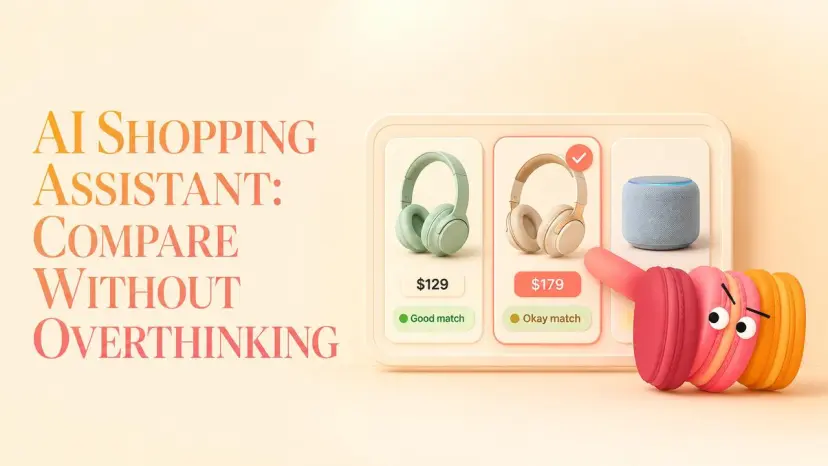
AI Shopping Assistant: Compare Products Without Overthinking
AI Shopping Assistant: Compare Products Without Overthinking
Most AI shopping assistant advice solves the wrong problem. It treats the assistant as a product-ranking engine — feed it a category, get back "the best one." The actual useful version is something else: a structure-holder for your own criteria, so the decision stays yours instead of getting outsourced to whoever paid for the top of a results page.
I've spent the last decade as a content strategist — Maren, the one who lives in seventeen open tabs by Wednesday — and I run small purchase experiments on myself to see where AI helps and where it just adds noise. The pattern that keeps showing up: the hard part of online shopping in 2026 isn't finding products. It's holding twelve half-formed preferences in your head across fourteen browser tabs without losing the thread by Thursday. That's where an ai shopping assistant actually earns its keep — and where most of them quietly overstep.
What follows is a 4-and-4 split from the last time I went through this loop myself, shopping for a monitor I'd been comparing for nine days: what an AI assistant is genuinely good at in a purchase like that, where it falls apart, and the one test for whether it's making decisions you should be making.
What an AI Shopping Assistant Is Good At
Side-by-side comparisons
This is the part that earns the tool a place on your screen. You paste in two or three products and ask: refresh rate, panel type, warranty, port layout — line them up. What used to take twenty minutes of switching tabs becomes one table you can actually look at.
The trick is that you have to ask for the specific attributes. A generic "compare this product to that one" gets you a generic summary. A pointed "compare panel uniformity, warranty length, and stand adjustability" gets you something you can use. Product comparison works best when you bring the criteria — the assistant fills in the cells.
Holding your preferences steady
Here's what most shopping assistants miss: you've already decided things, you just haven't written them down. No glossy screen. Has to fit on a 120cm desk. Budget tops out around $450. Refurbished is fine if warranty's intact.
A good assistant remembers those constraints across the session so you stop re-explaining them every time you ask about a new model. This is what personalized product recommendations should actually mean — not "AI picks the best product for you," but "AI doesn't waste your time on options you've already ruled out." The difference is who's driving.
Summarizing the real trade-offs
Reading nine reviews of the same monitor will tell you nine slightly different things. A useful assistant compresses them into the shape of the trade-off: this one has better color accuracy but the stand wobbles; this one is built like a tank but the menu UI is a relic from 2014.
That kind of summary is decision-shaped — it tells you what you'd be giving up, not just what you'd be getting. This is also why Nielsen Norman on decision journaling recommends writing down the trade-off as you see it before you decide — visible trade-offs lead to better choices than pre-declared winners, and writing them down keeps the assistant from quietly choosing for you.
Narrowing to a shortlist
Eighteen options is paralysis. Three is a decision. The honest job of an ai product recommendations layer is to get you from eighteen to three, then step back.
There's a reason this matters: HBR research on choice overload keeps surfacing the same pattern — past a certain point, more options stop helping and start exhausting. A shortlist isn't a recommendation. It's a smaller field. You still pick.
Where AI Shopping Falls Short
This is the part most articles skip, which is why most articles aren't worth reading on this topic.
Prices and stock go stale fast
No ai shopping assistant has real-time price data unless it explicitly says so — and most don't. The number it quotes you might be three weeks old. The "in stock" status might be a snapshot from before a flash sale ended.
If you're using it as a price check app or treating it like the best price comparison app, you're asking it to do something it structurally can't. Verify any specific number on the retailer's actual page before you act. (For the broader trend — yes, prices on consumer electronics genuinely move month to month; you can see the category-level movement in BLS Consumer Price Index data if you want the macro picture.) The point isn't that AI is bad. The point is that a six-week-old "great deal" isn't a deal.
It can be fooled by fake reviews
Reviews are how most assistants form their opinions about products. Reviews are also, increasingly, fake — so much so that the FTC's final rule on fake reviews explicitly bans AI-generated and paid testimonials, though enforcement lags the problem. An AI summarizing 200 reviews where 60 are paid placements will give you a confident, articulate, wrong summary.
FTC's guidance on endorsements and reviews lays out what disclosure is supposed to look like — and how often it doesn't. Consumer Reports on spotting fake reviews covers the patterns: suspicious timing clusters, generic praise, identical phrasing across accounts. Worth scanning the source reviews yourself for anything you're spending real money on.
It may narrow your options too much
The flip side of "narrowing to a shortlist" is the assistant can quietly drop something you'd have loved, because it didn't quite match your stated criteria.
You said "ergonomic chair under $400" and it filtered out a $420 model with a lifetime warranty that was actually the best buy. The narrowing is useful right up until it isn't, which is why a good shortlist should come with one line: here's what I excluded and why. If your shopping assistant won't show you that, you're working blind.
It shouldn't be the one deciding
Here's the test I sent my friend, and the one piece of this I'd actually fight someone over: if the assistant tells you what to buy, you're using it wrong.
The whole point of a personal AI in a purchase decision is that the decision stays yours. You have context the assistant doesn't — what your sister's old monitor looked like, why you're suspicious of one brand because of a bad return experience in 2023, what your apartment lease says about returning bulky items. An assistant that tries to short-circuit that context isn't helping. It's just doing what a banner ad does, with better grammar.
How Macaron Supports the Decision Without Pushing a Purchase
Here's where I'll be honest about what fits and what doesn't.
Keep your preferences and past comparisons on record
The friction I keep hitting with generic shopping assistants is that they forget. Every new chat is a blank slate. You re-explain the budget, re-explain the desk size, re-explain that you tried a brand and disliked it.
What I use Macaron for in this lane is the opposite: the things I've decided once, I want it to remember. Not as a recommendation engine — as a notebook that holds onto criteria so I don't have to retype them across three shopping sessions spread over two weeks.
Turn messy notes into a reusable shortlist
I keep what I call a shortlist file — half-formed, ugly, just product names and a one-line note about why each one's still in the running. A shopping assistant that can read that file back as a clean comparison table is doing the boring 80% of the work that I'd otherwise abandon by Wednesday.
It's not finding the products. I'm finding the products. It's holding them in a shape I can look at on a Sunday morning when I have ten minutes between coffee and a phone call.
Decide at your own pace, no sales pressure
There's no checkout button. No countdown timer. No "only 2 left at this price." The assistant doesn't get paid if I buy today versus next month, which means the decision can sit in the messy middle for as long as it needs to.
For a 200-dollar purchase, that's overkill. For an 800-dollar one — the kind where you'll regret rushing — having a space that doesn't push you toward closure is the thing that actually changes the outcome.
Reuse boundary, because this isn't for everyone: if you already know exactly what you want and you're just hunting for the lowest price, skip this whole approach. A price check app or a dedicated best price comparison app will serve you better. The setup here is for the in-between case — when the criteria are still forming, the options are still too many, and you don't want to rush into a 600-dollar mistake. If your purchase is under $50 or the decision is binary, you're overengineering it.
FAQ
What can an ai shopping assistant actually do for me?
Realistically, four things: side-by-side product comparison on attributes you specify, remembering your constraints across a session, summarizing trade-offs from reviews, and narrowing a long list to a shortlist. It can't reliably tell you today's price, and it shouldn't be the one making the final call.
How much should I trust AI product recommendations?
Treat them as a filtered shortlist, not a verdict. The assistant doesn't know your context — your old furniture, your past returns, your apartment quirks. A recommendation that ignores any of those isn't wrong because the AI is bad; it's wrong because the AI is missing inputs only you have.
How do I keep AI from steering me with fake or biased reviews?
Two habits: ask the assistant to flag when a "highly rated" product has suspicious patterns (repeated phrasing, clustered timing, vague praise), and for anything over $200, open at least two actual reviews on the retailer's site yourself. The FTC and Consumer Reports resources linked above are worth a scan if you want the deeper pattern-recognition playbook.
Does it need my personal data to be useful?
For comparing products, no. For remembering preferences across sessions, you need to give it something — budget range, what you've ruled out, what you've already bought. That's preference data, not personal data. The line between "useful memory" and "creepy" is whether the assistant is holding criteria you typed in or pulling from somewhere you didn't authorize. Stay on the first side of that line.
I’m Maren, a 27-year-old content strategist and perpetual self-experimenter. I test AI tools and micro-habits in real daily life, noting what breaks, what sticks, and what actually saves time. My approach isn’t about features—it’s about friction, adjustments, and honest results. I share insights from experiments that survive a real week, helping others see what works without the fluff.