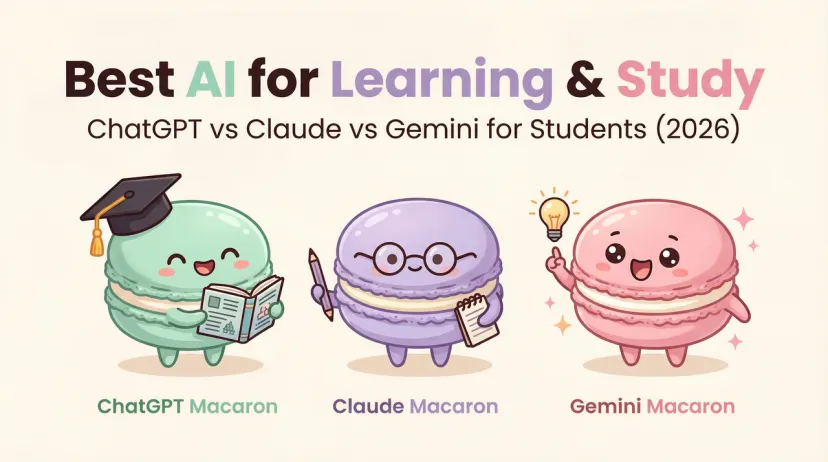
At a Glance: ChatGPT vs Claude vs Gemini for Students
Test Methodology
Concept Explanation
Homework & Assignment Help
Exam Preparation
Research & Citation
Language Learning
Final Verdict
FAQ
Best AI for Learning & Study: ChatGPT vs Claude vs Gemini for Students (2026)
Best AI for Learning & Study: ChatGPT vs Claude vs Gemini for Students (2026)
Hey there!
I'm Hanks—a workflow tester and content creator—and over the past few months, I've been tracking how students actually use AI for studying. The pattern that stuck with me: students can often tell you which tool finishes an assignment fastest, but have a harder time telling whether they could solve a similar problem alone afterward.
I still remember a high schooler at a café, muttering, "AI helps me finish homework fast, but I forget everything by the test." That hit me—no matter how powerful the tool, it only works if you use it right.
So I dug into student feedback, educational platform reports, and AI benchmarks, and tried ChatGPT, Claude, and Gemini across familiar study workflows: homework, exams, concept explanations, and research. I wanted to compare what each one helps a student do, while keeping a separate question in view: what can the student do when the chat is closed?
Quick answer, if you're skimming: Start with ChatGPT if you want a general-purpose study tool with a dedicated Study mode. Try Claude when you want detailed feedback on an explanation or draft; its dedicated Learning mode is a separate feature of Claude for Education, available through participating institutions. Try Gemini when diagrams, course files, or Google tools are central to your work, and switch on Guided Learning when you want questions instead of an immediate answer. None is automatically the best tutor for every student. The useful test is whether you can answer a new question without its help.
At a Glance: ChatGPT vs Claude vs Gemini for Students
All three can carry context within a conversation, but their longer-term study setups work differently. ChatGPT's Study mode can use memory when that feature is available and enabled. Claude can organize materials and conversations in Projects; its dedicated Learning mode belongs to Claude for Education. Gemini can work with uploaded materials and offers Guided Learning. Availability still depends on your account, school settings, and usage limits.
That matters more to me than a single benchmark score. A tool that remembers where you got stuck may save time, but remembering your course is not the same as checking whether you've learned it. I look for the moment when it asks me to explain an idea back, corrects a specific mistake, and then gives me a fresh problem to try alone.
Test Methodology
I compared the tools against student tasks and checked published product documentation and benchmarks. The original January 2026 draft also contained ratings and percentages from an earlier comparison. I've kept those figures below as dated observations, but the underlying prompts, sample sizes, and scoring sheets were not supplied with this article. They cannot support a current overall score or prove that one tool improves learning more than another.
Study Tasks Selected
I focused on what students actually do:
Concept explanations: Breaking down complex topics like quantum physics or machine learning algorithms
Homework support: Math problem-solving with step-by-step reasoning, essay feedback and improvements
Exam preparation: Practice question generation, flashcard creation, personalized study plans
Research & citations: Finding credible sources, proper formatting, avoiding plagiarism
Language learning: Grammar correction, conversation practice, vocabulary building
These tasks reflect common high school and university scenarios. For a comparison you can repeat with your own course, give each tool the same page of notes and ask the same four things: explain one difficult idea without giving away a worked answer; respond to a deliberately wrong attempt; point to the line in the notes that supports its correction; then write a new question for you to answer with the chat closed. Check that last answer against your notes or an instructor's answer key. A polished explanation is useful, but the independent attempt is the part that tells you whether it stuck.
Evaluation Criteria
My original comparison used these criteria:
Accuracy (40%): Correctness of information, minimal hallucinations, proper reasoning
Helpfulness (25%): Depth of explanations, personalization, educational value
Speed & Usability (20%): Response time and user-friendliness for students
Integration (10%): Multimodal support (images, videos), ecosystem connections
Cost & Access (5%): Free vs. paid tiers
Those weights describe what I intended to value. Without the per-tool scores and a reproducible sample, they do not produce a defensible weighted winner. I used sources such as the Artificial Analysis Intelligence Index to check model performance, while treating its benchmarks as a different kind of evidence from a student learning test.
Student Testers
I referenced experiences from student users in reviews and education discussions, including high schoolers looking for basic explanations and university students working through research and advanced topics.
That feedback helped identify what to test—especially where students confused a fluent answer with understanding. It isn't a representative student sample, and anonymous reports from forums or blogs shouldn't be read as measured learning outcomes.
Current reality check: there isn't one obvious "best" answer across every category. More importantly, ordinary chat, ChatGPT Study mode, Claude for Education Learning mode, and Gemini Guided Learning are different experiences. Compare the one your account can actually open.
Concept Explanation
This is where AI either feels like a patient tutor or a Wikipedia article that won't shut up.
A plain chat can explain a topic beautifully and still move on before you've understood it. A learning mode is more likely to pause, ask what you already know, and work through the gap. ChatGPT's Study mode is available across ChatGPT plans, subject to each plan's normal model and usage limits. Claude's Learning mode works within Projects for Claude for Education, which is offered through participating institutions. Google's Guided Learning asks probing questions and can use visual explanations and quizzes in Gemini.
Complex Topics Simplified
For simplifying topics like machine learning algorithms or historical events:
ChatGPT is a good starting point when you need an explanation adjusted to your level. In Study mode, ask it to stop after each step and wait for your answer.
Claude can be a thoughtful explainer in ordinary chat. If your university provides Claude for Education, Learning mode adds a more explicitly guided approach. Don't assume that mode is included with an ordinary personal Claude account.
Gemini is useful when an image, diagram, or uploaded course page is part of the question. Guided Learning can take that material into a question-led session instead of giving you one long explanation.
Follow-up Q&A Quality
Real learning happens in the back-and-forth. One explanation isn't enough.
In my earlier conversation reviews, Claude and ChatGPT generally held onto the thread across five or more follow-up questions. Gemini sometimes drifted on longer abstract exchanges. That's an observation from those sessions, not a current cross-model reliability rate.
When an explanation starts to drift, I ask: “Which sentence in my uploaded notes supports that?” If the tool can't point to one, I go back to the source. That small check catches more study mistakes than asking for a more confident-sounding explanation.
Winner & Why
If you have access to Claude for Education: Learning mode is worth trying for deep conceptual work because it is designed to guide reasoning within a Project. If you don't: ChatGPT Study mode is the easier dedicated learning experience to start with, including on a free account.
📌 Historical benchmark, not a tutoring test: In a December 2025 evaluation of research-paper questions and reports, Elicit reported that Claude Opus 4.5 scored 76% on its combined “accurate, supported, and direct” measure, versus 71% for the comparison result. That says something about those research tasks. It does not establish which tool teaches a student a concept best.
Homework & Assignment Help
Here's where it gets tricky: helping versus doing the whole assignment.
Math Problems
📌 Historical benchmark, not a homework test: OpenAI reported 100% on AIME 2025 for GPT-5.2 Thinking in its published benchmark conditions. AIME tests competition-math answers; it doesn't measure whether a student can reproduce a method in an exam. I wouldn't choose a homework tutor from that number alone.
The earlier student-workflow comparison recorded these scores for “could I re-create this on paper in an exam?”:
ChatGPT: 4.6/5
Claude: 4.3/5
Gemini: 4.0/5
I have kept the original scores, but there is no sample size or rating sheet here to make them a current ranking. For your own math check, give the tool your first attempt—including the wrong step—and ask it to identify where your reasoning changes course. Then solve a parallel problem without seeing its answer.
ChatGPT's habit of re-checking a step can be valuable. It can also be wrong while sounding careful, so the last line still needs checking against the question and your course method.
Essay Feedback
For essay feedback and writing improvement:
Claude often gives detailed explanations of why a sentence or argument isn't working, with alternatives you can choose between.
ChatGPT is useful for structure and clarity, especially if you ask it to comment on your draft before suggesting a rewrite.
Gemini can work well when the assignment brief or supporting files are already in your Google workflow.
The test I use here is simple: ask for three comments tied to exact lines, then revise the paragraph yourself. If the tool can only produce a cleaner essay for you, it may save time without teaching you much about your own writing.
Winner & Why
For math-heavy homework: I would start with ChatGPT Study mode if I want guided steps and a follow-up problem. For a student whose school provides Claude for Education, I'd also try Claude Learning mode on the same question before choosing.
For essay-heavy subjects:Claude is a strong choice when line-by-line feedback is the task. Elicit's earlier report-writing evaluation found 62% of Opus 4.5's claims well-supported versus 54% for Sonnet 4.5, with fewer poorly supported claims. That was an evaluation of generated research reports, though—not a score for essay tutoring or student revision.
Exam Preparation
Cramming is where tools either help you actually prepare or just create busywork.
Practice Questions
On practice question generation:
ChatGPT can make a mix of multiple choice, short answer, and “explain in your own words” prompts. Study mode can quiz you one question at a time and discuss what you missed.
Claude can build questions around a reading and ask you to defend your answer. Learning mode adds guided questioning for eligible Claude for Education users.
Gemini can build questions from uploaded materials; Guided Learning is useful when you want to work toward an answer instead of receiving one immediately.
Whichever you choose, ask for questions from your actual syllabus, answer them without the source open, and check the answer key. “This feels like revision” is not the same as being able to retrieve it tomorrow.
Flashcard Generation
All three create flashcards, but quality varies:
Claude produced clean, short cards in my earlier comparison: one concept, one answer, little fluff.
ChatGPT worked well when I asked for tiered difficulty: basic → intermediate → advanced.
Gemini sometimes put multiple ideas on one card in those sessions.
Those are card-creation observations, not retention results. Cut any card you can't answer clearly, and schedule a later review; generating fifty cards in one sitting doesn't show that you'll remember them.
Study Plan Creation
For personalized study plans:
ChatGPT is useful for turning a list of topics, available hours, and a test date into a draft plan.
Claude can help identify the concepts behind repeated mistakes, though you may need to push back on an overly ambitious schedule.
Gemini is convenient when your materials and calendar already sit in Google. Check the exact connected-app permissions on your account before assuming it can add events automatically.
Winner & Why
ChatGPT Study mode is my first pick for a student who wants practice questions, feedback, and another attempt in one session. Claude is a useful second pass when the explanation still isn't clicking. If the course is heavily visual or your materials are already in Google, try Gemini Guided Learning on the same topic before deciding.
Research & Citation
This is where honesty matters most. The best AI for learning should help with research, not hallucinate studies that don't exist.
Source Finding
📌 Historical comparison: The original January 2026 notes referred to 60+ suggested sources per tool in educational-platform tests. They did not include the source lists or a checking log, so I can't turn that into a current source-accuracy percentage.
Claude sometimes takes a more cautious tone when it cannot verify a source. That can be helpful, but tone is not proof. For any of the three, open the paper, check that the title and authors match, and confirm the specific claim appears in it. If you uploaded a course reading, ask the tool for the page or passage, not just a citation-shaped answer.
Gemini's document and visual input can help with a diagram-heavy paper or a photographed page. Check any OCR result against the image before using it as evidence.
Citation Accuracy
The original January 2026 comparison recorded these APA/MLA formatting figures:
ChatGPT: ~93% correct without manual tweaks
Claude: ~90%, with minor punctuation or capitalization issues
Gemini: ~85%, with more missing details filled in incorrectly
I've preserved the figures, but the cited set and marking rules weren't provided with the draft. Don't treat the percentages as a current head-to-head test. I still recommend checking every AI-generated citation against the actual source and your university's style guide; Zotero can help manage the references, but it cannot make an invented paper real.
Plagiarism Concerns
I ran samples through plagiarism detectors in the earlier comparison:
None produced obvious copy-paste content from the web
ChatGPT and Claude had similar originality scores
Gemini was fine but sometimes leaned heavily on familiar phrasing
Those results only describe the samples I checked. A plagiarism score doesn't establish that a submission meets your course's AI policy—or that its claims and citations are correct. The bigger risk isn't straight copying: it's handing in an argument you can't explain or defend yourself.
My pick: Claude for discussing a research question or a draft argument; ChatGPT for organizing a paper and checking its structure. For source discovery and citations, neither gets a pass without opening the original material.
Language Learning
I analyzed each tool as a language tutor for Spanish, French, and Japanese at beginner to intermediate levels.
Grammar Correction
The January 2026 comparison recorded these combined accuracy-and-clarity scores:
ChatGPT: 4.8/5—clear pattern-based explanations in those sessions
Claude: 4.6/5—nuanced corrections with explanations
Gemini: 4.3/5—useful multimodal input, though some explanations were technical
As with the other original ratings, the prompts and scoring sheet aren't available here, so these are dated observations. To choose for your own language, give each tool the same paragraph you wrote, ask it to mark only errors that change meaning, and then rewrite the paragraph without looking at its correction.
Conversation Practice
For simulated 10-minute text conversations:
Claude felt the most encouraging in my earlier sessions, correcting mistakes without interrupting the flow too often.
ChatGPT was slightly more “teacherly” but still friendly.
Gemini sometimes over-corrected and broke the conversation flow.
That's text practice. If your goal is speaking aloud, test each tool's voice experience separately; a good written correction doesn't tell you how well it handles pauses, pronunciation, or turn-taking.
Winner & Why
For grammar and writing: start with ChatGPT if you want concise explanations and a chance to try again.
For text conversation practice:Claude is worth trying if you want gentle corrections while keeping the exchange moving. For spoken practice, make the decision after a real voice session, not this text comparison.
Final Verdict
The best AI for learning isn't about who wins one category. It's about what happens when you put the tool away and try the next problem yourself.
Best for High School
Recommendation: Start with ChatGPT Study mode for guided practice; try Gemini Guided Learning when diagrams or class materials are central.
Why:
Study mode can ask questions and check understanding without requiring a paid ChatGPT plan, though normal usage limits still apply.
Guided Learning offers another question-led approach with visual support.
A student's school or supervised-account settings may affect which features appear.
For graded work, the teacher's AI-use rules come first.
Claude can still be a useful explainer in ordinary chat. Its dedicated Learning mode should not be presented as a default feature for every high school student.
Best for University
Recommendation: Try Claude for draft feedback and difficult explanations, ChatGPT Study mode for practice, and Gemini Guided Learning for visual or Google-based coursework.
University students need:
Deep concept understanding
Research and citation checks
Essay and project feedback
If your institution provides Claude for Education, test its Learning mode inside a Project. If it doesn't, ordinary Claude chat remains useful, but it's a different comparison. Anthropic's education research describes how students use Claude; it does not, by itself, prove that those conversations improved their exam results.
Realistically, many university students will use more than one tool. I would choose the second one to cover a specific gap, not because another benchmark says it's ahead this month.
Best Overall
If I have to suggest one place to start for a student with no special school account, it's ChatGPT Study mode: it combines broad subject coverage with a dedicated guided-learning flow that is available across ChatGPT plans.
That isn't a weighted victory for ChatGPT. The original scoring data cannot establish one. Change the pick if your course depends on diagrams or Google files, if your university gives you Claude for Education, or if another tool consistently gives you better feedback on your own wrong answers.
Heads up on the Gemini student offer: The old offer with an April 30, 2026 deadline ended, but it was followed by a new one. Google says eligible U.S. college students can claim one year of Google AI Pro at no charge, while eligible students in many markets outside the U.S. can claim one year of Google AI Plus. The stated redemption deadline is December 31, 2026; eligibility, regional exclusions, a payment method, and charges after the free period matter. Check Google's current student terms for your location before signing up.
You've seen where these tools fit into real study tasks. The question I'd ask before paying for any of them is: “Can I solve a related problem after this conversation ends?”
Personally, I use ChatGPT, Claude, and sometimes Gemini for different parts of a study workflow. When the course materials, deadlines, and the question I got wrong last week are scattered across those chats, keeping track of the bigger picture becomes its own task. That's the reason I use Macaron alongside them. It helps me keep the study context together; I still go back to the course source and do the independent practice myself.
After spending weeks testing these tools in student scenarios, that's the distinction I keep returning to. A fast answer is nice. Being able to explain it on your own tomorrow is better.
FAQ
Which AI is free for students?
All three offer free access with usage limits, but the dedicated learning experiences differ. ChatGPT Study mode is available across ChatGPT plans. Gemini Guided Learning is available in Gemini for eligible signed-in accounts, subject to account and rollout conditions. Claude's dedicated Learning mode is part of Claude for Education through participating institutions; ordinary Claude chat has a free tier. Google's new 2026 student offer may also provide an eligible college student with one year of AI Pro or AI Plus at no charge, depending on region.
Can these AIs replace studying?
No. Ask them for hints, feedback on an attempt, and fresh practice questions. Then close the chat and answer one yourself. Follow your school's rules for graded work, and check sources and citations before using them.
What's the cost?
Each has a free route, with model, feature, or usage limits. Paid prices and student offers vary by plan, region, and account. Check the provider's checkout and offer terms rather than treating a 2026 screenshot as a permanent price.
Which is best for coding in studies?
Choose by the assignment: use the tool that can explain a bug, let you propose a fix, and check whether you understand why it works. Software-engineering benchmarks measure completed coding tasks, not whether a student learned to debug. Compare the current models on a problem from your course and follow its AI-use policy.
How do they handle multimodal learning?
All three can work with some images or uploaded materials, subject to plan limits. Gemini Guided Learning is especially worth testing for visual material because its guided flow includes diagrams and other visual explanations. That is a reason to try it on your lecture slide or handwritten page, not proof that it is always the most accurate multimodal tutor. Verify what any tool says it can see against the original file.
Originally published January 2026; product access and student-offer details checked November 12, 2026. The original comparison's ratings, citation percentages, and session observations are retained as dated material. Without their prompts, samples, and scoring records, they are not used to calculate a current overall winner or to claim measured learning gains.
Hey, I’m Hanks — a workflow tinkerer and AI tool obsessive with over a decade of hands-on experience in automation, SaaS, and content creation. I spend my days testing tools so you don’t have to, breaking down complex processes into simple, actionable steps, and digging into the numbers behind “what actually works.”